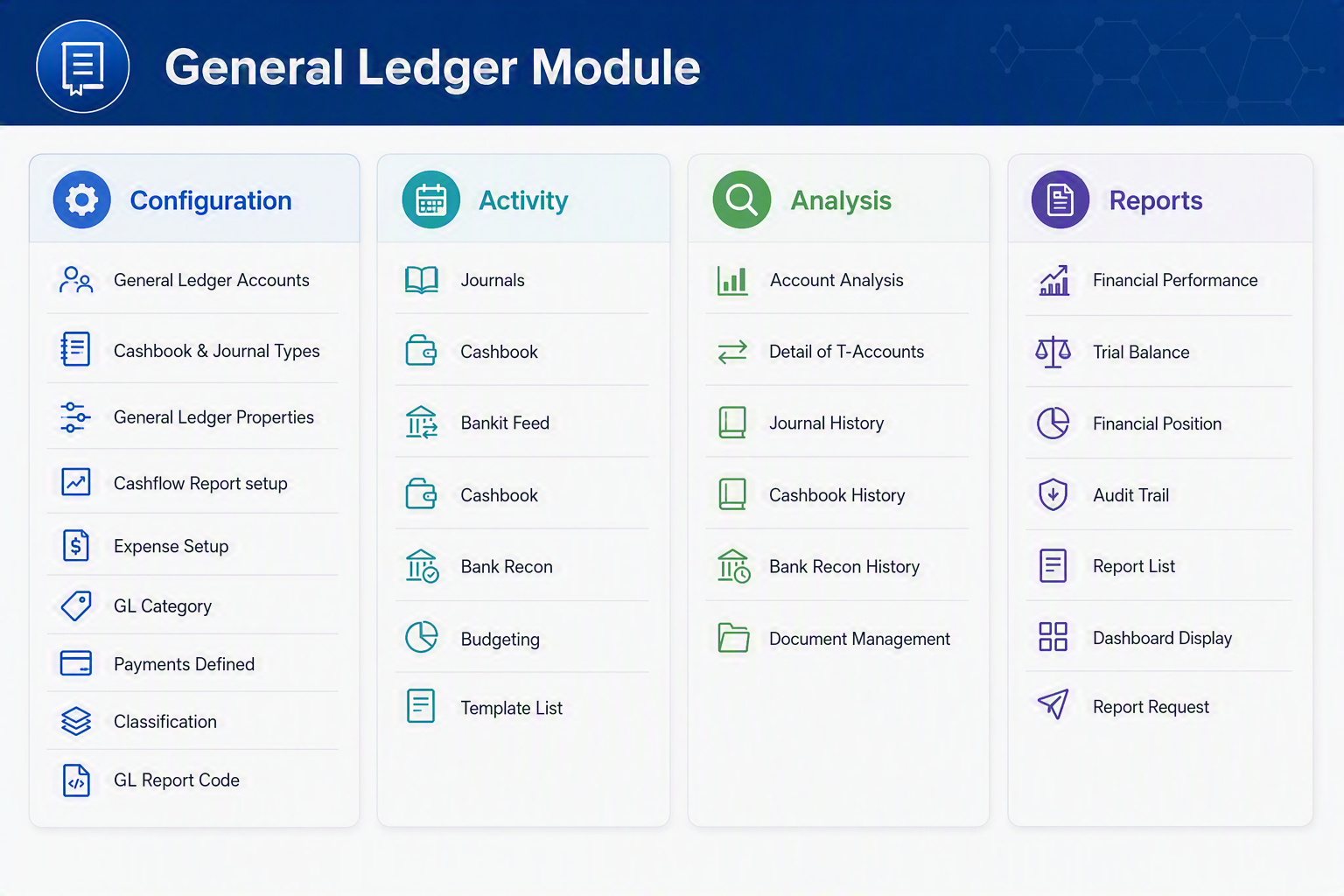
General Ledger Module map

General Ledger Module

The General Ledger Module is the central financial management area of Huge ERP. It allows users to configure accounting settings, process financial transactions, analyse financial information, and produce management and statutory reports.

General Ledger Module.png


Configuration Menu Group

Menu ItemDescription
General Ledger AccountsCreate and maintain the Chart of Accounts used throughout the system. Define account types, account names, and reporting structures.
Cashbook & Journal TypesConfigure the different cashbook and journal transaction types available for processing financial entries.
General Ledger PropertiesDefine system-wide General Ledger settings, financial periods, account defaults, and operational preferences.
Cashflow Report SetupConfigure categories and groupings used for cashflow reporting and forecasting.
Expense SetupMaintain expense categories and default account mappings used throughout the ERP system.
GL CategoryCreate and manage General Ledger account categories to assist with reporting and financial analysis.
Payments DefinedDefine payment methods, payment classifications, and related accounting treatments.
ClassificationCreate financial classifications used to group accounts and transactions for reporting purposes.
GL Report CodeDefine report codes that determine where accounts appear within financial statements and management reports.

Activity Menu Group

Menu ItemDescription
JournalsEnter and process general ledger journal transactions including adjustments, accruals, and corrections.
CashbookProcess cash receipts and payments and update bank account balances.
Bank FeedImport and process electronic transactions received directly from banking institutions.
Cashbook AllocationAllocate imported bank transactions to the correct General Ledger accounts and business transactions.
Bank ReconciliationReconcile cashbook transactions against bank statements to ensure accounting accuracy.
BudgetingCreate, maintain, and analyse budgets by period, department, or account.
Template ListMaintain recurring journal templates and commonly used transaction templates to simplify data entry.

Analysis Menu Group

Menu ItemDescription
Account AnalysisAnalyse account activity, balances, movements, and transaction history for selected General Ledger accounts.
Detail of T-AccountsView transactions in a traditional T-Account format showing debits and credits for analysis purposes.
Journal HistoryReview previously posted journal transactions and audit financial adjustments made over time.
Cashbook HistoryReview historical cashbook transactions including receipts, payments, and adjustments.
Bank Reconciliation HistoryView completed bank reconciliations and historical reconciliation balances.
Document ManagementAccess supporting documents, attachments, and electronic records associated with General Ledger transactions.

Reports Menu Group

Menu ItemDescription
Financial PerformanceProduces the Profit and Loss Statement showing income, expenses, and profitability for a selected period.
Trial BalanceDisplays all General Ledger account balances and verifies that total debits equal total credits.
Financial PositionProduces the Balance Sheet showing assets, liabilities, and equity at a specific point in time.
Audit TrailProvides a detailed history of transactions, postings, and system activities for auditing purposes.
Report ListDisplays all available General Ledger reports available within the system.
Dashboard DisplayProvides graphical dashboards and KPI summaries for financial performance monitoring.
Report RequestAllows users to schedule, generate, and distribute financial reports.

General Ledger Workflow

StepPurpose
ConfigurationSetup accounts, categories, report structures, and financial settings.
ActivityProcess journals, cashbook entries, bank transactions, and budgets.
AnalysisReview financial activity and investigate balances or transactions.
ReportsProduce financial statements, management reports, and audit information.

This structure follows the standard accounting process of Configure → Process → Analyse → Report, making the General Ledger the financial backbone of the Huge ERP system.
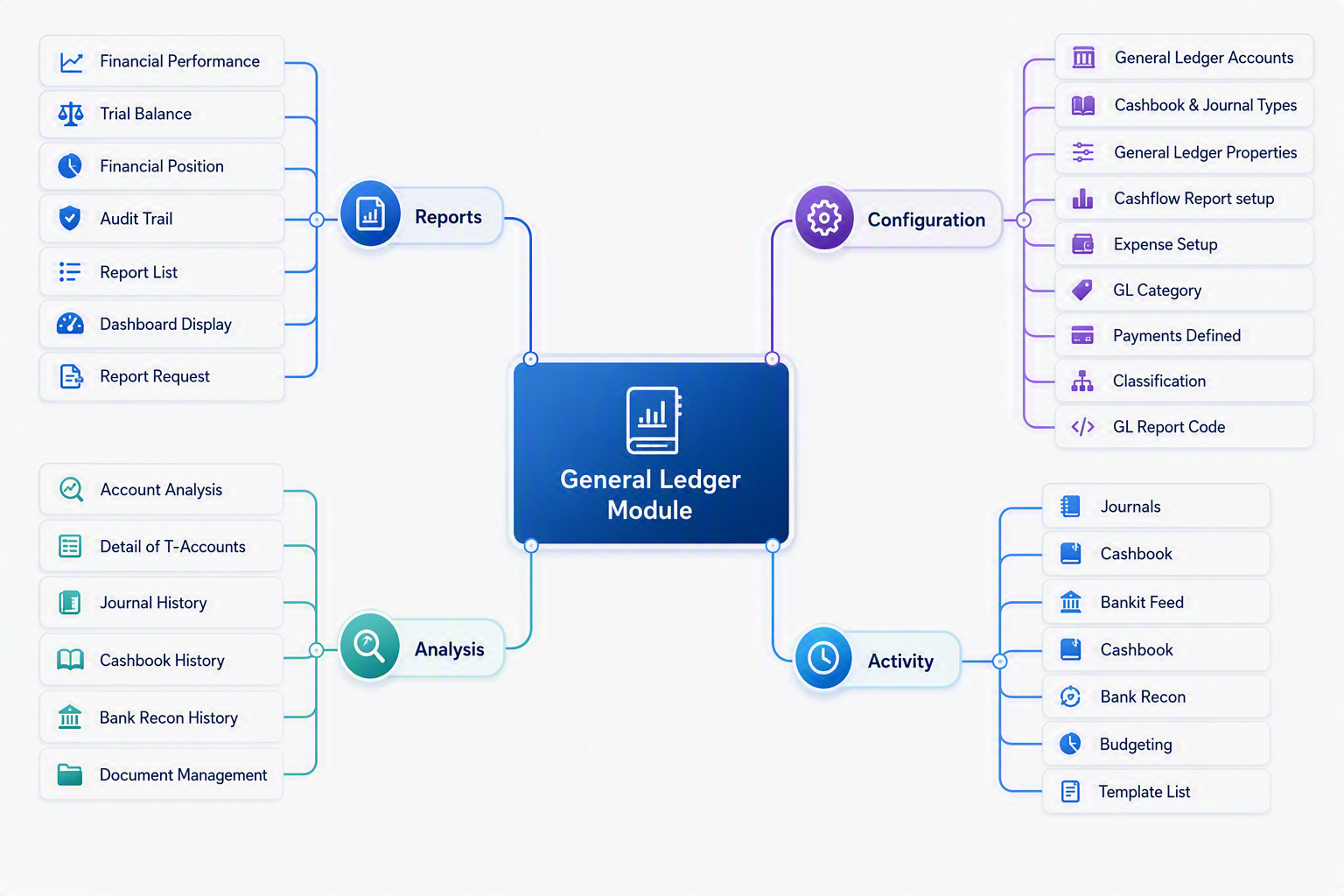
 

General Ledger Module map.png