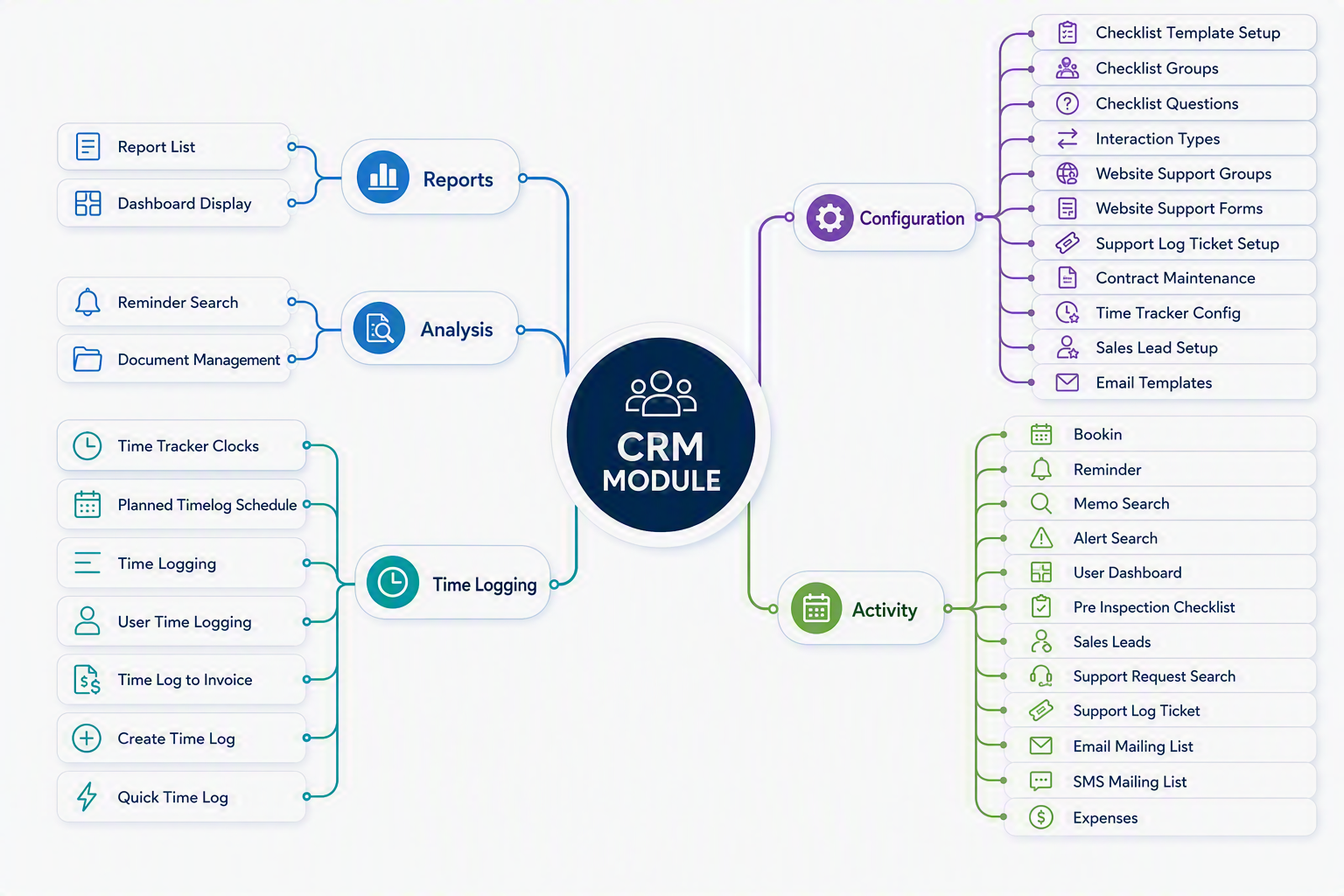
CRM map
The CRM (Customer Relationship Management) Module within Huge ERP provides a centralised platform for managing customer interactions, sales opportunities, support requests, communication activities, and time-based services. It enables organisations to maintain stronger customer relationships by capturing and tracking all customer-related activities in a single system.
The module includes tools for managing sales leads, customer support tickets, reminders, bookings, contracts, document storage, email and SMS communications, and time logging. Integrated checklist management and workflow tracking help ensure that customer enquiries, support issues, and sales opportunities are handled consistently and efficiently.
The CRM Module is divided into five key areas:
- Configuration – Defines CRM settings, interaction types, support configurations, checklists, contracts, email templates, and sales lead parameters.
- Activity – Provides day-to-day operational functions including sales lead management, support ticket processing, reminders, bookings, customer communications, and expense recording.
- Time Logging – Records and manages time spent on customer support, service activities, and billable work, with the ability to convert approved time into invoices.
- Analysis – Offers search and document management facilities for reviewing customer information, reminders, and historical CRM records.
- Reports – Delivers reporting and dashboard tools that provide visibility into customer activity, support performance, sales pipeline status, and operational workload.
By combining customer relationship management, service management, communication tracking, and time recording into a single integrated solution, the CRM Module helps organisations improve customer service, increase sales effectiveness, and maintain complete visibility of all customer-related activities.
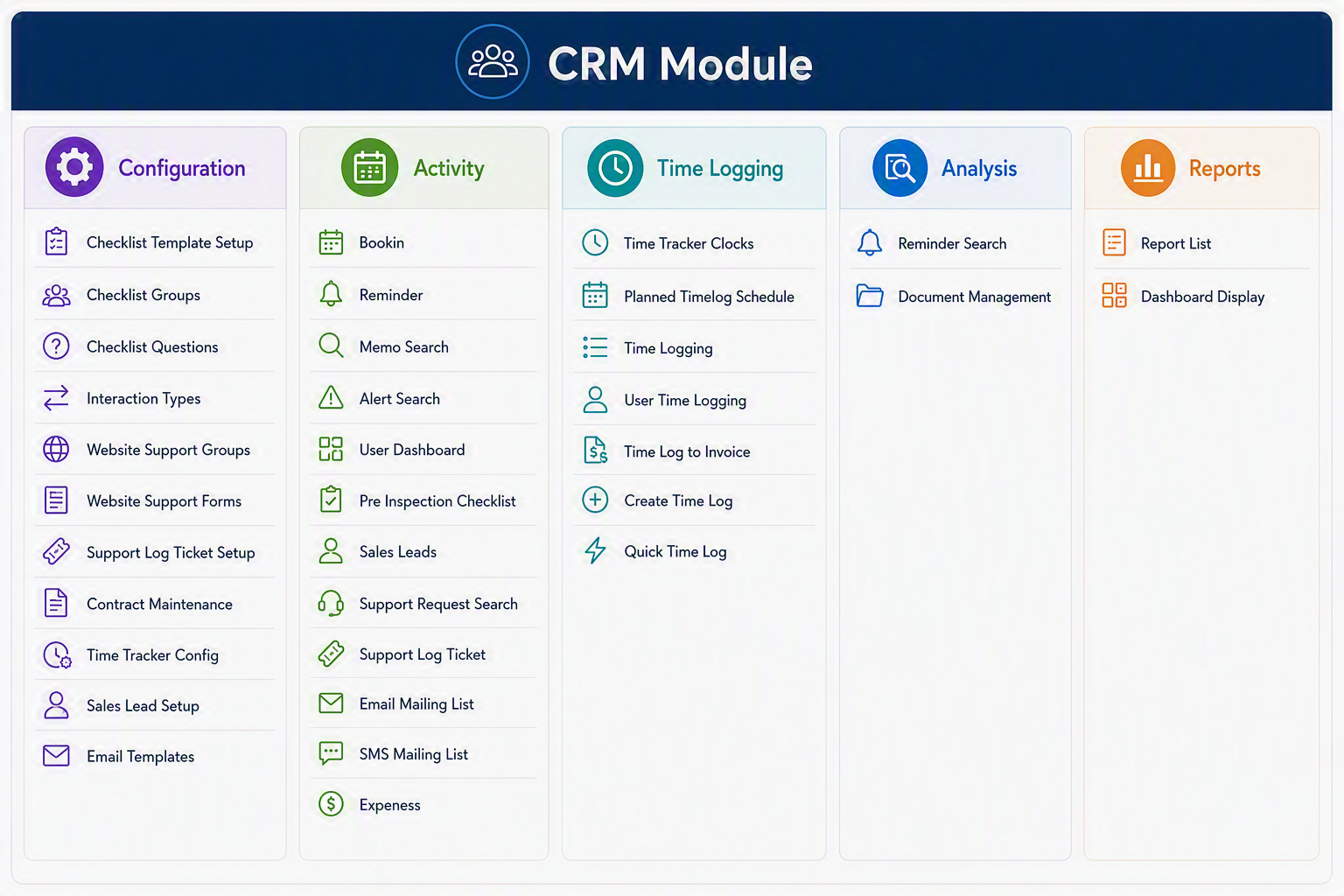
CRM Module Menu Groups and Menu Items
Configuration
Activity
Time Logging
Analysis
Reports
CRM Module
The CRM Module in Huge ERP is used to manage customer relationships, support requests, sales leads, reminders, communication lists, contracts, time logging, and related CRM activities. The module is divided into five main Menu Groups: Configuration, Activity, Time Logging, Analysis, and Reports. Configuration is used to set up the CRM structure and defaults, Activity manages day-to-day customer and support tasks, Time Logging records and processes time spent on activities, Analysis provides search and document management tools, and Reports gives users access to CRM reporting and dashboard views.