
Inventory Module (IM)
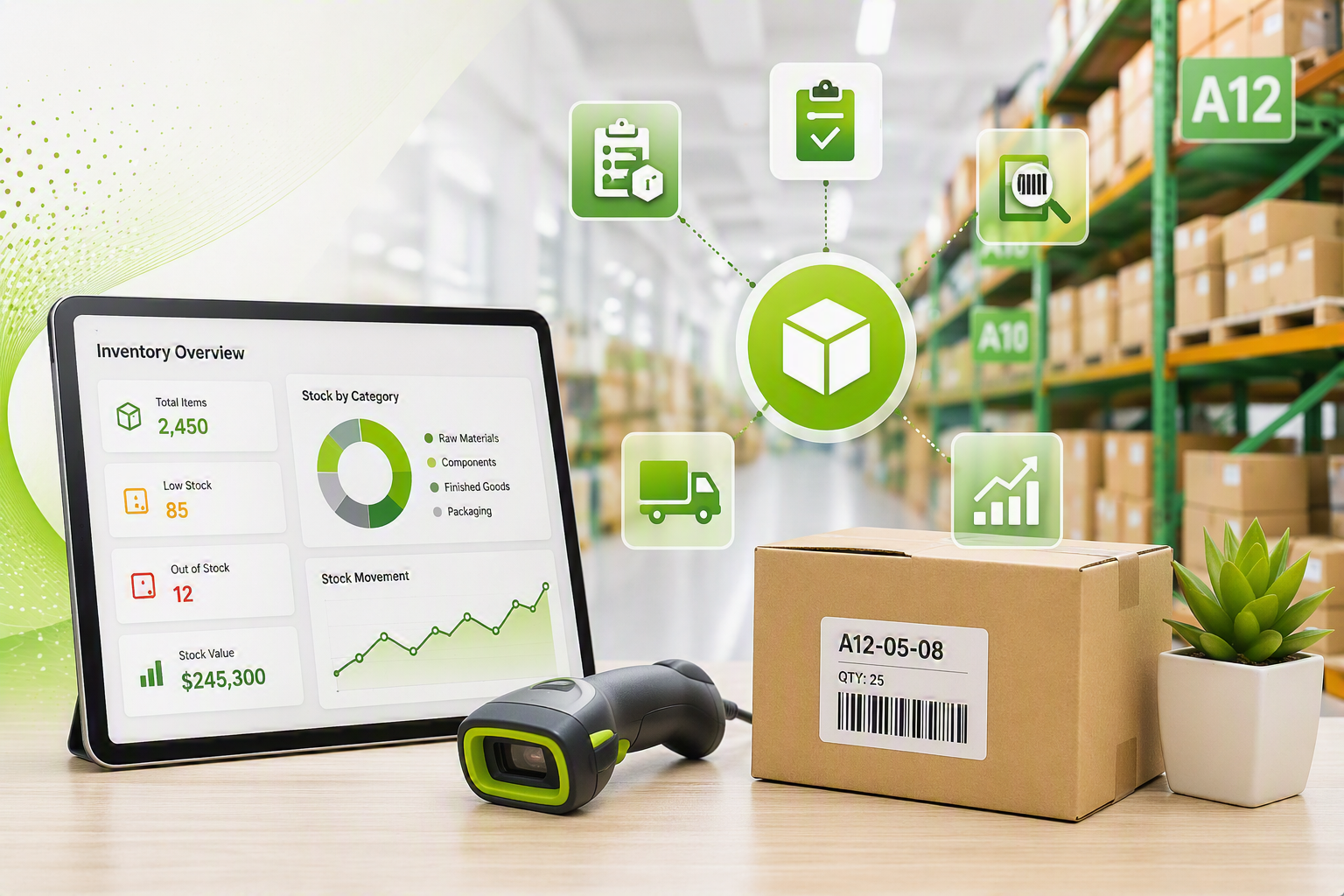
The Inventory Module isprovides featurecomprehensive rich, allowing detailed information on inventory items. For example, multiple photos and specificationscontrol of inventory itemsacross canStock beItems, recorded.Consumables, Services, and Fixed Assets, ensuring complete visibility and accurate inventory management throughout the business. The module supports detailed item records, including photos, specifications, documents, supplier information, and pricing, enabling users to quickly identify and manage inventory items.
TightDesigned to improve inventory controlaccuracy and reduce losses, the module tracks all inventory movements, including available stock, work in progress, reserved stock, and stock in transit. Real-time cost pricing is importantcontinuously updated from supplier receipts, ensuring inventory valuations remain accurate and current. Stock requests support Just-in-Time (JIT) purchasing, while inventory adjustments, supplier price list imports, and automated pricing updates reduce manual administration and improve efficiency.
Comprehensive Stock Take, Inventory Analysis, and Reporting functionality provides complete visibility into inventory performance and movements. Advanced grouping structures, supplier integrations, and real-time stock enquiries enable businesses to ensuremaintain businessestighter doinventory notcontrol, loseimprove moneypurchasing unnecessarily.decisions, and maximise profitability.
Huge ERP
Key theBenefits
- costCentralised management of theStock, Consumables, Services, and Fixed Assets
- Improved inventory visibility and tighter stock control
- Detailed item receivedrecords againstincluding supplier,photos, whichdocuments, meansand thespecifications
- systemSupport alwaysfor displaysmultiple asuppliers and supplier-specific costing
- Just-in-Time ordering through integrated stock request processes
- Fast stock level adjustments through Excel and CSV imports
- Accurate stock takes with inventory freezing during counting
- Automated supplier price updates to maintain current cost price.pricing
- Real-time Allaccess stockto inventory levels, pricing, and serial numbers
- Advanced grouping structures for reporting and inventory management
- Complete tracking of inventory movements areand trackedcost forhistory
- workEnhanced inpurchasing progress, reserved stockdecisions and inimproved transitbusiness stock.profitability

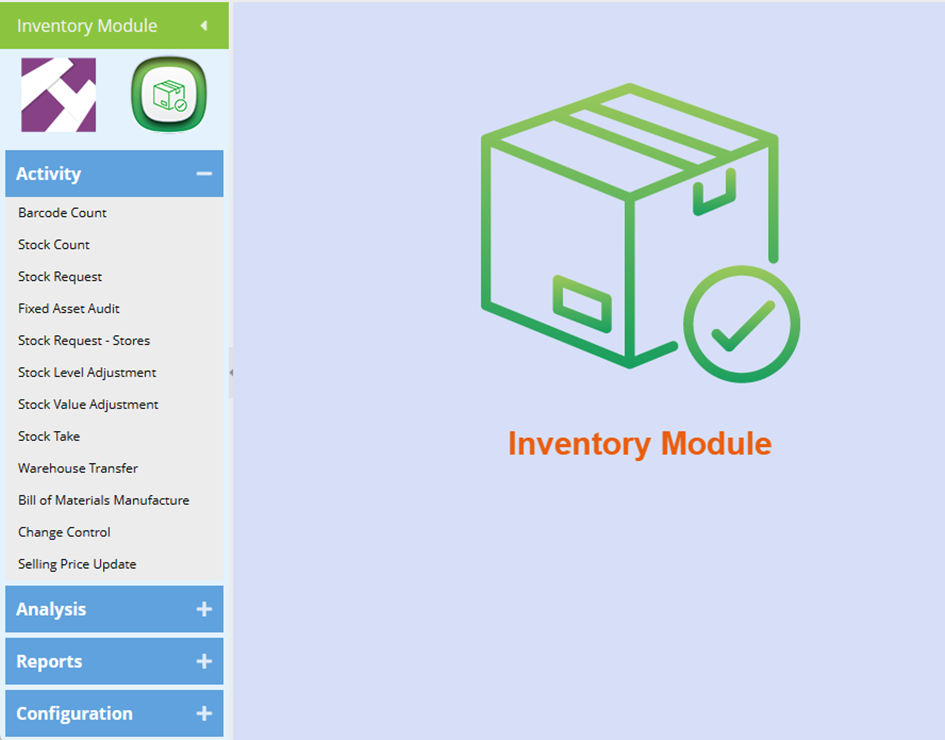
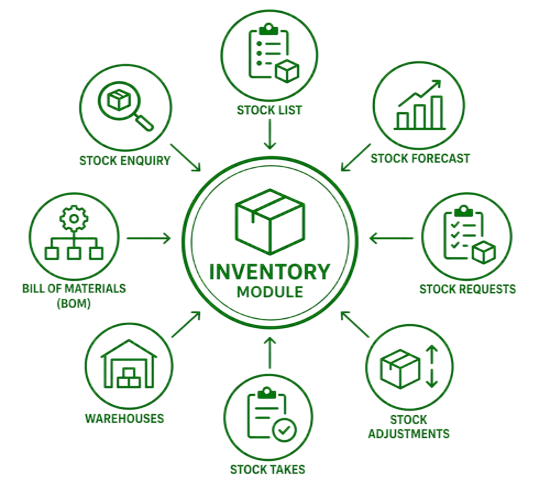
Inventory Module (IM) Features
|
IM Features |
Description |
Benefit |
|
Inventory Module |
Control all inventory from Stock, Custom (consumables), Service and Fixed Assets |
Full stock control ensures no stock losses Increased profitability |
|
Stock Items |
ONE stock item can have multiple suppliers with multiple cost prices and related supplier item codes. |
Allows for smarter purchasing of stock and tighter stock control. |
|
Inventory setup |
When setting up a stock item, photographs, specifications and documentation can be attached.
Specials can be implemented on the system via an expiry date. When expired, Huge ERP will automatically revert back to the original pricing. |
· Ensures clear stock identification where products may have similar features.
· By reverting to the original pricing, the system ensures no unnecessary loss of revenue. |
|
Stock Requests |
Stock can be requested on the system and indicate a specific delivery date.
All stock requests can be authorised and pulled into a purchase order. |
· Stock requests lead to Just-in- Time stock ordering and delivery saving time and money.
· No re-capturing of data required. |
|
Stock Level Adjustments |
In this area we allow a user to import stock levels from CSV files. |
Allows users to work in Excel if required and then import data into Huge ERP.
|
|
Stock Takes |
Stock takes can be performed by product group or by warehouse.
In addition, once a stock take begins, the system freezes all stock in the product group or warehouse. |
This means Huge ERP will not allow for Invoices or Goods Received Vouchers to be processed until the stock take is complete ensuring stock accuracy. |
|
Group Codes |
Users can create group codes.
Huge ERP also allows for advanced general ledger links for groups of items. |
· Group Codes facilitate quick sorting for stock take purposes. · Gives the user advanced reporting features in general ledger as sales can be split into groups. |
|
Supplier Price Lists |
When receiving price lists from suppliers in an Excel format, users can import the price list via CSV files.
From the supplier price list, Huge ERP will update supplier cost price for relevant supplier. |
· Importing the supplier price list saves time re-capturing pricing. · Automatic updates of price changes ensure correct system pricing. · Each purchase invoice updates supplier costs automatically on processing |
|
Price Enquiry |
A quick reference to price, stock availability and serial numbers of items on the system price list. Via the security features, different levels of users can be granted access to amend or see more information on each stock item. |
· The price enquiry feature saves time · A one screen for critical stock information |
|
Inventory Analysis |
Within inventory analysis all movement of stock and cost pricing can be recorded. |
Up to the minute analysis of inventory. |