Seed Test Results Search
Search for Lab test results for seeds
Lab Module > Analysis > Seed Test Results
This shows all results of tests in a grid format
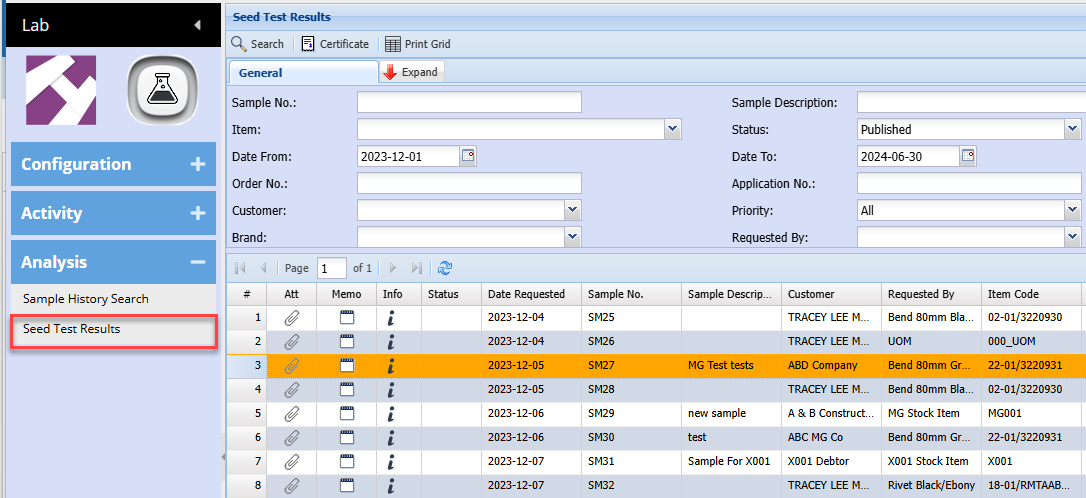
Grid view
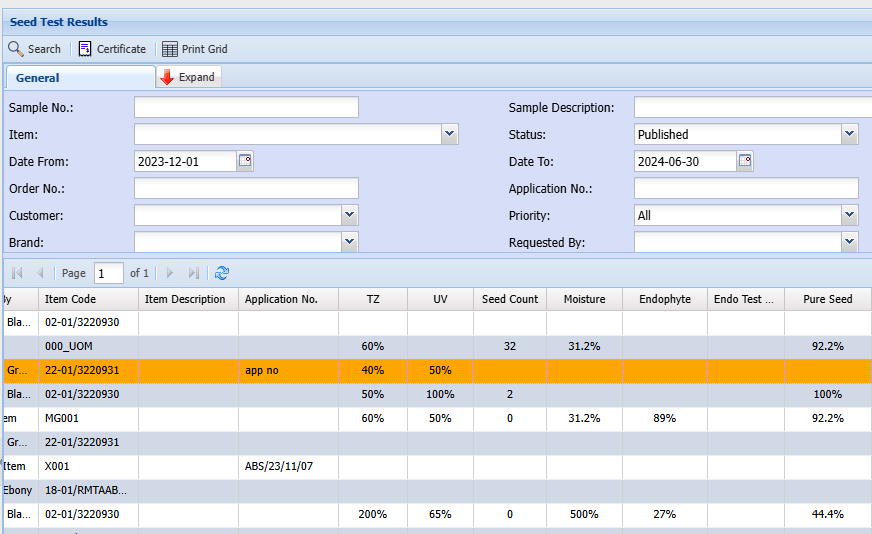
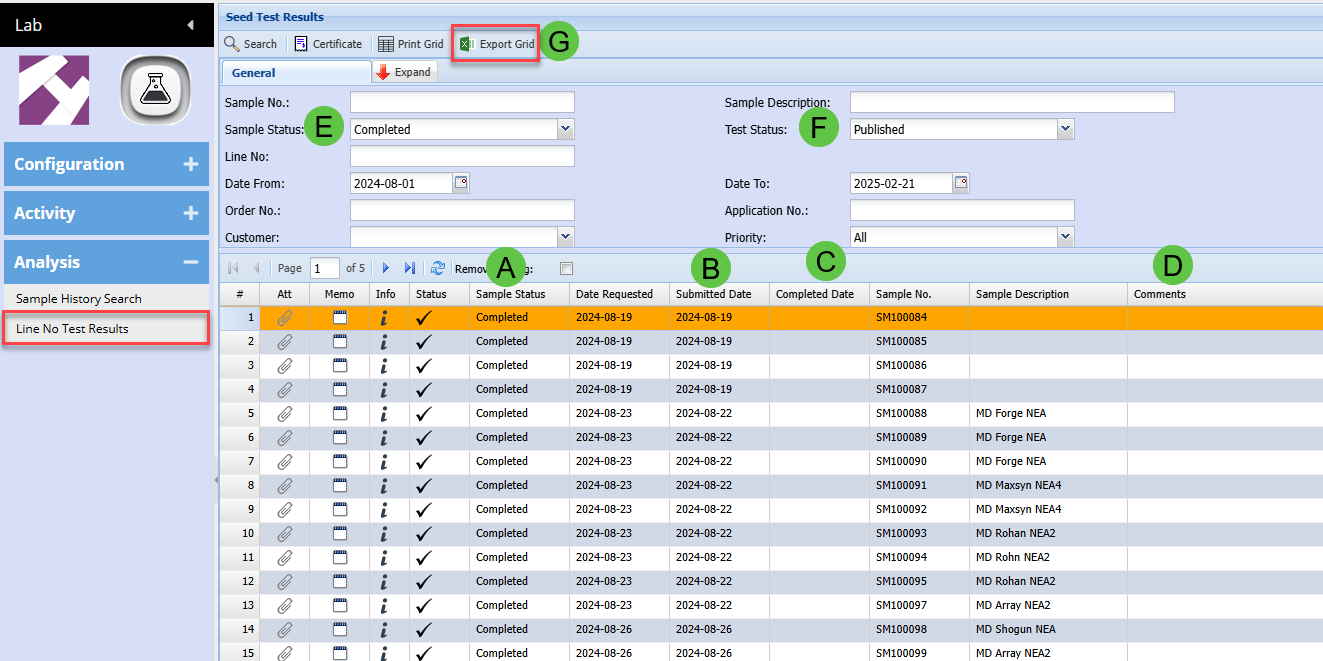
Line No Test Results
Lab Module > Analysis > Line No Test Results
You can find the new columns on the far right of the grid
|
A
|
Sample Status
|
|
B
|
Submitted Date
|
|
C
|
Completion Date
|
|
D
|
Comments - can edit directly in the grid
|
|
E
|
Search Sample status
|
|
F
|
Populate test results based on test status
|
|
G
|
Export grid updated to include all tests
|
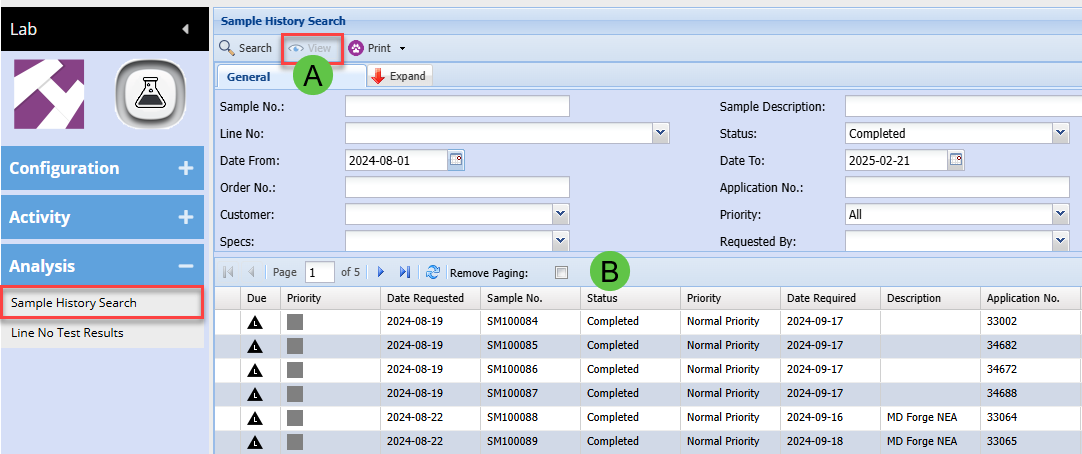
Sample history search
Lab Module > Analysis > Sample History Search
We will be giving your clients access to this window so that they can print the sample barcode labels
|
A
|
View button to be disabled for clients
|
|
B
|
Barcode Print buttons will be here - In Progress
|
Test Status by User
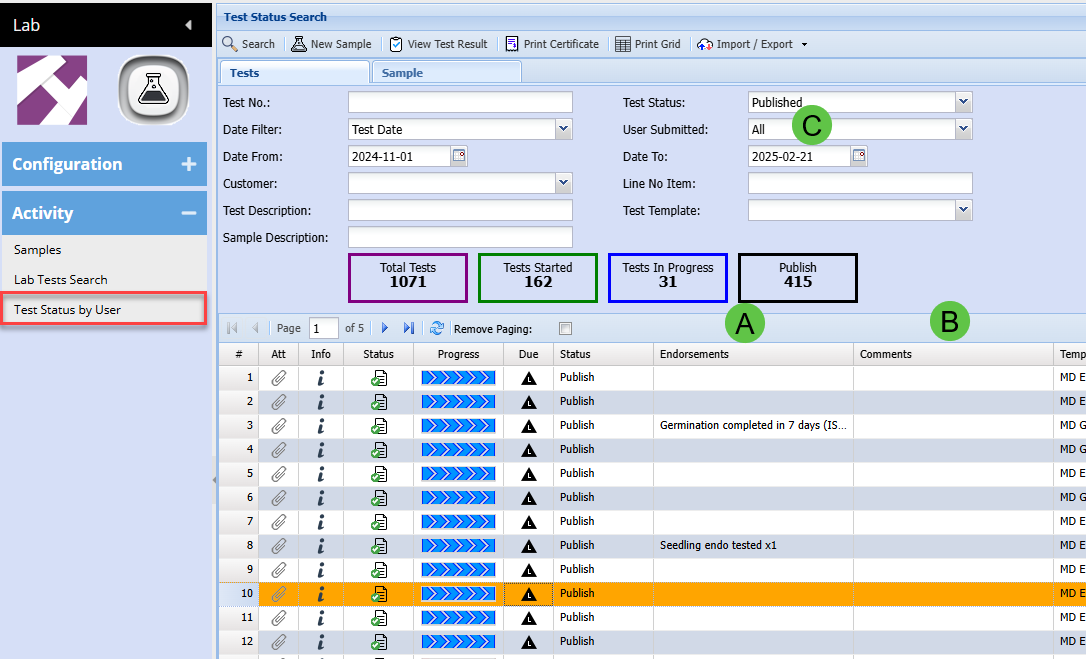
Lab Module > Activity> Test Status by User
|
A
|
Endorsements are showing on grid per test
|
|
B
|
Comments added - can edit in grid
|
|
C
|
User Submitted defaulted to All
|
Test Status by User
|
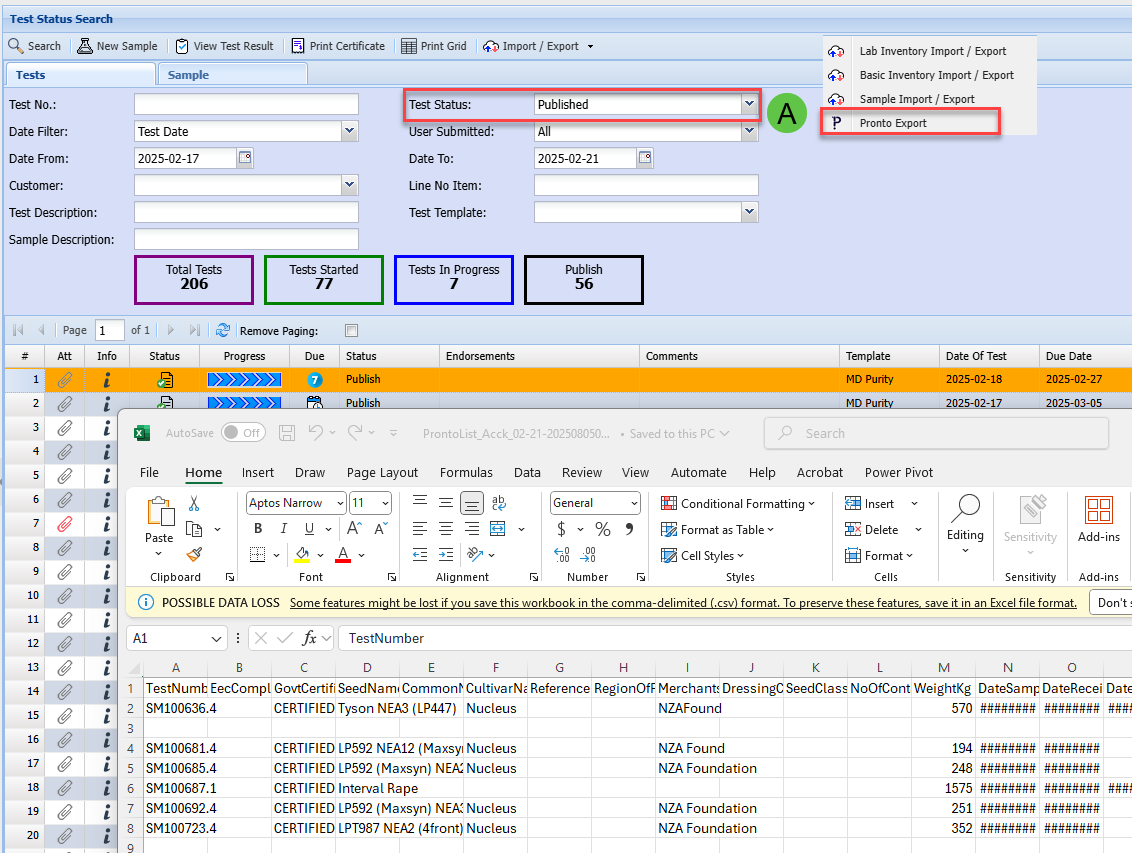
A
|
Pronto Export will print only MD Germination and Purity tests
|
Lab Tests Search
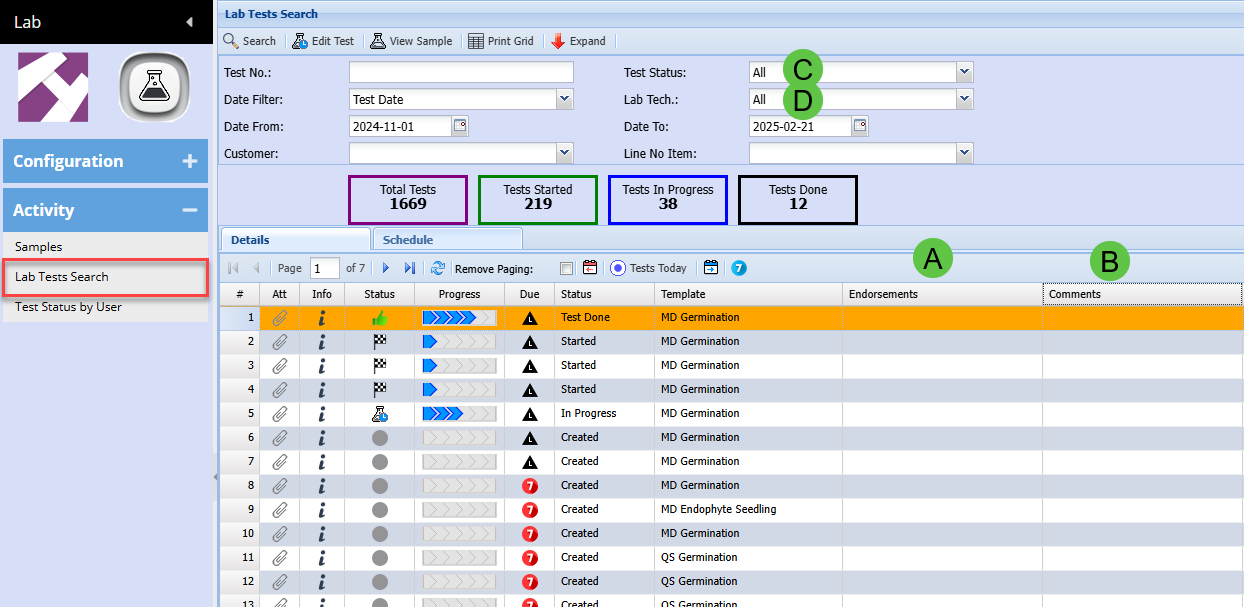
Lab Module > Activity > Lab Tests Search
|
A
|
Endorsements show on grid
|
|
B
|
Comments - edit in grid
|
|
C
|
Test Status - Defaulted to All
|
|
D
|
Lab Tech - Defaulted to All
|
Comments for Samples
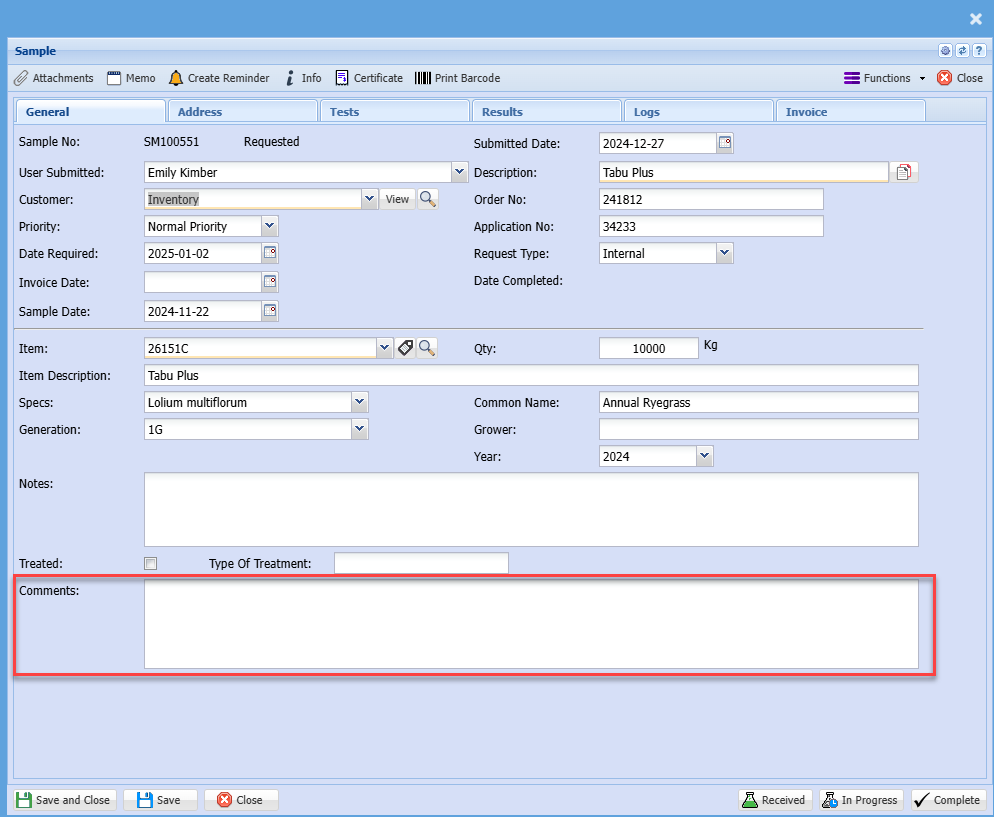
Test Comments
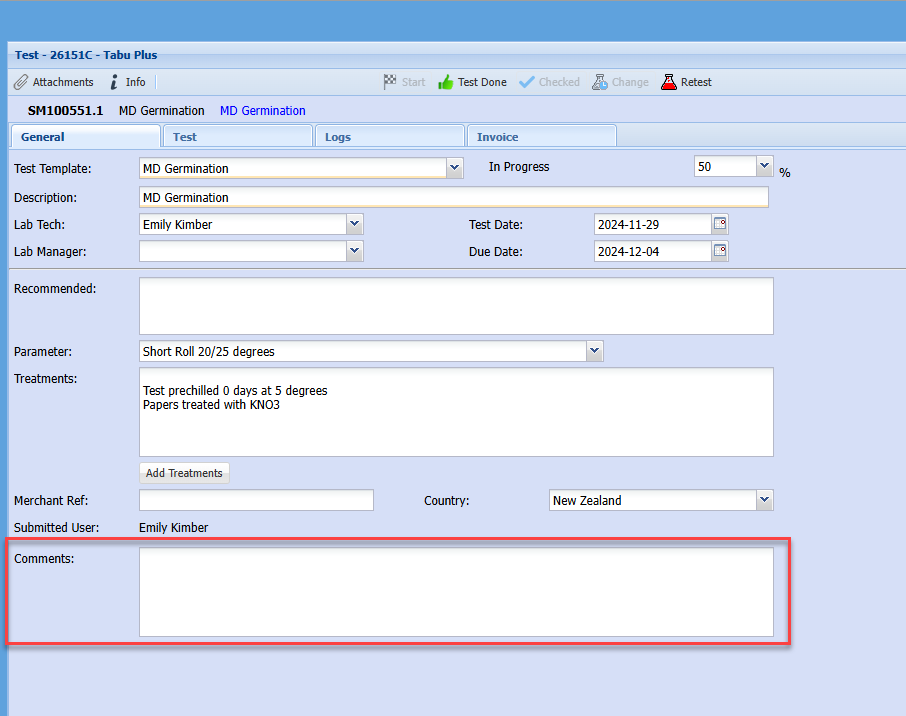
Test view
Lab Module > Activity > Lab Tests Search
Line No and Line description displaying correctly

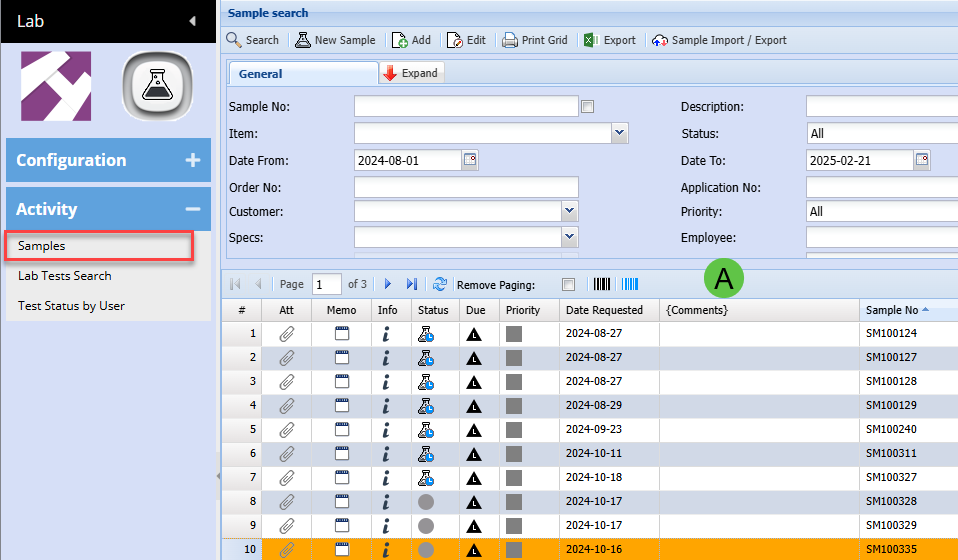
Comments added to Sample grid
Lab Module > Activity > Samples
MD and FD Germination tests
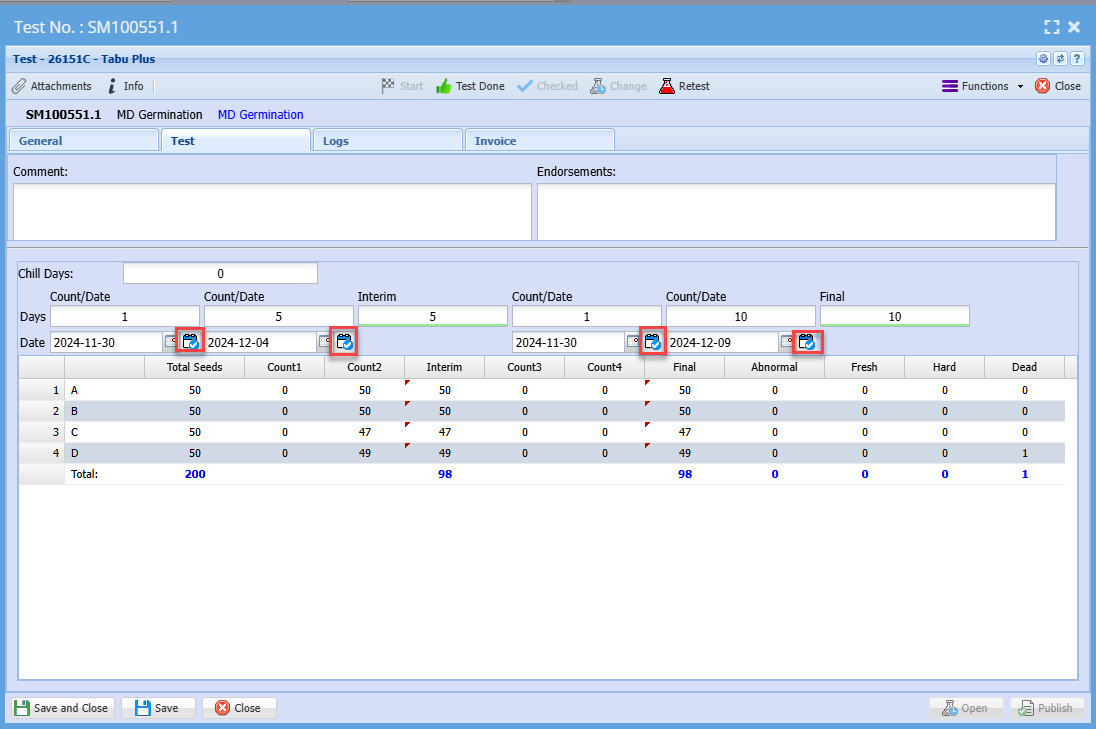
Icon will change and stay changed when clicked