
Quick Add window
Quick Add window allows users to add in a Lab test request without having to be logged into the system
It has limited information
General Tab
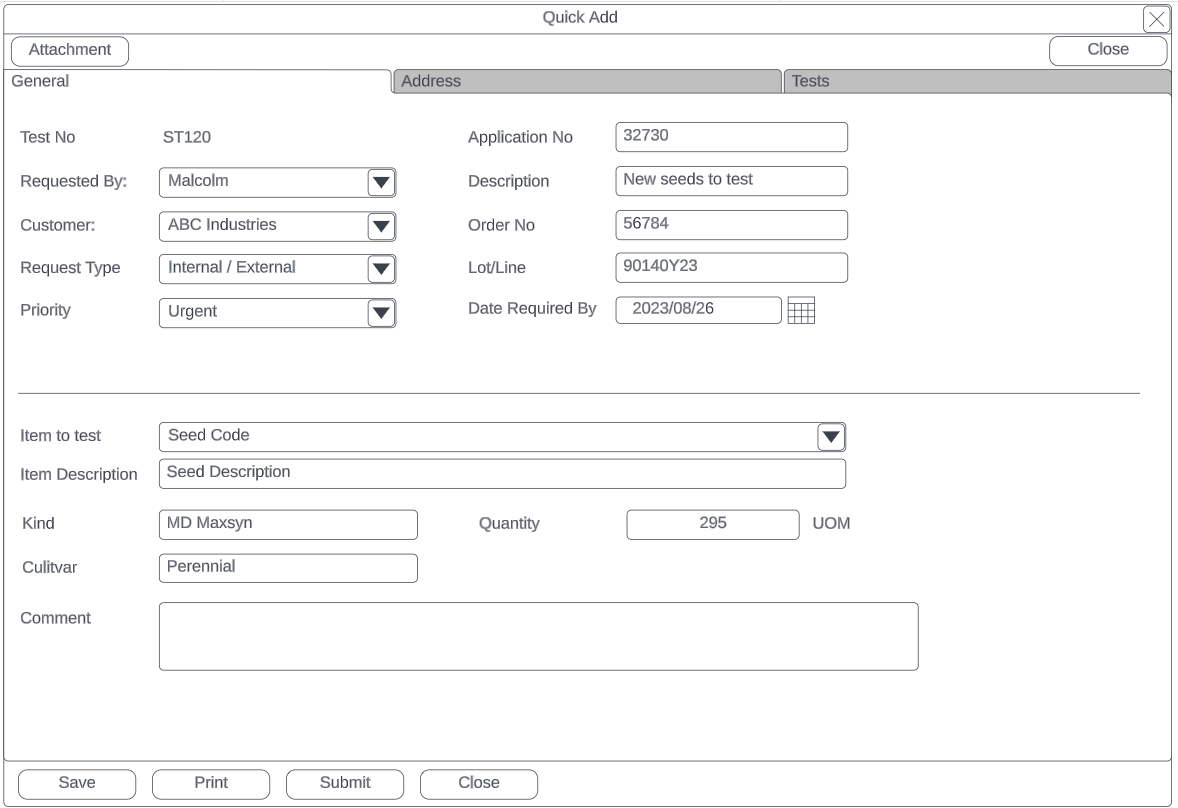
| General Tab | Details |
| Test No | Displays the Lab unique test number |
| Application number | The application number the user entered |
| Requested by | The name of the user who requested the lab test |
| Customer | Customer requesting Lab test |
| Order Number | The Order number the user entered |
| Request Type |
Internal or External (default to Internal) |
| Description | Description of Lab test to be done |
| Date Required By | Date the test is required, will default to 14 dates from issue |
| Lot/Line | Lot / Line information entered by the user |
| Priority |
Priority levels (defaulted to Normal) Low, Normal, Urgent, Very Urgent |
| Item to test | Item search on inventory list |
| Item Description | Description of item, can be changed |
| Quantity | The quantity to be tested |
| UOM | Unit of Measure of selected item |
| Kind | Enter the kind of item |
| Cultivar |
Enter the cultivar |
| Comment | Enter a comment which will show on the grid |
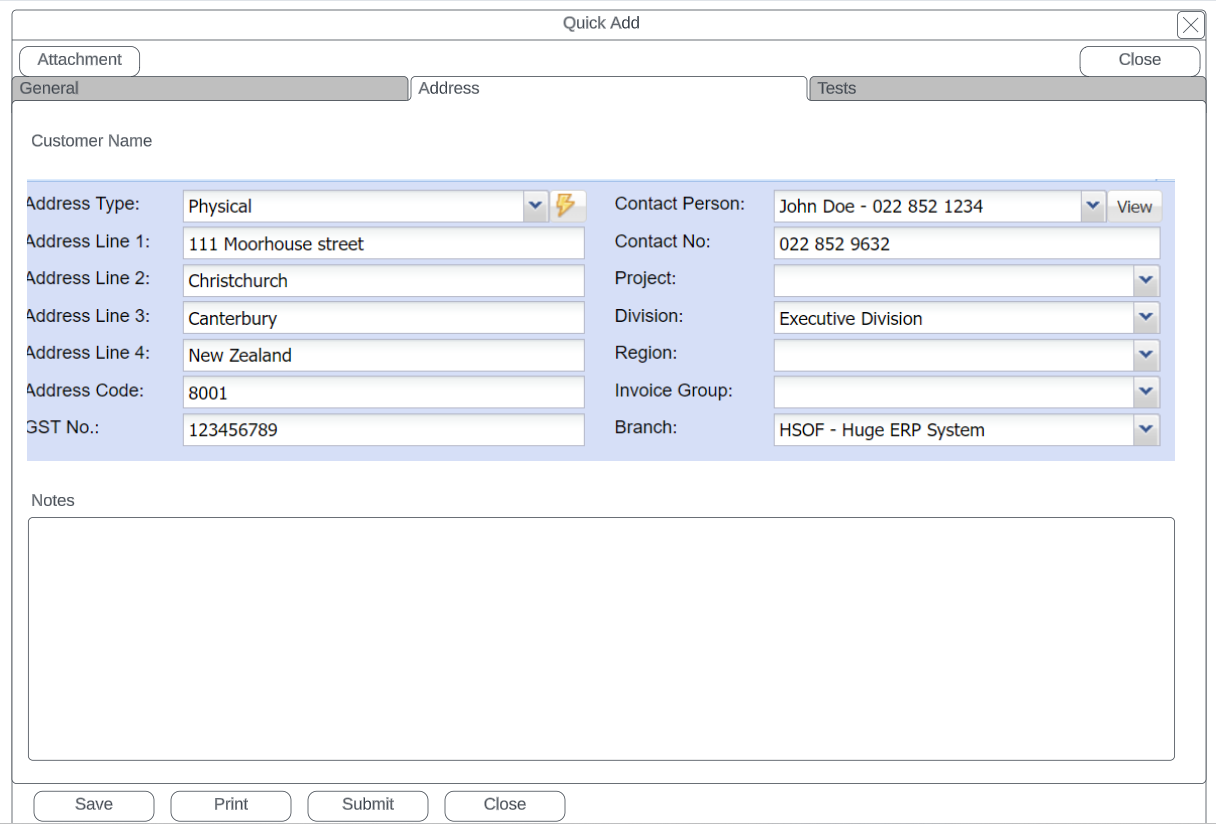
Address Tab
Tests Required
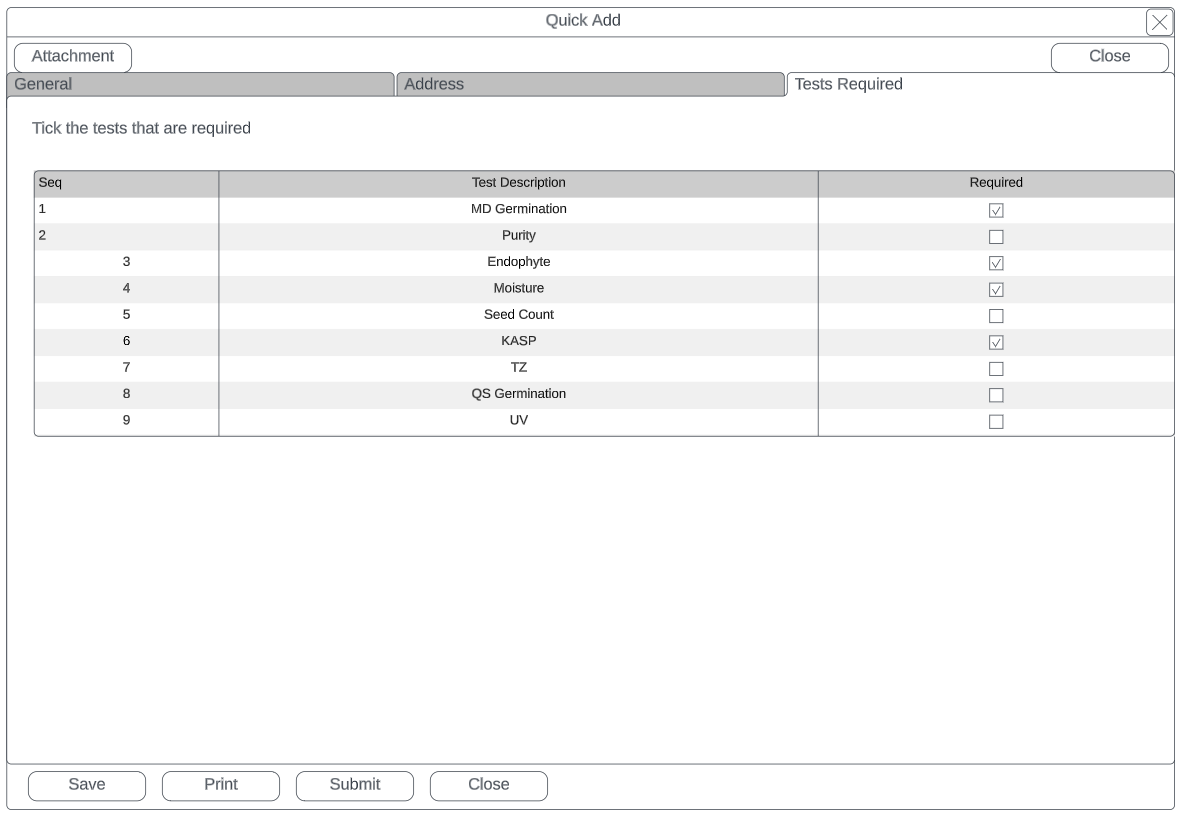
| Tests Required | Details |
| Grid of listed tests | Tick the tests required |