
First time installation
Setup of Webatar Mobile app
Video training manual 2023 - 01-Webatar_app_setup.mp4
Video training manual 2019 - Click Here
After you have installed the app from the Play store or App store.
Go into app to create a new Profile
Click on Add (+) to create a new profile
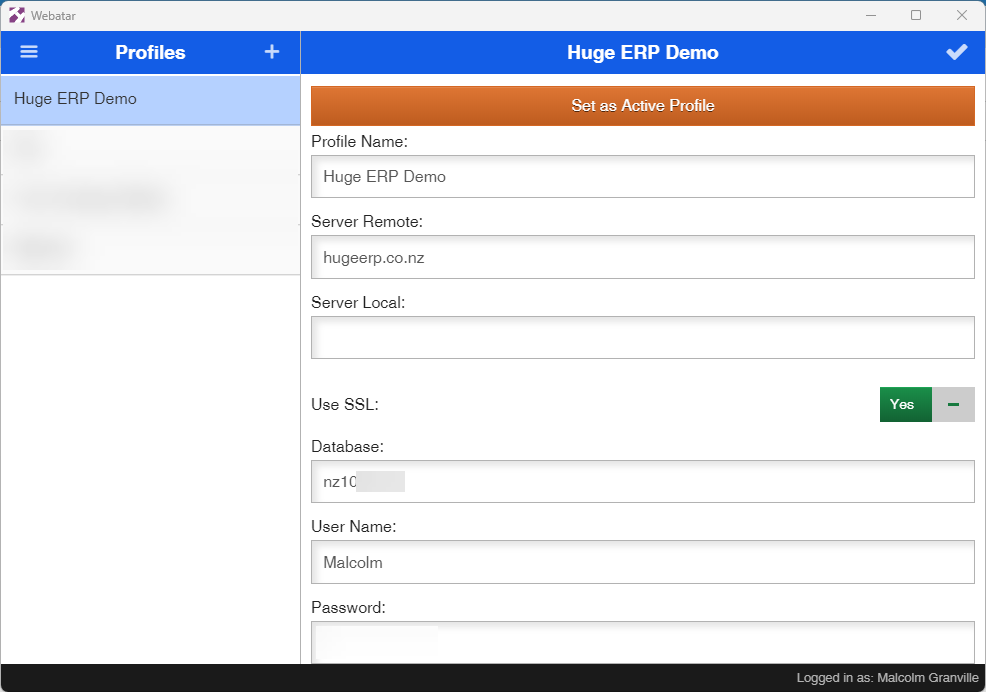
Enter the basic information for your company
Click on Tick to save changes
| Profile Name | Your company name |
| Server Remote |
The server where your data resides This information is given on an email to you |
| Server Local |
The local area network if you have a local server setup Usually this is left blank |
| Use SSL | This must be on Yes |
| Database | The database number given to you for your company |
| User Name |
Your user name to access the system This is case sensitive |
| Password |
Your password to access the system This is case sensitive |