
User Icon
Change the User Icon

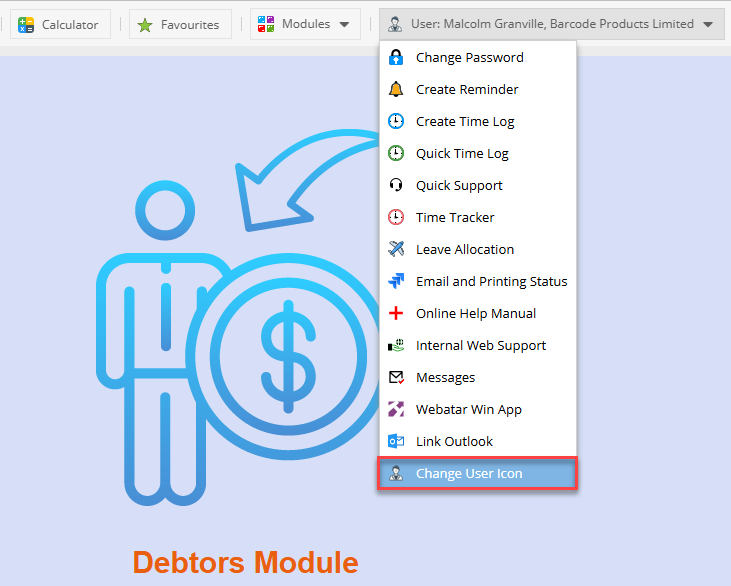
In any module at the top right of your screen, you will see your user icon.
Click the drop-down arrow
At the bottom click "Change User Icon"
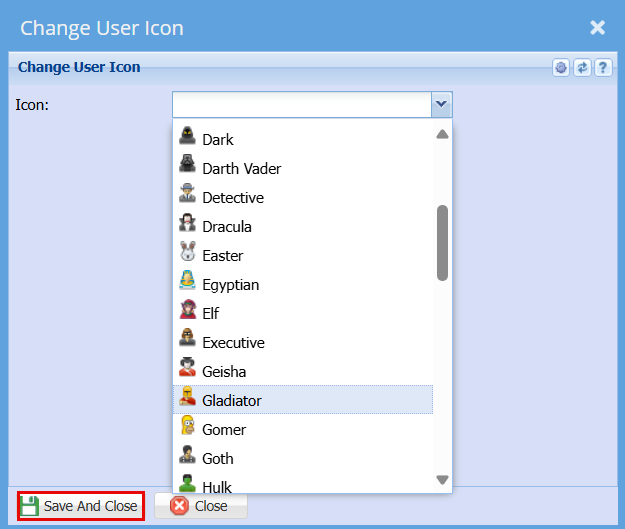
Select an item from the drop-down menu
Click Save and Close
In any module at the top right of your screen, you will see your user icon.
Click the drop-down arrow
At the bottom click "Change User Icon"
Select an item from the drop-down menu
Click Save and Close
No Comments