
Substitute Item on Sales Documents
You can substitute an item on sales documents
You first need to set it up here
Once it has been set up
Add the sales document as per normal, then a pop-up will appear confirming that the item has a replacement and asking if you want to change the item to a replacement.
You need to click Yes to change to a replacement or No to leave it as it is
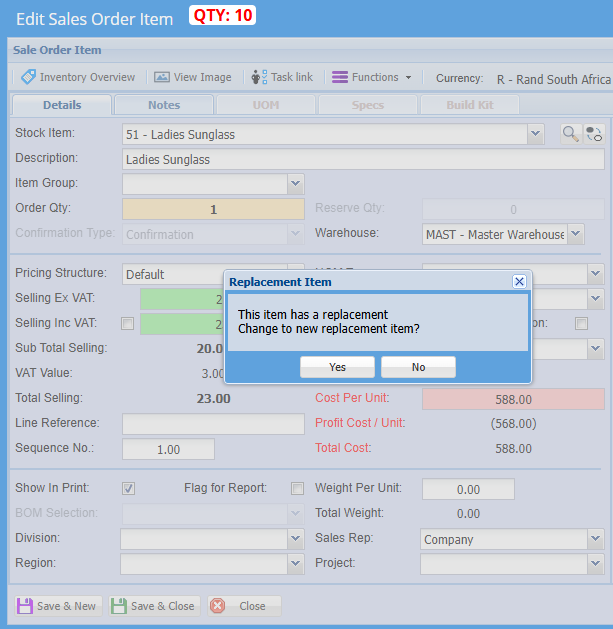
Once complete click save and new to add a new item line or click save and close.
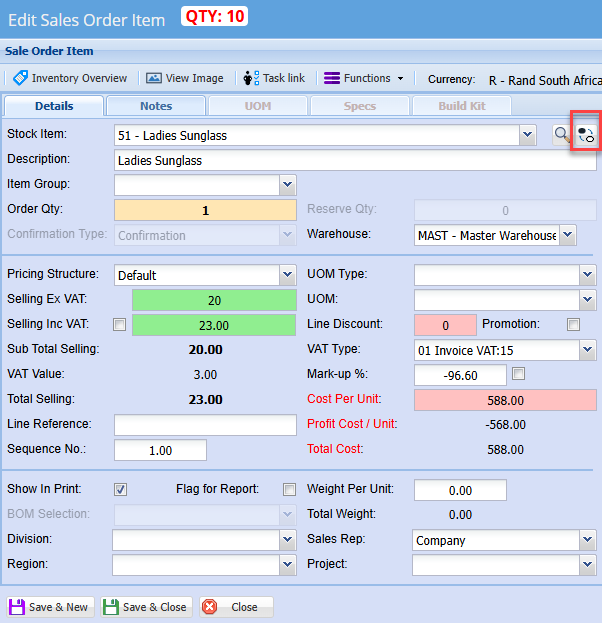
Should you have saved the item as it is and later on realize that you don't have enough of the initial item and want to change to a replacement item click on the change icon below:
The screen below will appear and you can select the replacement product
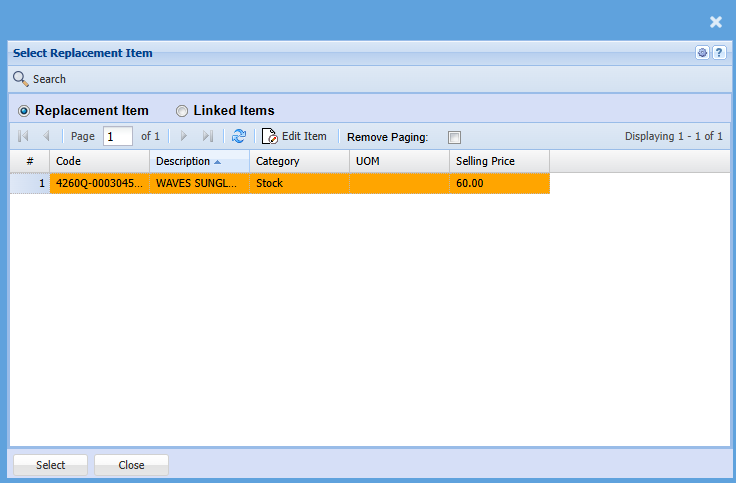
Click select then it will take you back to the item line screen.
You can add notes, change warehouse if required and update quantity as per normal
Then click save and new to add another item line or save and close when completed
Then action the sales document