
Searching Inactive Records
There is a way to search for customers, suppliers, inventory and GL accounts that were marked inactive in the various analysis screens.
So on the following analysis sections, add in a tick box that when ticked only searches for those items that are marked inactive
This is relevant for
- Debtors / Customer analysis
- Creditors / Supplier analysis
- Inventory analysis
- GL account analysis
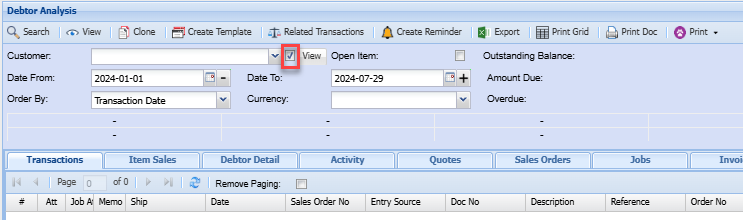
Click on the tick box shown above
When selecting a debtor/customer, creditor/supplier, or any of the mentioned documents, the drop-down menu will only show inactive customers, suppliers, inventory item codes, or GL analysis