
Date Buttons

Date Search Quick Buttons

 In most of the Date from searches, there will be one or twothree buttons next to the date
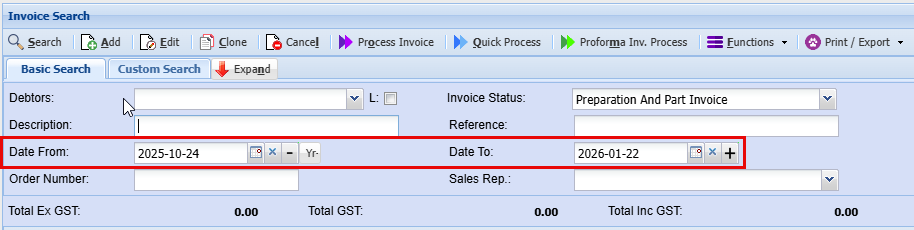
image.png

onedayofthe

requiredinthis field in order for the search to work

image.png

The X button will clear the date which will search ALL records in the past. Should you continue to click on the - button, it will keep going back a month at a time.

image.png

The - button will first take the date on the date display to the first of the following month.

image.png

When

The clicks on the -Yr- button again, the date will go back one month to the first of past month

Should you continue to click on the - button, it will keep going back a month


 When you click on the X, it removes the date


 When you click on the - for the first time, it will take the date toback the12 firstmonths

displayed date

image.png

The

+ WhenButton youwill clickjust on the - again, it takes the date back one calendar month


 On some windows there is no X, this means thatforward a datemonth is