
Approvals
.png)
.png)
Click
To see a list of purchase orders and expenses click on the refresh button toon seethe anyscreen transactions that need approval
below
.png)
After, clicking on the refresh button. The screen below will appear
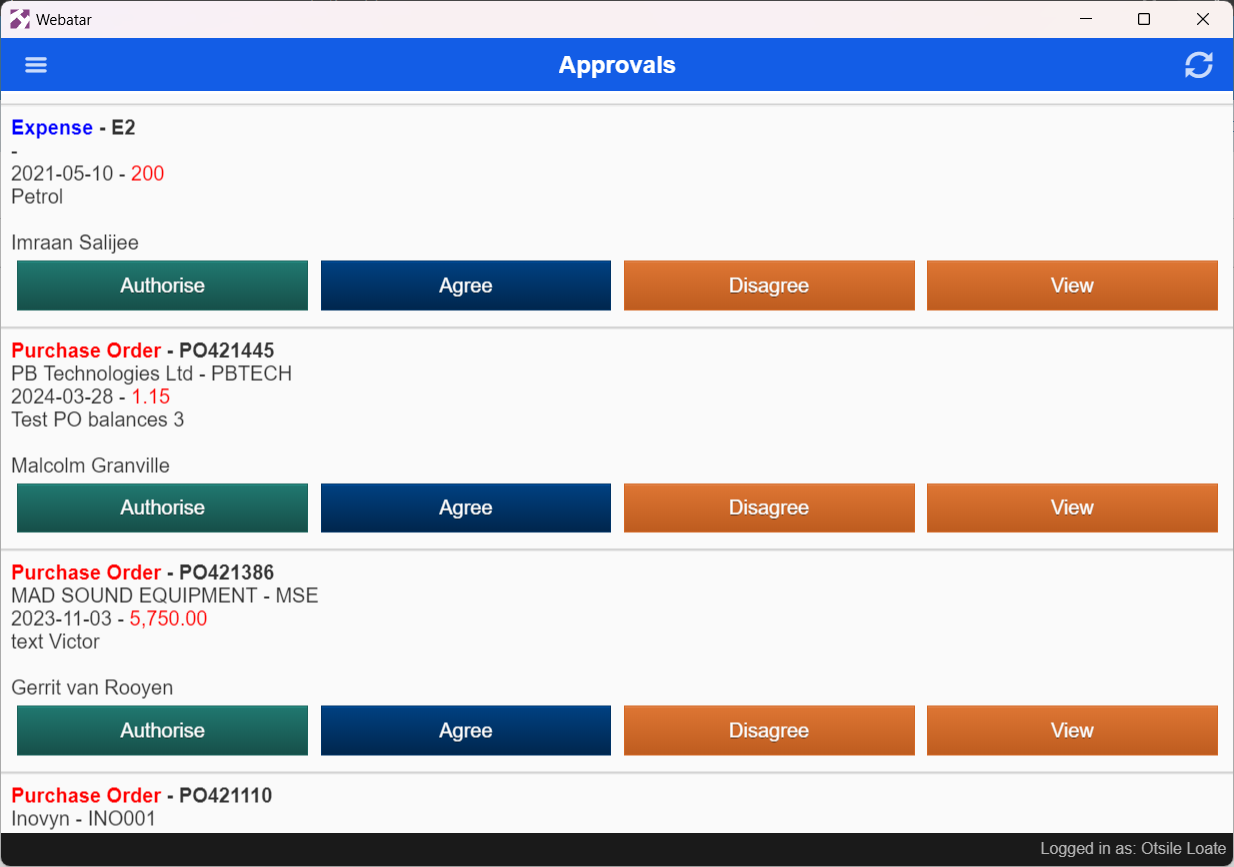
| Authorise | Once you have approved a purchase order or expense, you will need to mark it as authorized so that goods can be ordered or finance can process the expense for payment |
| Agree | Approving the purchase order or Expense |
| Disagree | Declining the purchase order or expense |
| View | An overview of the document that needs to be approved |