
55. Job Delivery Address Report
Job Costing>Reports>Reports List
This report shows the delivery address for the selected Jobs
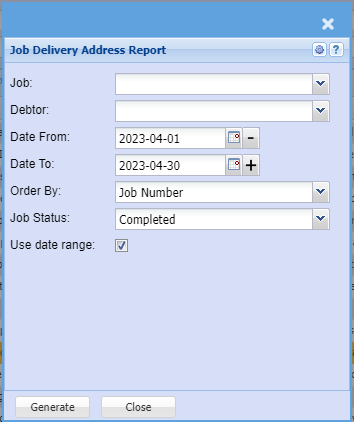
Job: This is there if you want to print the delivery address for a specific job number
Debtor: Select the customer related to the jobs if applicable
Date From/To: Select the date range for the information that should be displayed.
Use Date Range checkbox: Use the dates specified by the date from and date to
Order By: Choose in which order the data should be displayed
Job Status: Is the job started, cancelled, completed, etc.
Generate Button: This will run the report
Close: This will close the window