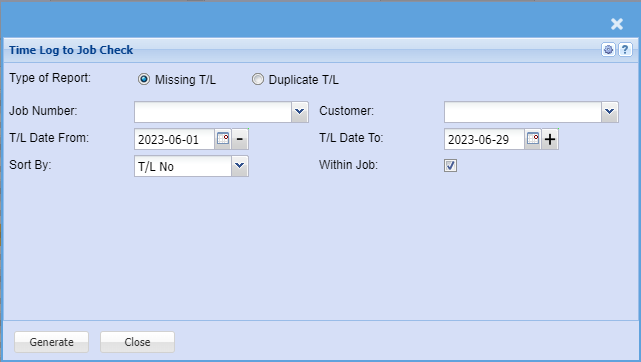
40. Time Log to Job Checks
Job Costing>Reports>Reports List
This report checks time logs to jobs for exceptions for Time logs onto Jobs.
If you are not able to see this report, please add to your security for report role permissions.
Found under System Configuration Security Module
There are two options to check for missing time logs not on a job and duplicate time logs on a job
Missing Time logs
Checks the Time Log table and then checks the Manage job lines to see if the time log is on any job
Date range is specific to the date of the time log
Duplicate Time logs
Checks the Manage job lines history table and checks for duplicates or more for any time logs added to a job.
Date range is specific to the date of the log entry onto the job
The extra option when ticked will check for duplicate time logs within a job.
So the query is similar to duplicate T/L if we selected a job number.
However it just runs across all jobs and checks duplicates within each job and gives result set
If the same time log exists in the same job, then I want to see the time logs
If the same time log exists in manage job but in separate jobs, we will accept that the duplicate is OK and I don’t need to see that on the report