
22. Stock Values in Managed Jobs
Job Costing>Reports>Reports List
The report shows all stock items that have been used on the job.
What has been invoiced and what was in Reserved quantity
If the invoiced quantity equals the Reserved quantity it means that the stock has been removed from the WIP section.
Shows all stock items that have being managed on jobs between specified dates. It will give the quantity mulitplied by the cost to give the total value that is currently being managed on Jobs.
Shows all stock items that have being managed on jobs between specified dates.
It will give the quantity multiplied by the cost to give the total value that is currently being managed on Jobs.
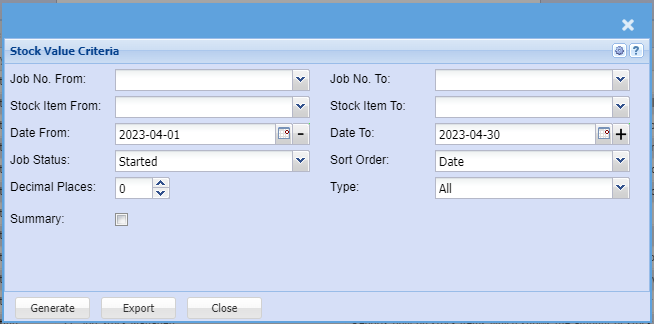
Select the Job no, Date, Status, Sort the report to run a quick report or run the report without selecting anything.
Generate button – to run the report
Close button – to close the form