
12. Projected Values
Job Costing>Reports>Reports List
This report is the same as the above report except that this compares different types example.
Also gives a percentage completioncompletion.
Excellent to view from quote to Actual completed.
| a. | Budget vs Actual |
| b. | Budget vs Invoiced |
| c. | Actual vs Invoiced |
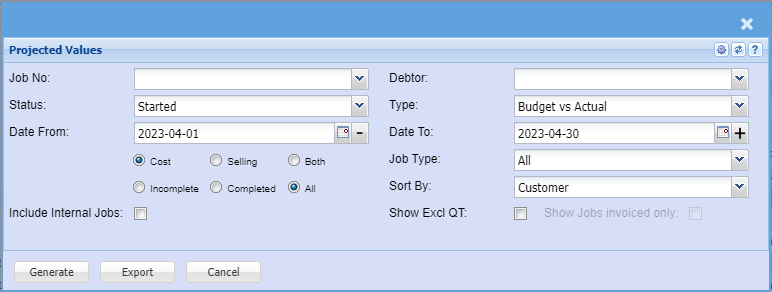
Same as projected values report with completion percentage.
To run the report, select from the following fields:Debtor
| Job |
select the job number or leave it blank |
| Status | select the status from the drop down arrow |
| Date From |
select the date from and the date to |
| Select from the following: |
Select either Select to run Incomplete or Complete or All reports the reports |
| Include Internal Jobs | |
| Debtor | select the debtor or leave it blank |
| Type | select the type from the drop down arrow |
| Job Type | |
| Sort By | sort the report by selecting a customer, date, description, job number or quote number from the drop down arrow. |
| Show Excl QT | |
| Show |
Generate button – to run the reportClose button – to close the report