
Warehouse Transfer Detail
Inventory module> Reports> Reports List
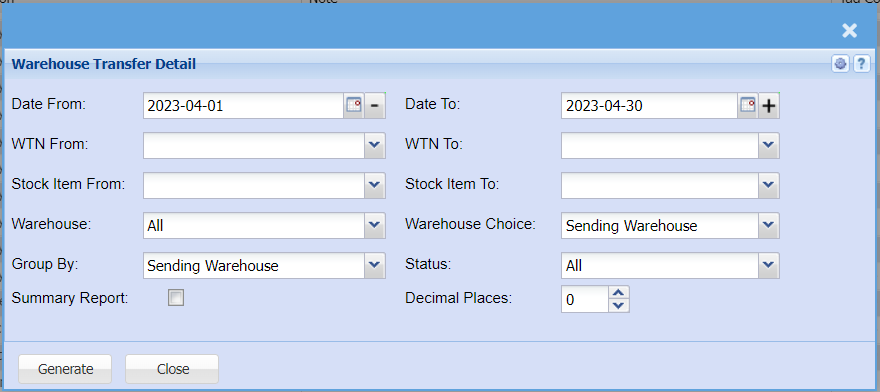
Report on warehouse transfer detail.
To generate the report, select these fields to indicate the beginning and the end of the report. Date from and date to, transfer number from and transfer number to, stock from and stock to.
| Date From | |
| WTN From | |
| Stock Item From | |
| Warehouse | select the warehouse from the drop down arrow |
| Group By | select one option from the drop down arrow |
| Summary Report | |
| Date To | |
| WTN To | |
| Stock Item To | |
| Warehouse Choice | Select either sending warehouse or receiving warehouse for the report |
| Status | |
| Decimal |
Transfer Status – select transfer status option from the drop down arrowGenerate button – to run the reportClose button – to close the report