
Supplier Price Listing
Shows each item with its supplier code, last update and supplier cost in a list.
Inventory module> Reports> Reports List
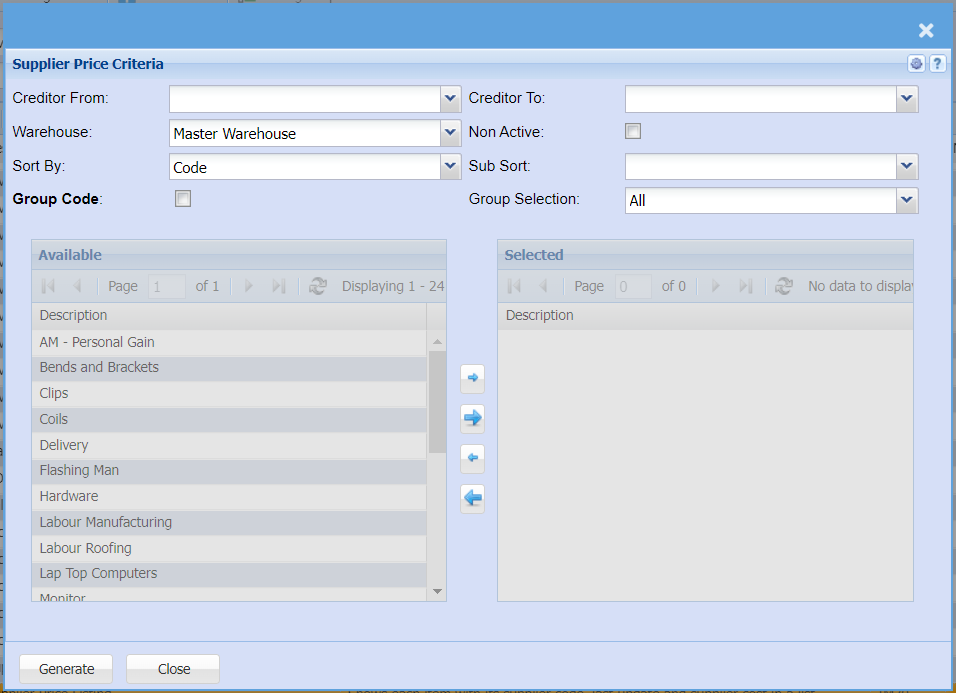
| Creditor From |
Select a supplier you want to view a price list for If you leave creditor/supplier from fields blank, all supplier/creditors price listing will be displayed on the report If you choose a specific creditor/ supplier, the report will sort information by creditor/supplier code and not creditor/ supplier name |
| Warehouse |
Select the warehouse from the drop down arrow Search by all if you want to see all supplier pricing list on all warehouses |
| Sort By |
Sort the report by selecting one option from the drop down arrow |
| Group Code | Put a tick on if you want to pull a report by groups |
| Creditor To |
Select a customer too for the report If you only select one creditor on from and to the report will display price listing for that one creditor/ supplier |
| Non Active |
|
| Sub Sort | Select the sort option from the drop down arrow |
| Group Selection | elect a group selection on the drop down |