
Supplier Inventory Quantity
This report shows all stock items group by suppliers showing various quantities
Inventory module> Reports> Reports List
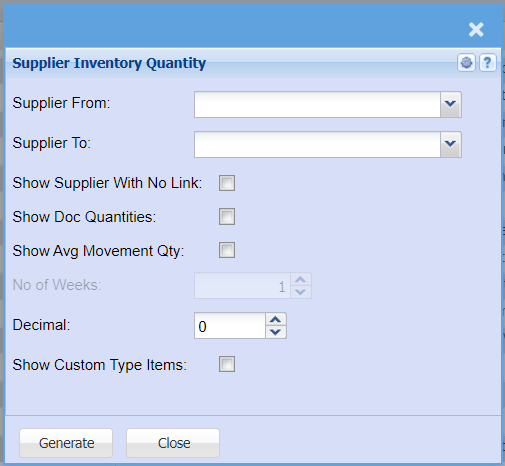
| Supplier From / To |
Select a supplier you want to view a If you leave creditor/supplier from fields blank, all supplier/ If you choose a specific creditor/ supplier, the report will sort information by creditor/supplier code and not creditor/ supplier |
|
|
| Show Supplier |
Put a tick on to show supplier with no link on the report |
| Show Doc Quantities | Put a tick on doc quantities |
| Show Avg Movement Qty | Put a tick on to show average movement quantity on the report |
| No of Weeks | |
| Decimal |
It is advisable to set decimals to two places You can view the report with any number of decimal places. |
| Show Custom Type Items | Put a tick on to show customer |
| Generate Button |
Click the "Generate" button to open the report You will have options to copy, email, or print the report To view the report in an Excel document, copy the report and paste it into an Excel file |