
Stock Request Report
Inventory module>Reports> Reports List
Gives a report on all stock request completed in various statuses
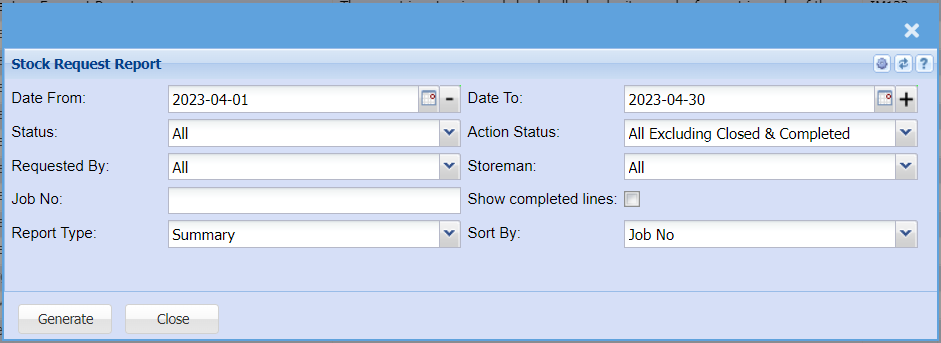
Date – select the start date and the end date of the report
Status – select the status option from the drop down arrow
Requested By – select one option from the drop down arrow
Job No – select one option from the drop down arrow
Sort By – sort the report by selecting one from the drop down arrow
Report Type – select type of the report from the drop down arrow
Generate button – to run the report
Close button – to close the form