
Stock Location and Weight
Inventory module> Reports> Reports List
Gives the bin location with weight, unit of measure and quantity on hand for each item in a list.
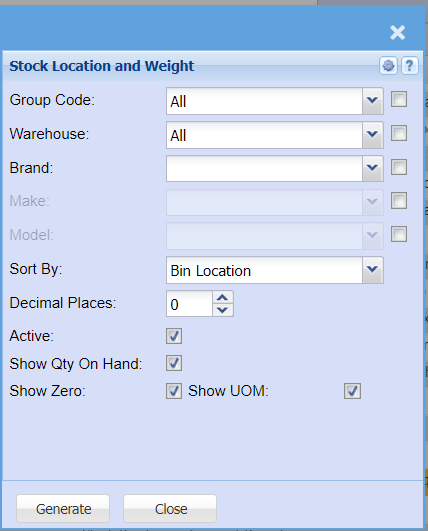
| Group Code | |
| Warehouse |
If you select all warehouses the report will fetch data from all If you want to search by a specific report, select the report on the warehouse selection |
| Brand | Select the brand from the drop-down menu |
| Make | Select the |
| Model | Select the |
| Sort By | Sort the report by selecting one option from the |
| Decimal Places |
It is advisable to set decimals to two places You can view the report with any number of decimal places. |
| Active | this option will show active stock locations and weight only if selected |
| Show Qty On Hand | this option as well will show the quantity on hand only when selected |
| Show Zero | Put a tick on to items with zero quantities |
| Show Cost | Put a tick on to show the cost |
| Show UOM | Put a tick on to show the unit of measure |
| Generate Button |
Click the "Generate" button to open the report You will have options to copy, email, or print the report To view the report in an Excel document, copy the report and paste it into an Excel file |