
Inventory Transactions
Inventory module>Reports> Reports List
Gives a total movement per inventory item by quantity or value for a specified date range.
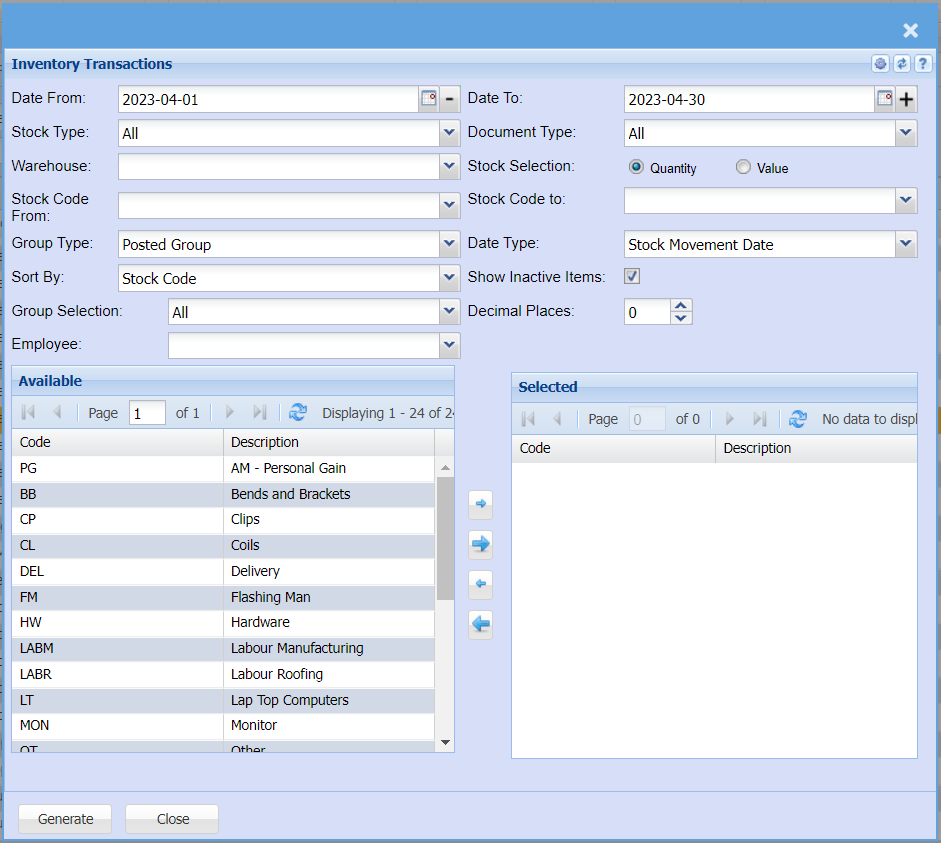
To generate the report, please select from the following fields:
Date From – select the beginning date and the end date of the report
Stock Type – select the stock type from the drop down arrow
Document Type – select the document type from the drop down arrow
Warehouse – select the warehouse form the drop down arrow
Stock Selection – select either quality or value option for the report
Stock Code From – select the start stock code and the end stock code for the report
Group Type – select the group type and Date Type from the drop downs
Sort By – sort the report by selecting one option from the drop down arrow
Show Inactive Items – this option will show inactive items on the report if selected
Group codes allows the user to select them by using arrows
Generate button – to run the report
Close button – to close the form