
Inventory Summary Report
Shows the value or quantity sold per month of inventory items in a table form.
Inventory module> Reports> Reports List
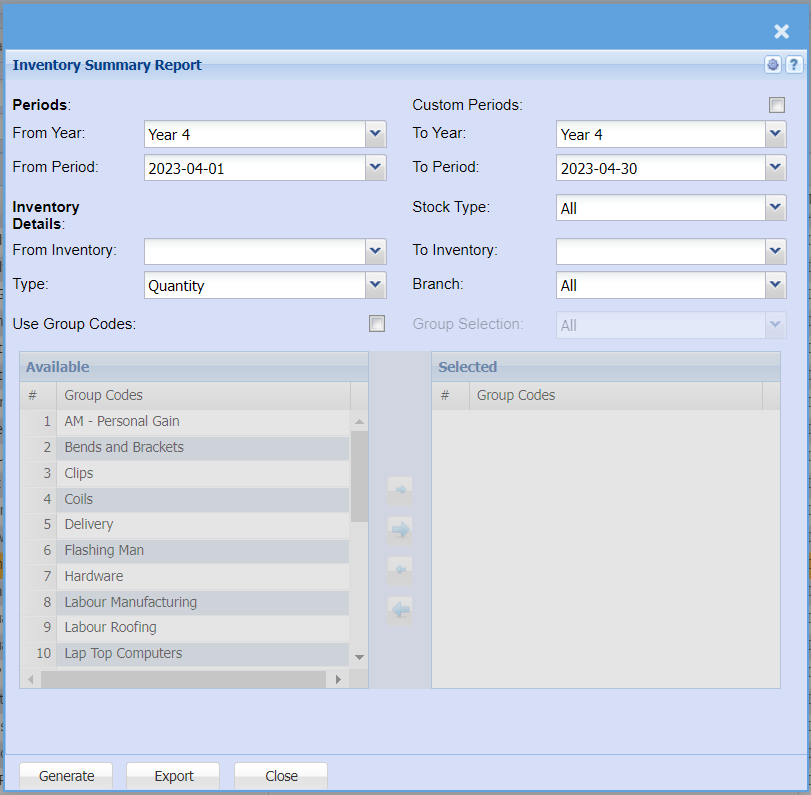
| From Year | |
| From Period | |
| From Inventory | From Inventory and to Inventory allows the user to select stock from where the report will start and the end stock item. |
| Use Group Codes | If this option is selected, a group codes screen appears and allows the user to select them by using the arrows |
| Type | Select a stock type from the drop down selection |
| To Year | |
| To Period | |
| Stock Type | |
| To Inventory | From Inventory and to inventory allows the user to select stock from where the report will start and the end stock item. |
| Branch | allows the user to select the branch |
| Export |