
Inventory Summary Report
Inventory module>Reports> Reports List
Shows the value or quantity sold per month of inventory items in a table form.
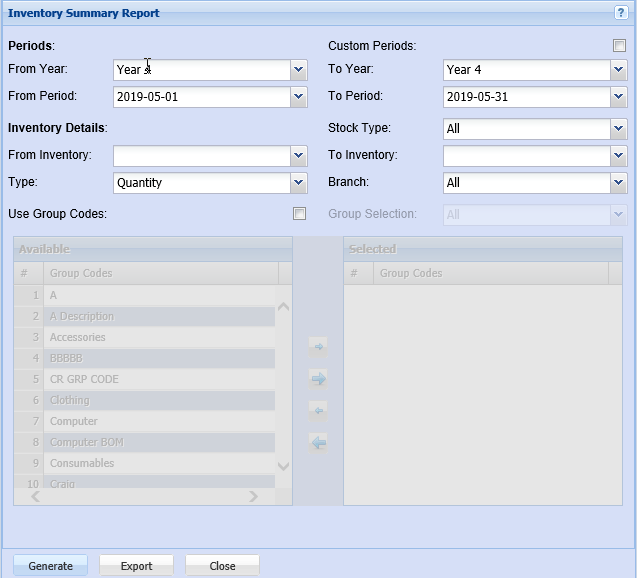
In order to generate the report, the user has to do the selection on the fields. If nothing is selected the report pulls out a huge information
Inventory Details allows the user to select the branch, Stock type or type of inventory from the drop-down arrow for the report
Include inactive items option will include inactive items on the report if it’s selected.
Inventory
Group Codes – if this option is selected, group codes screen appears and allows the user to select them by using the arrows
From Inventory and to inventory allows the user to select stock from where the report will start and the end stock item.
Periods:
Custom period’s disables the periods when selected
If custom periods aren’t selected, the user will be able to select the year and the period from the drop-down arrow.
Print Inventory with no transactions option will be included on the report if this option is selected.
Generate button – to run the report
Email button – the report can be emailed
Printing Status button – allows the user to view if the email has gone through or not
Close button – to close a form