
Inventory Listing Report
Reports on all inventory items which have being added to the inventory Setup. Custom Fields can also be used to sort inventory items for this report.
Inventory module> Reports> Reports List
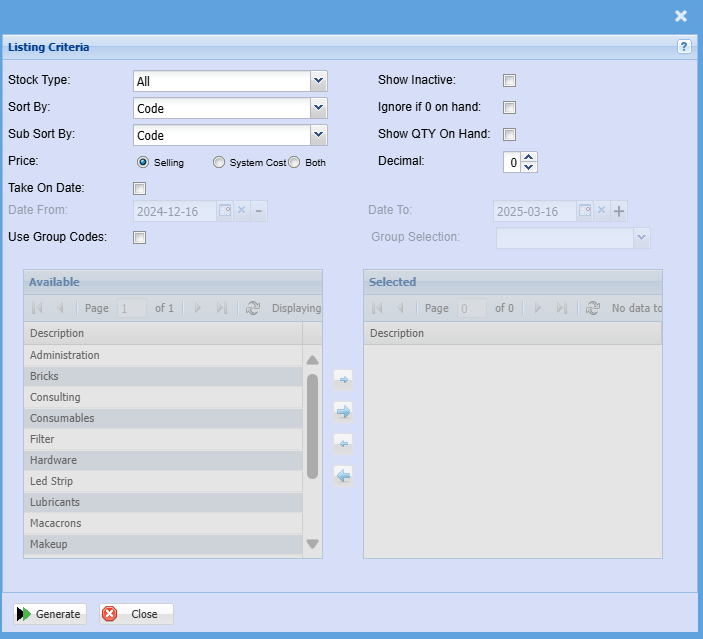
| Stock Type | Select a stock type from the drop-down menu |
| Sort By | |
| Sub Sort By | Sub Sort the report by selecting one option from the drop-down menu |
| Price | Select either the selling or system option for this report |
| Take On Date | Put a tick on if you want to filter the report by take on dates |
| Date From / Date To |
Choose the date range for which you want to view the report from. Select a date range of when you want to see the report to. |
| Use Group Codes | Double click on the code from the list to move the group codes you wish to filter your report by to the selected window. |
| Show Inactive | The report will include inactive items when this option is selected |
| Ignore if 0 on hand | The report will ignore zero quantities when selected |
| Show QTY On Hand | The report will show the quantity on hand if this option is selected |
| Decimal |
It is advisable to set decimals to two places. |
| Group Selection | Select group selection from the drop-down menu |