
GL Journal Report
General Ledger > Reports > Report List
This report is a combination of multiple journals that have being posted put into one report with debits and credits. It will show the user which journal the transaction came from.
Journal report provides a summary of general ledger transactions sorted by a variety of user defined criteria
Journal No - enter journal number to view a certain detailed journal report
Journal Status - to select status from the drop down arrow
Date From - to select the date from and the date to for running a report
Order By - to select order by, from the drop down arrow
Detail - to run the report by either detail or summary from the drop down arrow
Additional Comments - tick the box to include additional comments on the report
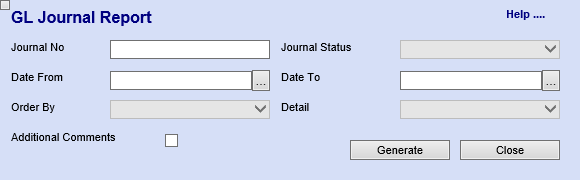
The report will allow you to choose different criteria’s
Select Posted under Journal Status
Take your date from far back
If you want to see the additional notes on the journal lines, tick the Additional Comments.