General Ledger Budget Summary
General Ledger > Reports > Report List
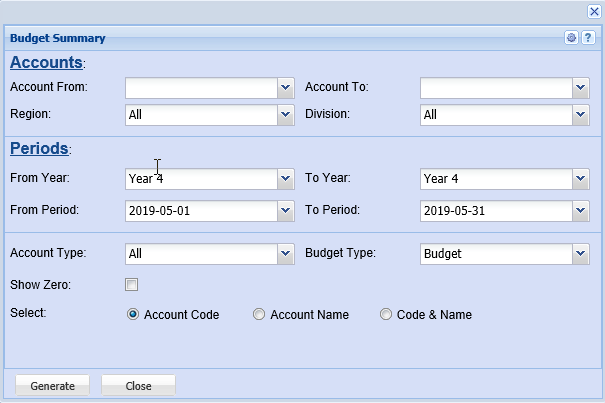
This report shows what the budget figure is, per ledger account, per financial period, setup under the GL activity budget setup.
Accounts:
Account From – to select the account from which the report will run from
Account To – to select the account from which the report will stop at, to limit the report run
Period:
From Year - to select the year from and the year to from the drop down arrow
From Period – to select the period from and the period to
Account Type – to select the account type from the drop down arrow
Select either account code and account name