
Cash Book Report
General Ledger>Reports>Report List
Cash Book Report printed from the Cash Book not from the Transaction table.
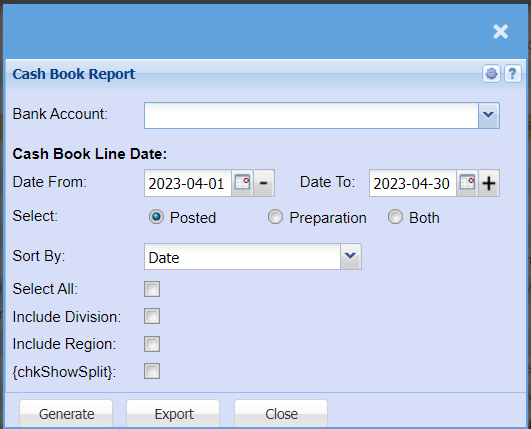
| Bank Account | Select the bank account for which you would like to run the report. |
| Date From | |
Choose the date range for which you want to view the report from / Select a date range of when you want to see up to on the report. |
|
| Select | Select whether you want to pull a report for Posted transactions, Transactions still in preparation or both. |
| Sort By | Sort the report by selecting one option from the drop-down arrow. Options area: by Code, Description, Group Code or Bin Location |
| Select All | Select all filters |
| Include Division | Include Division in your report |
| Include Region | Include Region in your report |
| chkShowSplit |