
Sales Order Accounting Report
Debtors >Reports >Report list
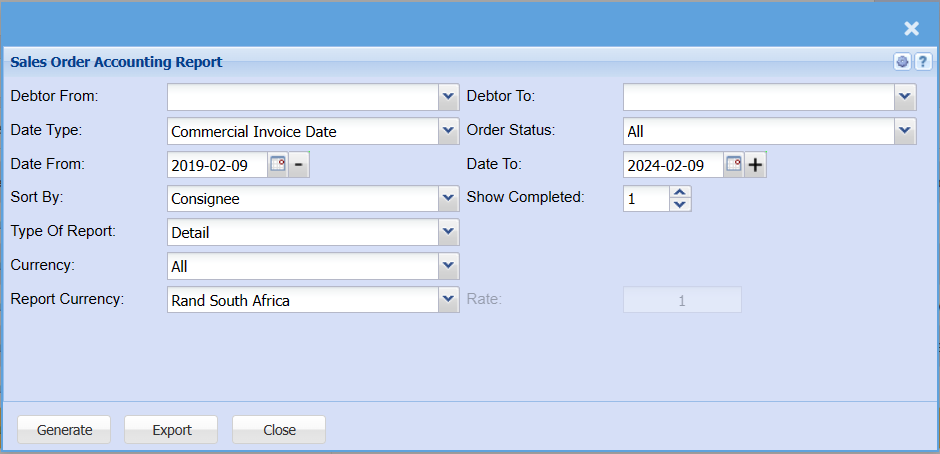
| Debtor From - Debtor To | Select a Customer/Debtor you wish to view the report from. Select the Customer/Debtor you wish to see up to in the report. |
| Date Type | Select a date type on the drop-down menu selection |
| Date From /Date To | Choose the date range for which you want to view the report from / Select a date range of when you want to see up to on the report. |
| Sort By | Select a sort criteria on the drop-down menu |
| Type Of Report | Select whether you would like a detailed report or a summary report. |
| Currency | Select the currency you would like your report to be exported in. |
| Report Currency | |
like your report to be exported in. |
|
| Order Status | |
if you want to include all orders, processed orders only or outstanding orders. |
|
| Show Completed | |
| Rate |