Sales Analysis Report
Debtors >Reports >Report list
This report is broken down per Debtor per item sold with profits made on each item and percentage.
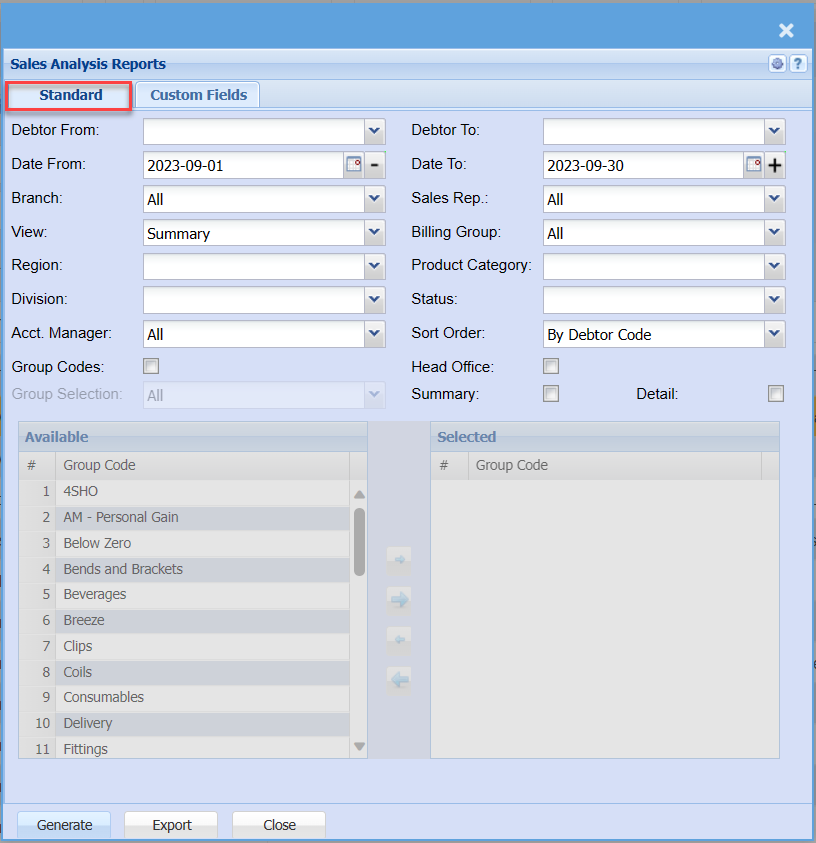
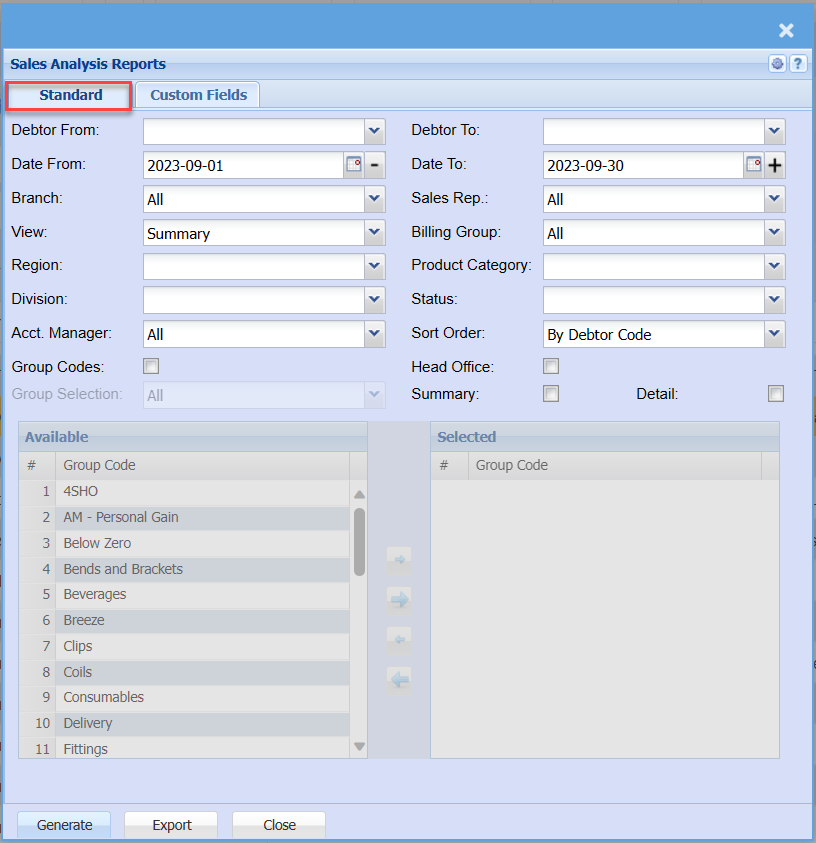
Standard Tab
| Debtor From / Debtor To |
Select a Customer/Debtor you wish to select the debtor from whichview the report willfrom. startSelect runningthe fromCustomer/Debtor you wish to see up to in the report. |
| Date From / Date To |
to selectChoose the date fromrange for which you want to view the report willfrom run/ fromSelect a date range of when you want to see up to on the report. |
| Branch |
When working with multiple branches this drop-down allows the user to select thea specific branch fromto thepull dropa downreport arrowfor. |
| View |
Select how you want to selectview the wayreport, theeither reportin cana besummary viewedview or a Cutt off version. |
| Region |
toYou can pull the report for all your debtors, or you can select thea regionspecific Region from the drop drop-down arrowmenu if you have set up Regions for your debtors. |
| Division |
toIf you have set up divisions for your debtors, you can pull the report for all your debtors or you can select thea divisionspecific Division from the drop drop-down arrowmenu. |
| Acct. Manager |
toYou can pull the report for all your debtors, or you can select a specific Account manager from the accountdrop-down managermenu if you have set up Account Managers for your debtors. |
| Group Codes |
byIf tickingyou have set up Group Codes for your inventory you can select a group code from the box,drop-down groupmenu codesto willdefine beyour includedsearch into thea reportspecific group. |
| Group Selection |
|
Debtor To |
to select the debtor to – to limit the debtors report run |
Date To |
to select the date to, it could be the current date just to limit the report run |
Sales Rep |
If you want to run a report by a specific sales rep, then you will need to select the sales rep on the drop-down menu. If you leave the sales rep on all the report will run by all sales rep. |
| Billing Group |
|
Product CategoryStatus |
If you select all the report will pull all statuses. If you want to view report by status, select the categorystatus fromon the drop drop-down arrow |
Status |
to select status from the drop down arrow menu |
| Sort Order |
|
| Head Office |
by ticking the box, the report will include head office sales analysis |
| Summary |
theIf boxyou allowsput the user to tick inon orderthe toreport includewill summaryonly pull limited information |
| Detail |
|
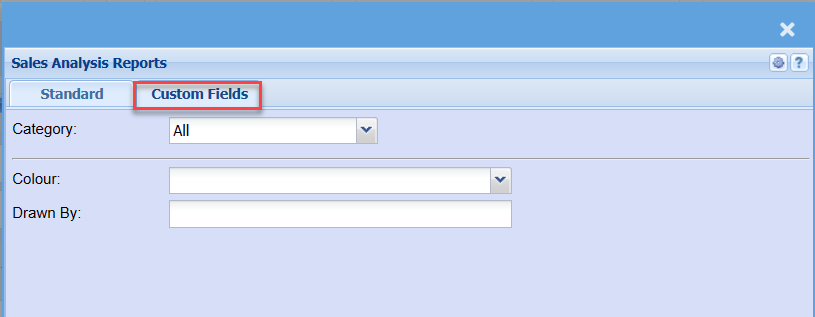
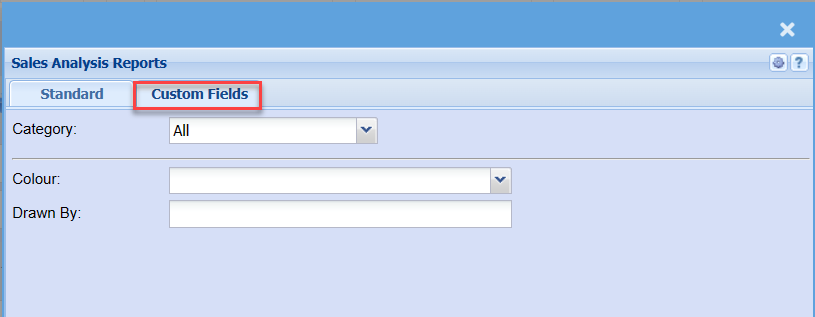
Custom Fields