
Recurring Transactions - End of Contacts Report
Debtors >Reports >Report list
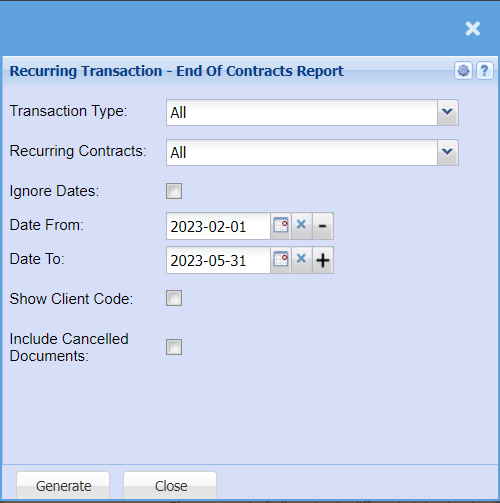
| Transaction Type | Select from the drop-down menu to pull a report for a specific transaction type, or you can select all to include all recurring transactions. |
| Recurring Contacts | If you have Recurring Contracts like, Subscriptions, you can pull a report for these specific contracts, or you can pull a report that will include all transactions. |
| Ignore Dates | Tick this box to pull all creditors with recurring transactions no matter the date. |
| Date From / Date To | Choose the date range for which you want to view the report from / Select a date range of when you want to see up to on the report. |
| Show Client Code | Tick the Show Client Code if you would like a column added to your report that include the Clients code. |
| Include Cancelled Documents | Tick the box if you want the report to include cancelled documents. |