POS Cash up Report
Debtors >Reports >Report list
Shows the cash and Sales received by the till for point of sale.
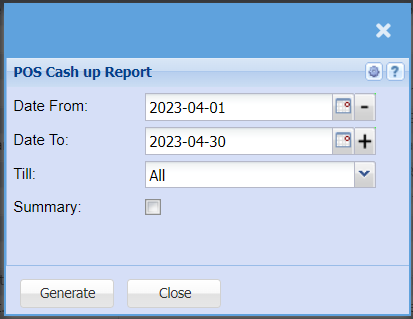
Report on cash and sales received from the till point of sale
| Date From | to/ select the date from which the report will be running from |
Date To |
to selectChoose the date atrange for which you want to view the report willfrom stop/ runningSelect a date range of when you want to see up to on the report. |
| Till |
to select the till from the drop drop-down arrow |
| Summary |
Tick if you require a summary sum total of the respective payment methods by till |
| Generate |
Click the "Generate" button to runopen the report. You will have options to copy, email, or print the report. To view the report in an Excel document, copy the report and paste it into an Excel file. |

