
Email and Printing Status
Video training manual 2016 - Click Here
Emails out of the system are logged to verify that an email has been sent.
This verification does not reflect whether the person has received the email or read the email.
It is an indication that it was sent to the mail server to be sent to the client.
This is the same as you have delivered your letter to the post box but it may not have been delivered to the person yet.
This section gives information on whether it was successful or not and what the error could be if the email was not able to be delivered to the mail server.
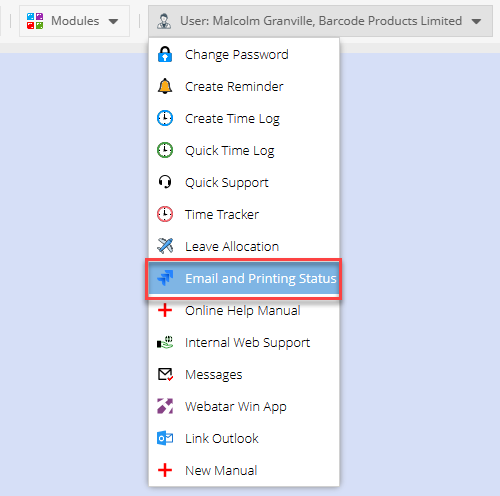
Email and printing status
The dropdown for the user will default to the User that is logged in so that it filters emails on logged in user.
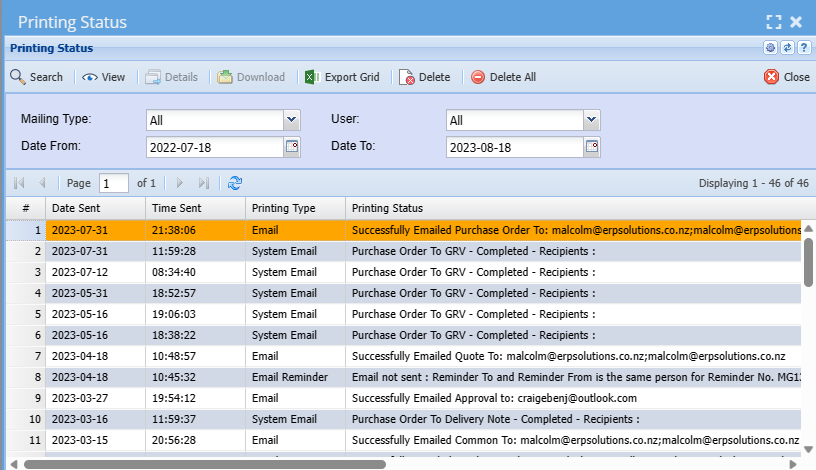
| Search | Searches for logged emails based on criteria |
| View | View the error |
| Details | See details of the email log |
| Download | Download file where applicable |
| Export Grid | Export the email grid |
| Delete | Delete the single selected log |
| Delete All | Delete all logs |
| Mail Type |
Set to All by default Select from: Email, Email reminder, Automatic invoice processing, debtors statement emails, system email, bulk emailing remittance |
| User | List of users in the system, filter by email sent by this user |
| Date From | Goes back one month from today |
| Date To | Set to today's date |