
Detailed Age Analysis
Debtors>Reports>Report List
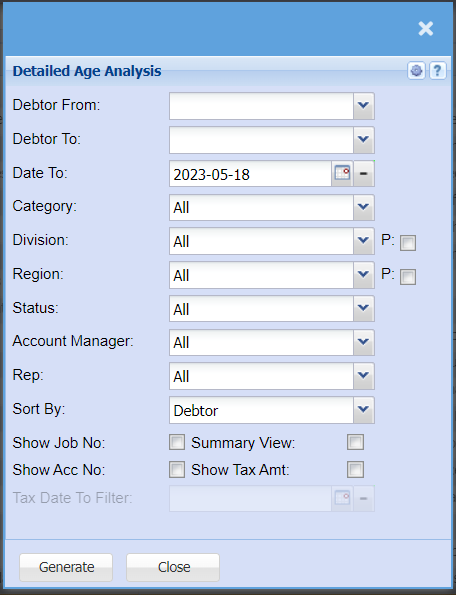
Report that shows detailed customers unallocated transactions
| Debtor From | select the debtor from the drop down arrow |
| Debtor To | to select the debtor to |
| Date To | to select the date |
| Category | |
| Division | to select the division from the drop down arrow |
| Region | to select the region from the drop down arrow |
| Status | to select status from the drop down arrow |
| Account Manager | to select account manger |
| Rep | |
| Sort By | |
| Show Job No. | |
| Summary View | |
| Show Acc No. | |
| Show Tax Amt | |
| Tax Date To Filter |