
Detailed Age Analysis
Debtors >Report list >Detailed Age Analysis
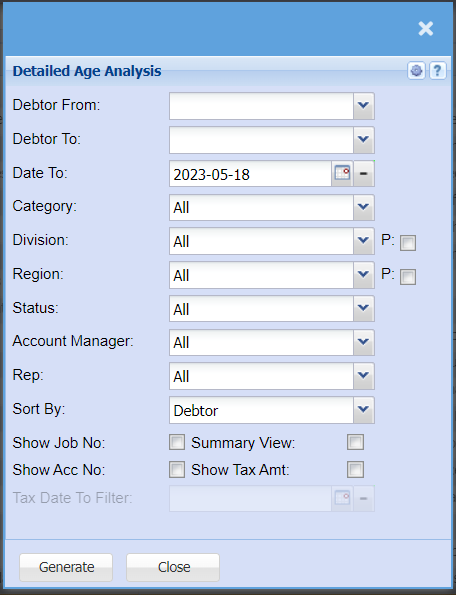
Report that shows detailed customers unallocated transactions
Debtor From – select the debtor from the drop down arrow
Debtor To – to select the debtor to,
Date – to select the date
Division – to select the division from the drop down arrow
Region – to select the region from the drop down arrow
Debtor Status – to select status from the drop down arrow
Account Manager – to select account manger
Ok button – to run the report
Cancel button – to cancel the report
Email - e-mail out the report
Export - export to excel
Copy - copy to clipboard