
Debtor Statistics per Category by Date Range
Debtors> Reports> Report List
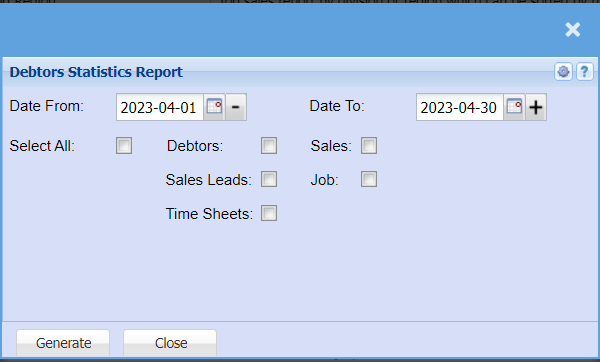
| Date From | / |
| Date To | Choose the date range for which you want to view the report from / Select a date range of when you want to see up to on the report. |
| Select All Tick | Tick the Select all box if you want to include Debtors, Sales, sales Leads, jobs and time sheets to your report |
| Debtors Tick | Tick the Debtors box if you want to include Debtors to your report |
| Sales Leads Tick | Tick the Sales Lead box if you want to include Sales Leads to your report |
| Time Sheets Tick | Tick the Time Sheet box if you want to include Timesheets to your report |
| Sales Tick | Tick the Sales box if you want to include Sales to your report |
| Job Tick | Tick the Job box if you want to include jobs to your report |