
Alternate FNB Debit Order File Generator
Debtors> Reports> Report List
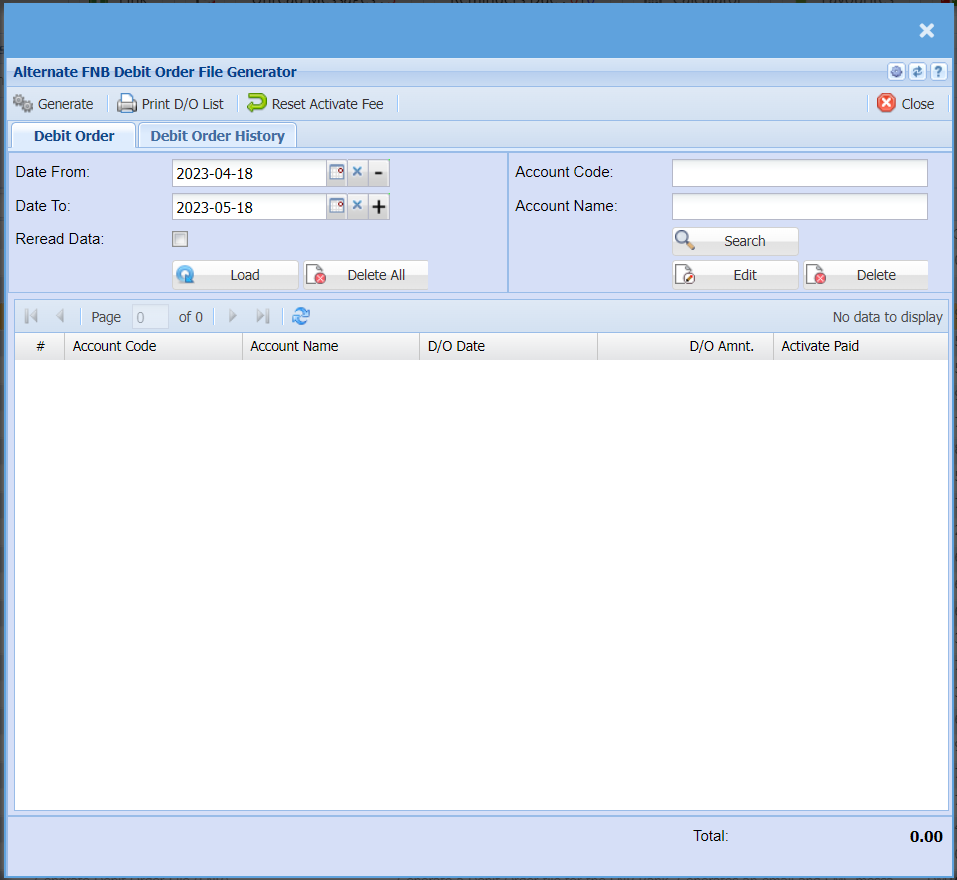
| Generate | Click the "Generate" button to open the report. You will have options to copy, email, or print the report. To view the report in an Excel document, copy the report and paste it into an Excel file. |
| Print D/O List | Click the "Print D/O List" if you would like to print the report for your pending debit orders. |
| Reset Activate Fee | |
| Date From / Date To | Choose the date range for which you want to view the report from Select a date range of when you want to see the report to |
| Reread Data Tick | |
| Account Code | |
| Account Name | |
| Load | |
| Delete All | |
| Account Code | |
| Account Name | |
| Search | Allows you to search for an existing item, Creditor or Debtor based on system fields and which module you are in. |
| Edit | Allows you to edit an existing Inventory Item, Creditor or Debtor depending on the module you are in |
| Delete | Allows you to Delete an existing Inventory Item, Creditor or Debtor depending on the module you are in, you will not be able to delete an Inventory Item, Creditor or Debtor if they have transactions against the. |
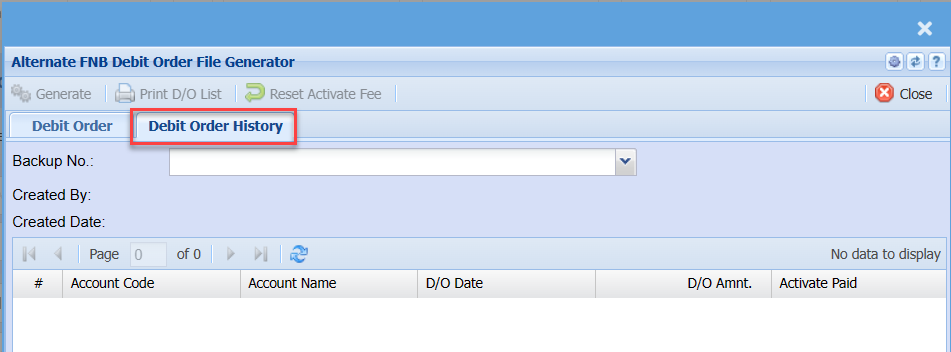
| Backup No. | |
| Created By | |
| Created Date |