
Time Log Report
CRM> Reports> Report List
The report provides a list of Time Logs either by Debtor or by Employee wherein one can view in summary the detail of all time logs created within the Date range specified.
You have the option for the report to include any notes that were captured on the respective Time logs the report also extracts accumulative totals of hours and value of all time logs per employee or per debtor (depending on the sort order)
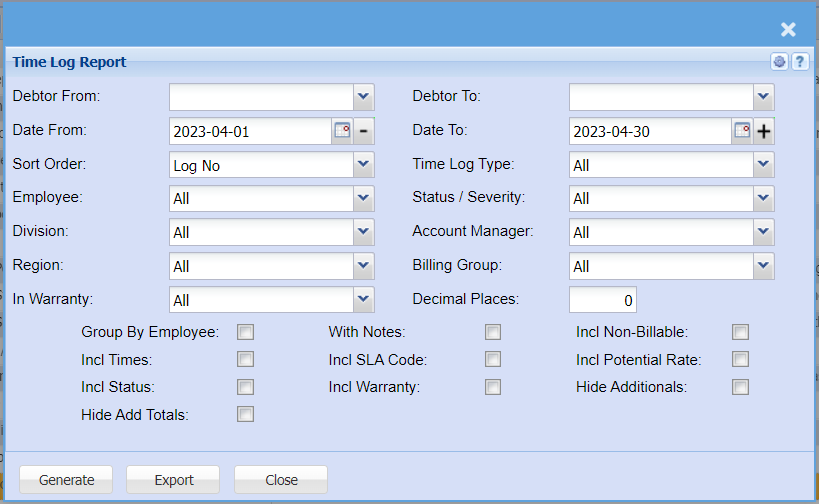
| Debtor From | |
| Date From | |
| Sort Order | |
| Employee | |
| Division | |
| Region | |
| In Warranty | |
| Debtor To | |
| Date To | |
| Time Log Type | |
| Status / Severity | |
| Account Manager | |
| Billing Group | |
| Decimal Places | |
| Group By Employee Tick | |
| Incl. Times Tick | |
| Incl. Status Tick | |
| Hide Add Totals Tick | |
| With Notes Tick | |
| Incl. SLA Code Tick | |
| Incl. Warranty Tick | |
| Incl. Non-Billable Tick | |
| Incl. Potential Rate Tick | |
| Hide Additionals Tick |