
Time Log Employee Summary of Hours Logged
CRM> Reports> Report List
This report shows a summary of total hours logged versus Hours Billed, versus required hours.
The hours compare field on the criteria is the total hours the employee is required to work.
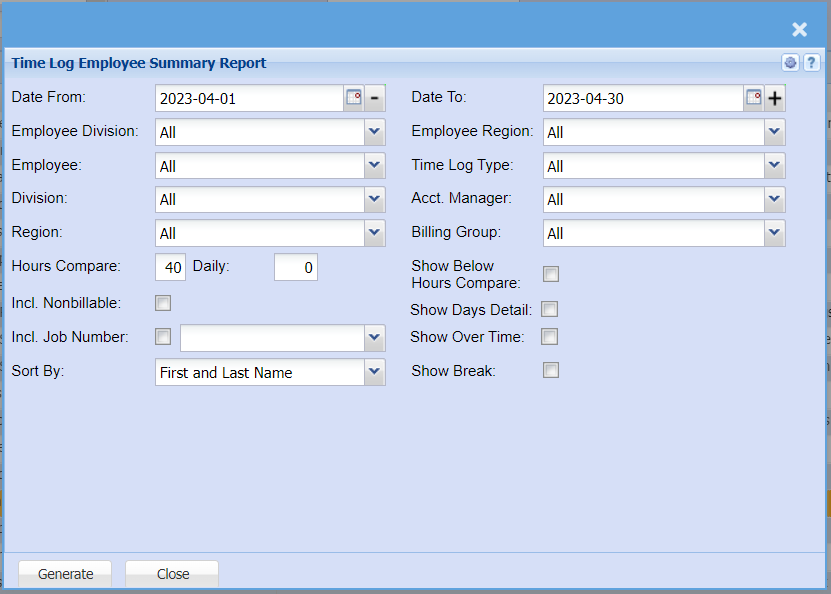
| Date From | |
| Employee Division | |
| Employee | |
| Division | |
| Region | |
| Hours Compare | |
| Daily | |
| Incl. Nonbillable Tick | |
| Incl. Job Number Tick | |
| Sort By | |
| Date To | |
| Employee Region | |
| Time Log Type | |
| Acct. Manager | |
| Billing Group | |
| Show Below Hours Compare Tick | |
| Show Days Detail Tick | |
| Show Over Time Tick | |
| Show Break Tick |