
GL Links Setup
System Configuration> General Ledger Links> GL Links Setup
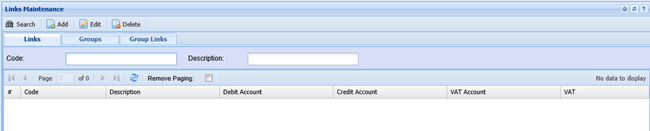
The system is governed by the General Ledger Link rules. The way to check where things are been processed are as follows:
These are the areas that affect the posting
| 1 | Company Setup and Branch setup |
| 2 | General Ledger Links Setup |
| 3 | Inventory service and custom items |
| 4 | Inventory group codes |
| 5 | Additional General Ledger properties found in GL, Debtors and Creditors |
Company Setup and Branch Setup
Go to System Config> Administrator> Company Profiles> Edit> Advanced settings> General Ledger Links
This controls what happens to processing in the system for that branch. A user has a primary branch and is governed by these rules.
Let’s look at the Invoice – the drop down indicates Invoice, go to GL links to see what happens.
General Ledger Links Setup
Go to System Config> General Ledger Links > GL Links Setup
Starting backwards we go to the Group Links, find the Invoice label that was selected in the company profile setup
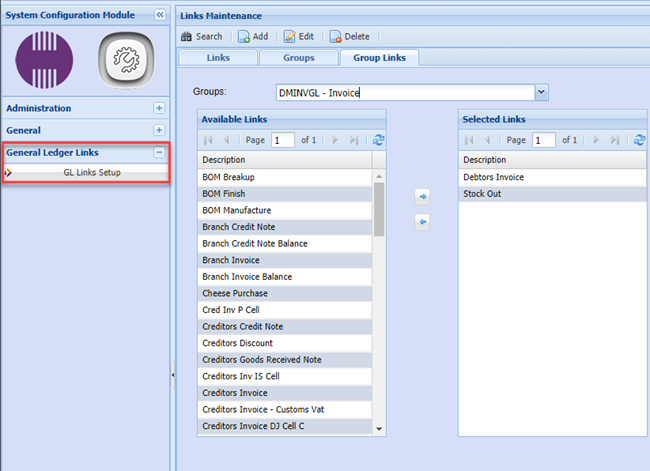
Now go to the Links tab to see what the ledger accounts are, in the case of an invoice there are two links, so you will have to look at both to see what ledger accounts affect the transaction.
The first transaction is the Debtors Invoice, note the debit and credit accounts.

The second link affects the stock.
Now stock has other rules which will override the stock ledger account or cost of sales.
Check the Service and Custom stock override.

Inventory service and custom items
The first place a service and custom item gets it’s ledger account when first setting one up is from the branch / company profile setup. After that the user will have to manually change the ledger account on each service or custom item.
Go to System Config >Administrator >Company Profiles > Amend Branch> Defaults Tab
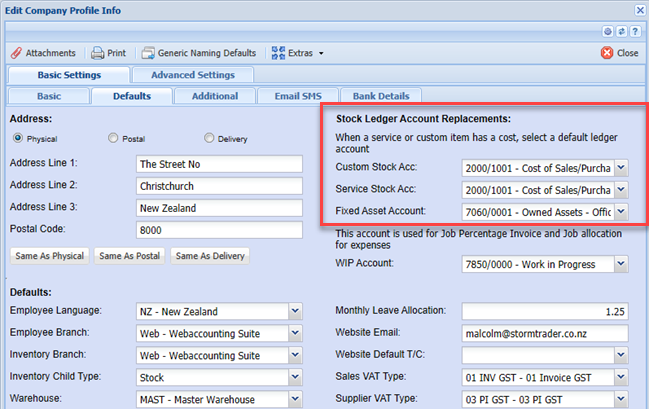
Go to Inventory Module > Configuration > Inventory setup
This setup replaces the Stock Ledger account when processing an invoice.
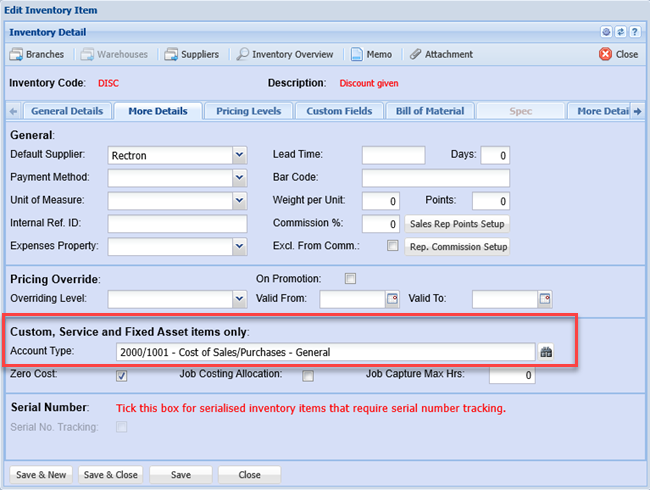
Inventory group codes
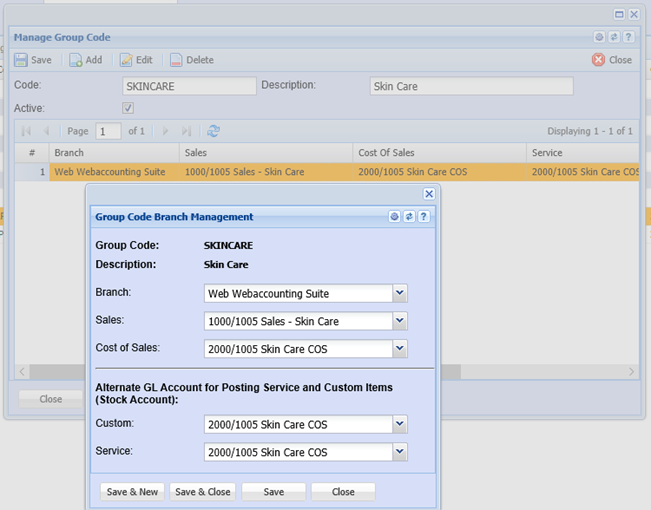
Go to Inventory Module > Configuration > Group Code setup
The group codes will override the General Ledger Links rules. This allows an inventory item to get posted to a sales and or cost of sales accounts.
Additional General Ledger properties found in GL, Debtors and Creditors
This is found in General Ledger, Debtors and Creditors setups.
This rule overrides the group codes on an invoice as well as the general ledger links.
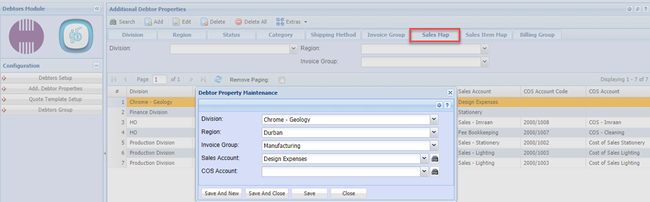

This rule allows a user to assign Sales and Cost of Sales accounts based on a combination of Division, Region and Invoice group.
No Comments