
GL Account Analysis
Analysis the General Ledger Accounts and the transactions posted.
This is a way of analyzing and measuring the cost behaviour of the company.
Go to General Ledger Module > Analysis > Account Analysis
Check that you are running the correct date range, change your date from and date to.
search for a specific account:

Click on Search button to view the details of the ledger account selected.
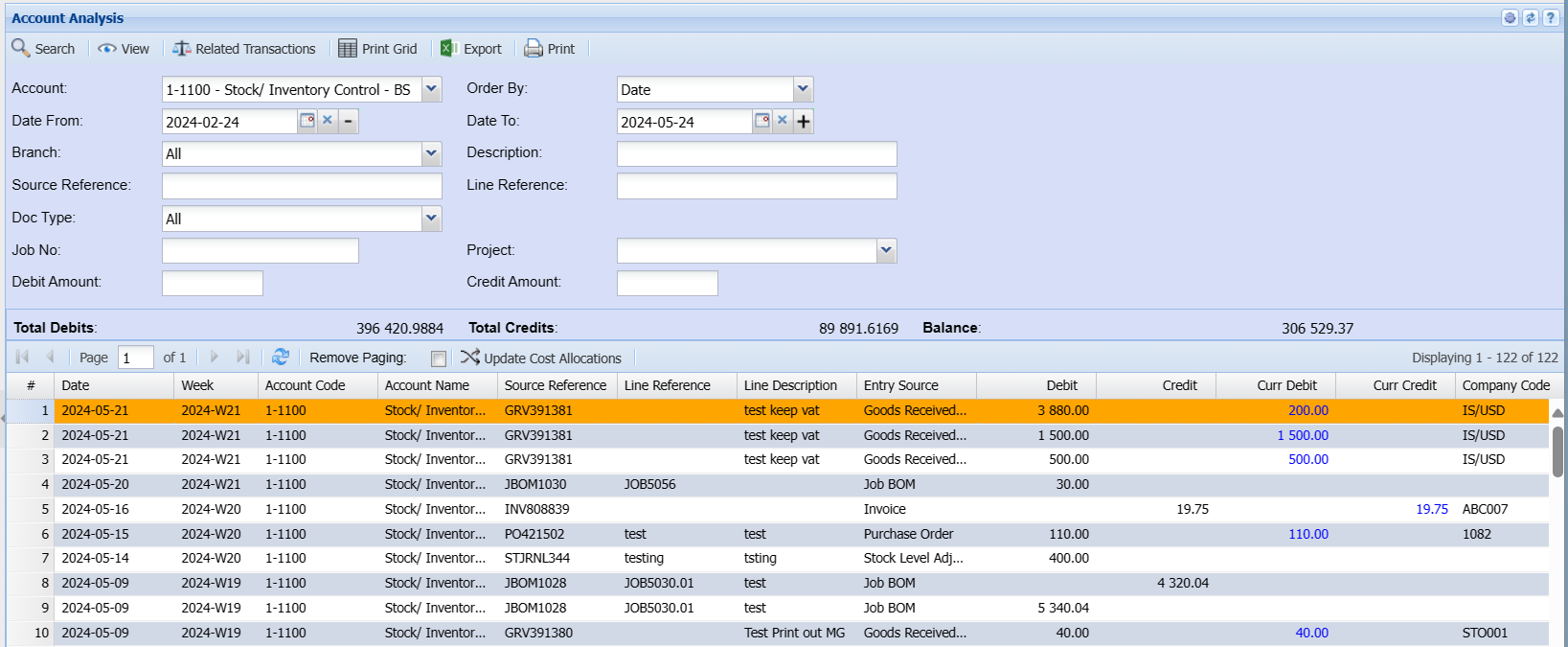
This grid shows you the date of the transaction with Source Reference, line reference, description that was capture on the line of the transaction.
View two columns namely Debit and Credit.
Who processed the document with actual audit date and time.
| Prints the grid that you are viewing. | |
| Export | Exports the data into Excel. |
| Related Transactions | This shows the debit and credits that were done on the document, also gives you a T-Account View. |
Basic Search Tab allows the user to search by selecting from the following:
| Account | to select the account |
| Date From | to select the date from which the analysis will run from |
| Date To | to select the date To, for limiting account analysis run |
| Branch | to select the branch from the drop-down arrow |
| Order By | to select order by, from the drop-down arrow |
Once above fields are selected, after searching, there will be a Total Debit and a Total Credit for a selected account
Filter Tab allows the user to search by selecting the filter type from the drop-down arrow and entering the filter value.
Buttons Defined
| Search button | for searching after selecting filter type |
| Clear Filter button | to clear filter value field |
| Main View Tab | to view account analysis documents list |
| View button | to view a selected source document |
| Print button | to print account analysis transaction history |
| Export button | to export account analysis to excel spread sheet |
| Related Transactions button | to view related transactions |
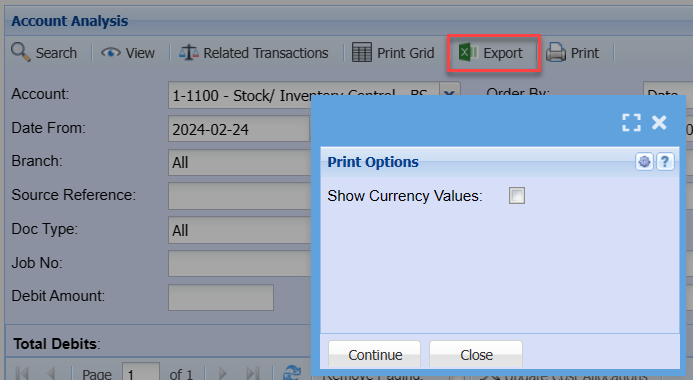
Export button
Click on Print Grid or Export button to Print Transaction History
No Comments