
Debtors Search Analysis
Debtors search is a duplicate of the Debtors setup menu however you cannot add new debtors here.
Enable Edit Debtor in the security button
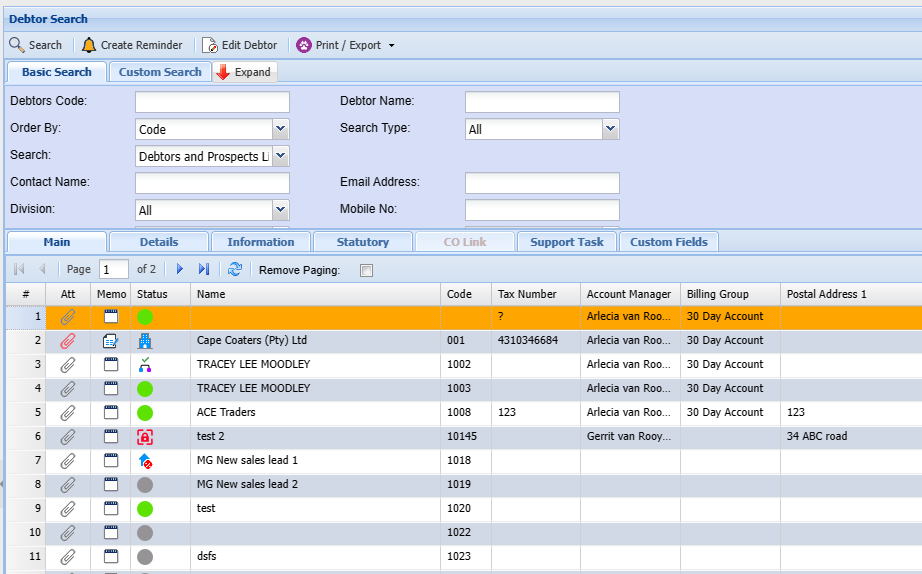
| Search | Search Debtors |
| Create Reminder | Create a reminder for a Debtor |
| Edit button | to make changes |
| Expand button | to |
Print Export Drop Down allows one to select from the following options:
| Print button | print all the debtors listed in the system sorted alphabetically |
| Export Debtors button | |
| Export Contacts button |
In
theBasic Search tab, if the debtor’s code in the Basic search Tab or debtor’s name is left blank, this will bring back all the debtors listed in the system sorted alphabetically. If the cursor is placed on Name at the column head, this will sort the names A-Z or Z-A as preferred. Remember to put a tick by remove paging so it sorts by all customers/ debtors or this will only look at a current page
The Custom Search tab, Custom searchtab searches according to the category selection on the drop-down arrowarrow, and the system will bring back all that is selected onin thethat category.