
VAT Rate Change Procedure
In the event that the VAT rate changes, one will need to update the system to the new VAT rate.
The VAT rate changes will affect the following entries:
- Any open debtor transactions (Invoices, Credit Notes, Journals, etc)
- Any open creditors transactions (Purchase Orders, Goods Received Notes-GRVs, Stock return notes, Journals, expenses)
- Open Cashbooks
- Open Expenses
- Open General ledger journals
- Recurring transactions
The process to change the VAT rate is as follows:
- Ascertain the effective date of the rate change
- Take a system Back up
- On the effective date of the VAT rate change, run the VAT Utilities
1. Effective date of the new VAT rate:
This will typically be published in the media. let's use the date is 1 May 2025 as an example.
Preferably any transactions as of this date need to be finalised and process. Alternatively, transactions that are not processed, but should still have the old rate applicable, will then have to be changed back to the current (initial) VAT rate using the utility.
2. System backBack Up
Go To: System configuration>Administration>Backups
Click Create
Edit the file name if necessary
Click Save
3. Run VAT Utilities
3.1 First Utility - VAT Update 2025 to 15.5%
Note: This utility will be run by Huge Software. Clients will not need to run this utility unless advised by Huge Software.
Important: This step can only be done on the effective date of the new rate. Running this utility before the effective date will update all open transactions to the new rate.
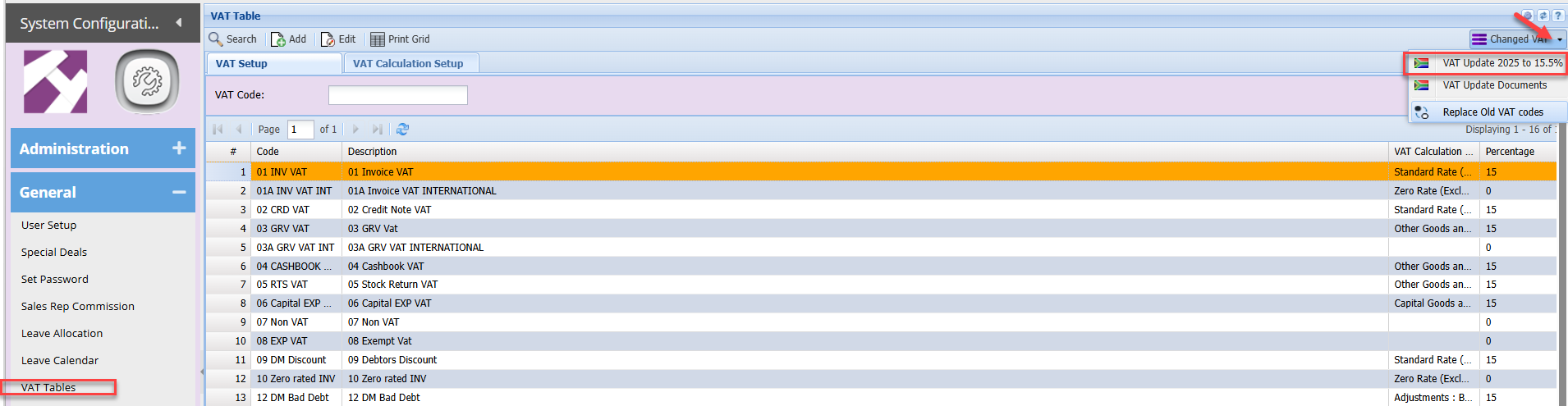
Go to: System configuration>General>VAT Tables
Click the Changed VAT drop down arrow
Select the first Utility: VAT Update 2025 to 15.5%
Click OK
Search
You will note:
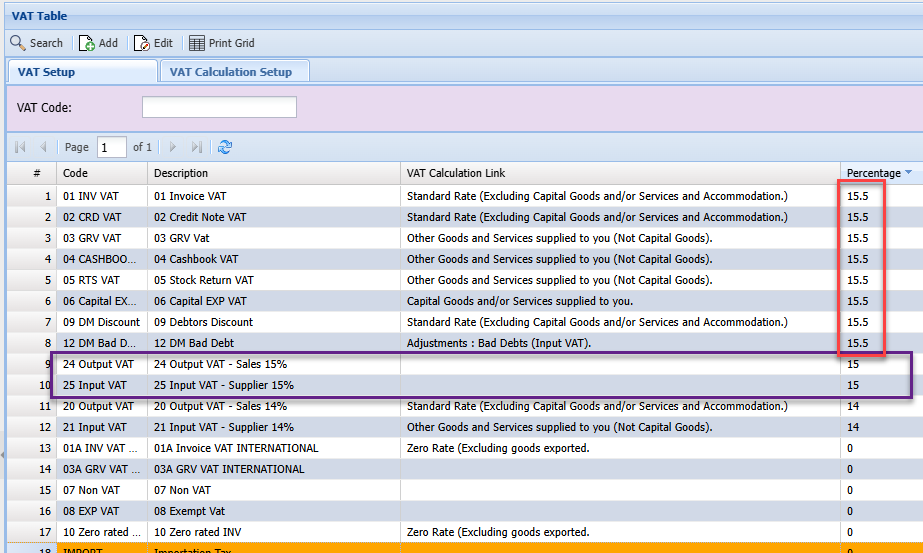
- All the VAT rates on the existing VAT Types have been updated to 15.5%
- Existing VAT types with 0% VAT rate will not be affected
- Two new VAT types have been created with the 15% rate:
| Output VAT - Sales 15% | This VAT Type will be used for any debtor / Sales transactions that the 15% VAT rate should apply to. |
| Input VAT - Supplier 15% | This VAT Type will be used for any Creditors transactions, GRVs, RTS & expenses that the 15% VAT rate should be applied to |
Essentially, these 2 new VAT types will be used of any open transactions that are dated prior to 01 May.
2. Second Utility - VAT Update Documents
Note: This utility will be run by Huge Software. Clients will not need to run this utility unless advised by Huge Software.

Select VAT Update Documents from the above drop down
Then click Run
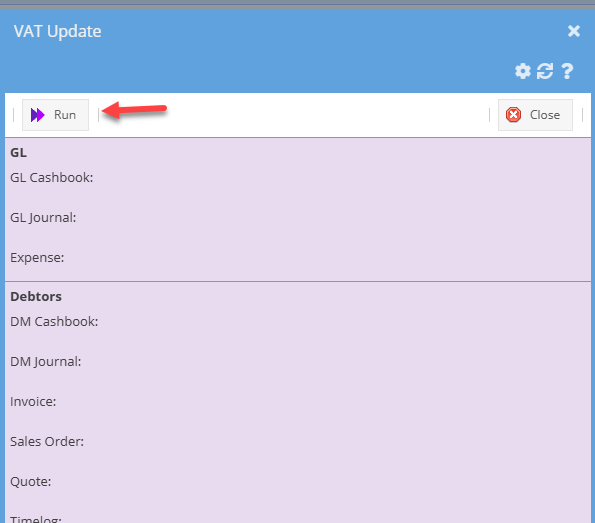
This utility will look for all open documents and update the VAT value displayed on the document and search grids.
This means that the user does not need to open and re-save each transaction manually to update the VAT values.
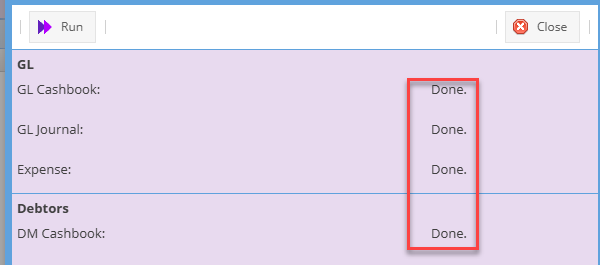
A 'Done" result will be returned as the respective document type are updated
when you search any document in preparation, you will notice the VAT value is updated to the new VAT rate
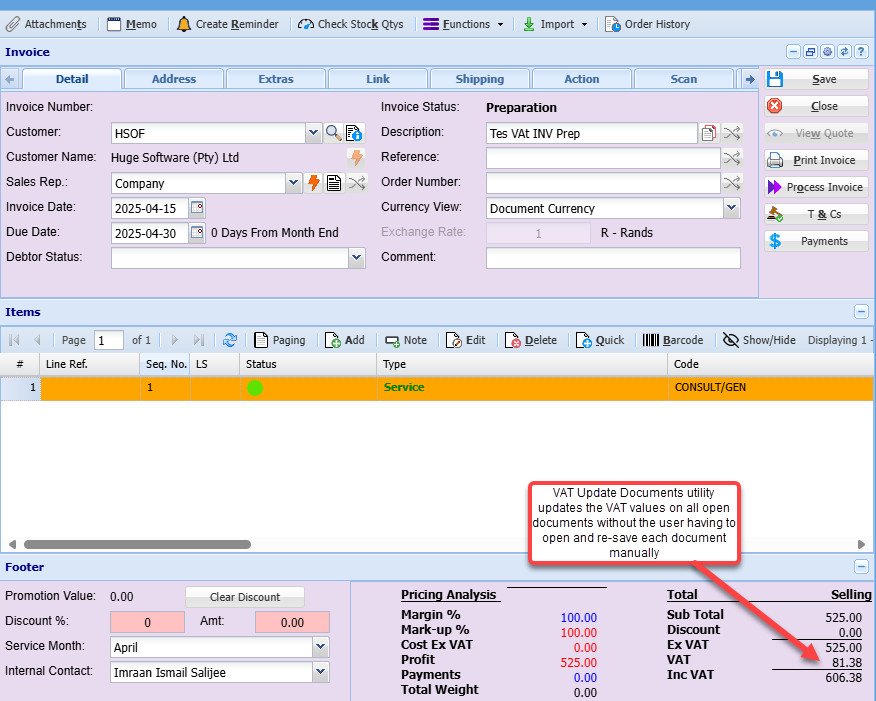
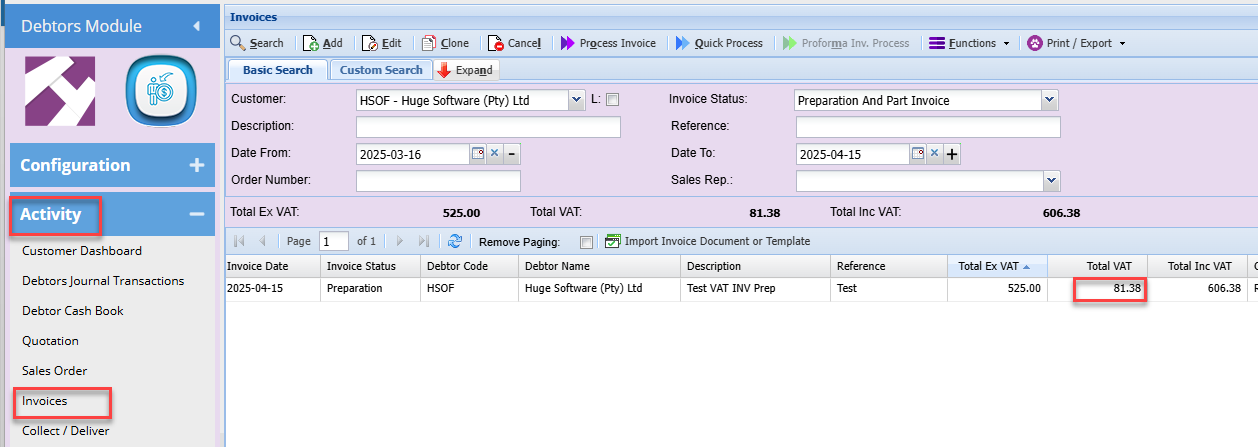
This Utility will also update the VAT value on any created recurring transactions that have been setup for future months.
3. Third Utility - Replace Old VAT codes
Note: This utility will need to be run by clients. Once the above 2 utilities have been executed, Clients will not need to run this utility to update any open transaction dated before the effective date of 01 May 2025.
This utility is used to update any open transactions that may still be dated prior to 01 May and the old VAT rate (15%) should be applied
Select Replace Old VAT codes from the change VAT drop down
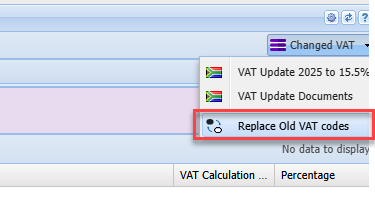
This utility needs to be run per transaction type
example: if you wish to update all open invoices dated before 01 May to the 15% rate:
Select Document type Invoice
Enter Old VAT Rate: 01 Invoice VAT - (remnebnre this was updated with the second utility above to the new 15.5% VAT rate)
Enter New Tax Type: Select Output VAT - Sales 15%
Enter the end date: 2025-04-30 - this is the last day the initial 15% VAT rate is to be applied
the utility will search for any open invoices that are dated on or before 30 April 2025 and update the VAT type to Output VAT -Sales 15%
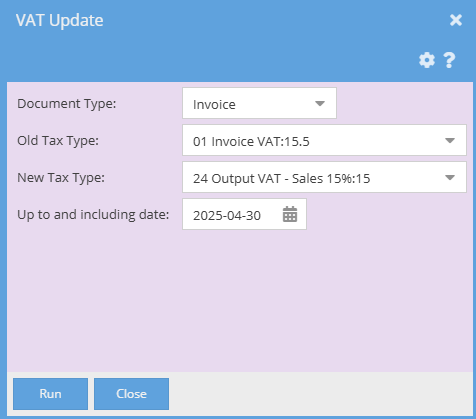
| Document Type | Select the required document type from the drop down |
| Old Tax Type | This is the Updated VAT type with the15.5% rate |
| New Tax Type |
Select the VAT Type to be applied. There would have been 2 new VAT types created with the first VAT Utility. 1. Output VAT - Sales 15%: use for Debtors/ sales documents 2. Input VAT - Supplier 15%: use for Creditors / Purchase Documents & Cashbook entries |
| Up to and Including date | This is the last date that the current or old VAT rate will apply; in this case 30th April |
Click Run
This will then find any open documents for the respective document type selected on the above screen dated on or before the 30 April, example invoices and change the VAT Type and the VAT rate to the15% rate.
Repeat this step for all the other document types that you may have open documents for that the 'old" 15% rate should be applied to