Add Stock Count
Adding a manual entry into stock count
Click on the Add button to add in an entry manually
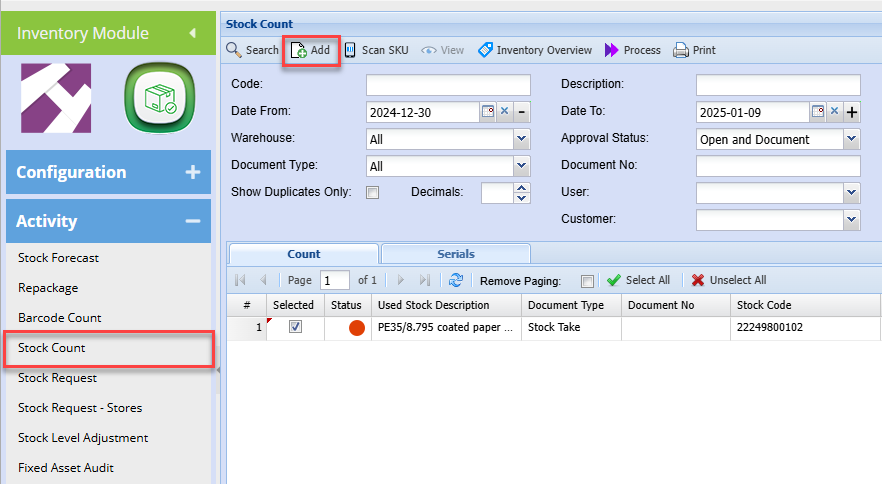
Clicking Add
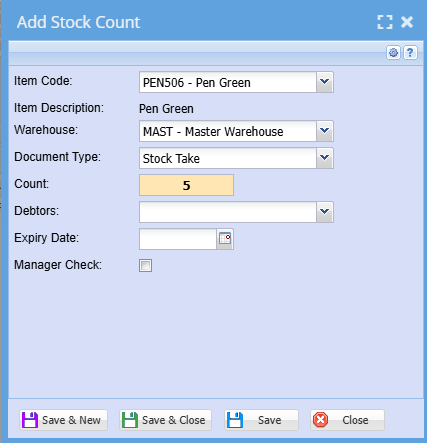
| Item Code | Search for the item by code or description |
| Item Description | Shows the description of the selected item |
| Warehouse | The default warehouse will appear |
| Document Type |
Specify the type of count Stock take, Stock Level, invoice, credit note, stock receive, stock return |
| Count | Add in the count |
| Debtors | Select the associated customer |
| Expiry Date | Enter the expiry date of the product |
| Manager Check | Activate tick if the product was checked by a manager |
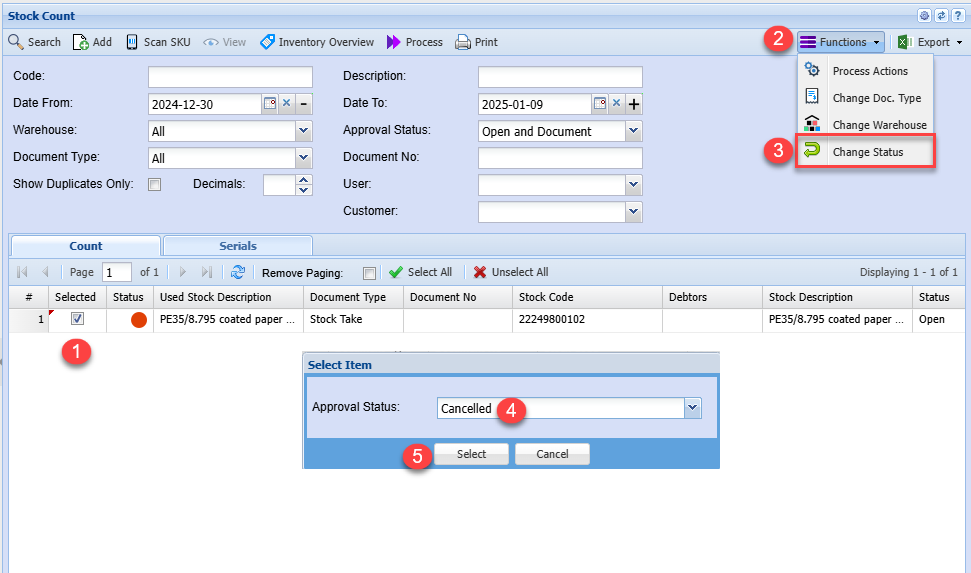
Cancel a Count entry
Adding in a count but made a mistake.
One cannot edit or delete the loaded item, but you can cancel the entry.
Follow the steps below