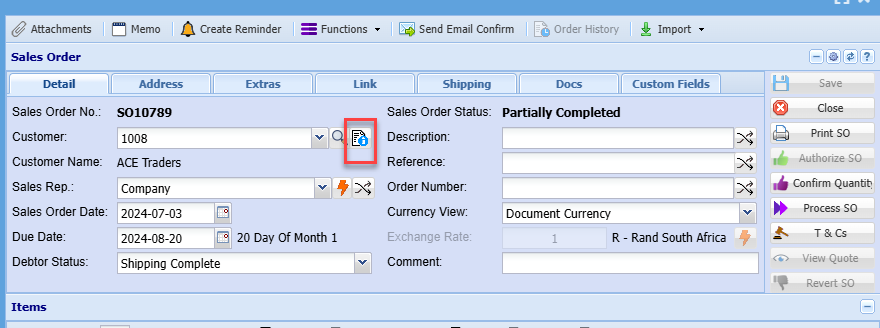
Sales Order functions
Multiple functions for Sales Order Confirm
Picking started
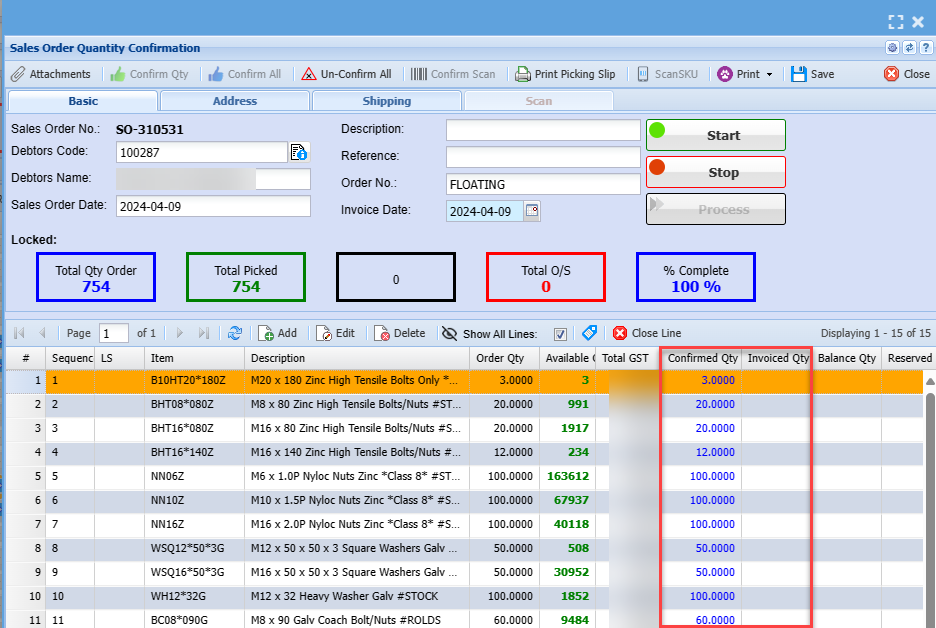
When picking is started on a sales order, the Add, Edit and Delete buttons are disabled.
One can only add or edit items when not picking
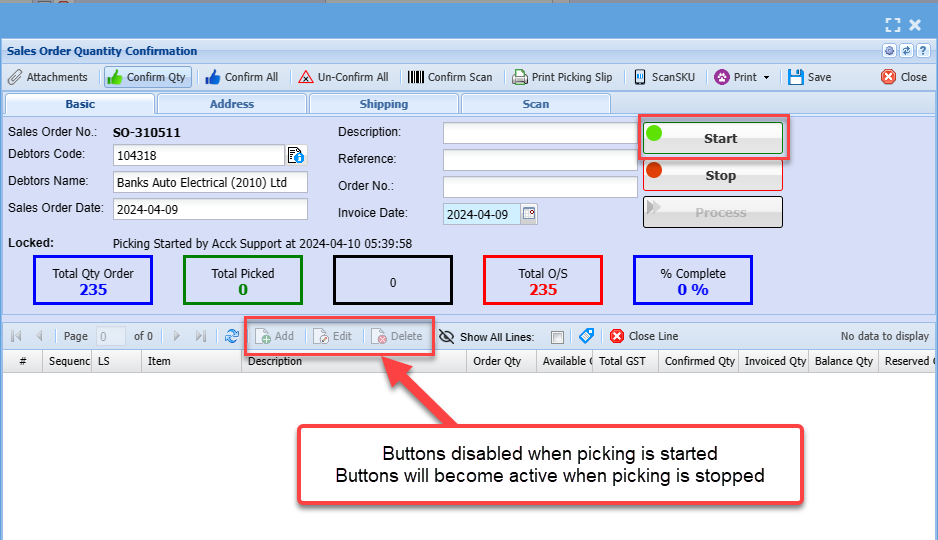
Sales Order code disabled
Sales order editing a line will disable changing the item if
- The line item has confirmed the quantity
- The line item has invoiced quantity
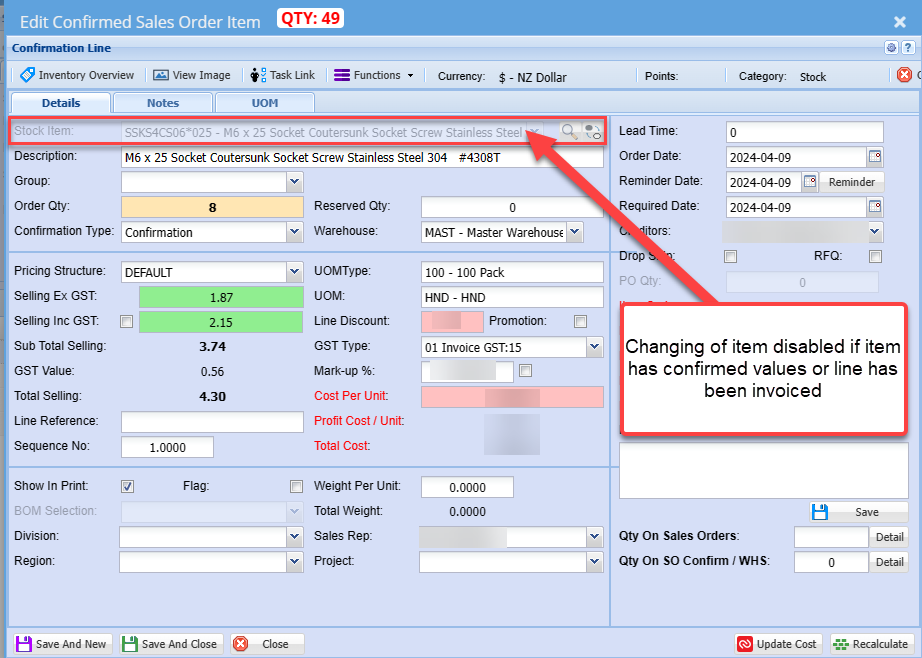
Lines items disabled on confirmed and invoiced quantities
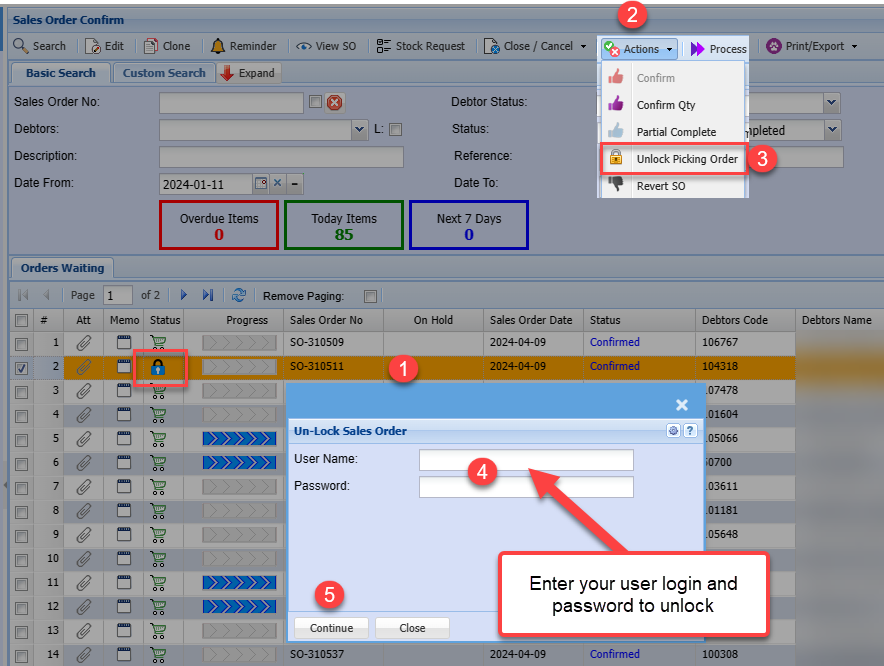
Unlocking a Sales Order in Started picking state
When a sales order is has a blue lock, it means that it is in the process of been picked and is locked by the user picking.
To unlock the sales order, unlock
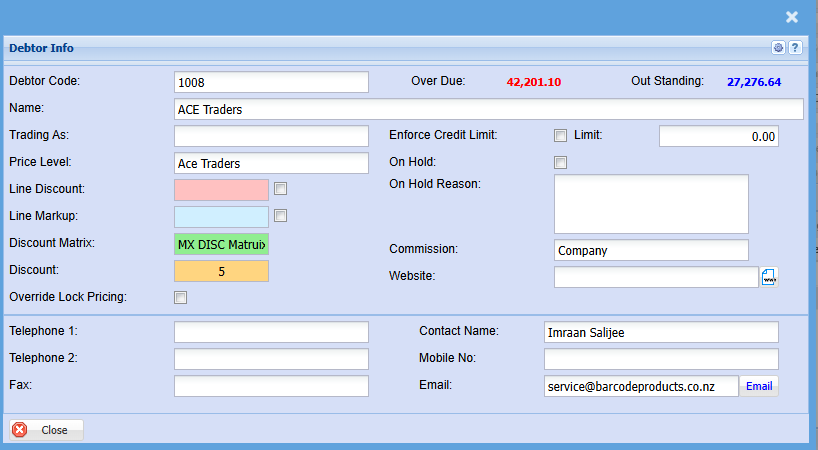
Debtor Info