
Debtor Cash Book Help
Video training manual 2016 - Click Here
This allows a user to prepare debtor’debtor’s financial records.
Debtor/Customer Module> Activity> Cashbook
Debtor/Customer Cash Book Basic Search
You hascan onesearch button,by the following:
- Cash Book Name
- Cash book Date
- GL Bank Accounts
- Cash Bool Status
- Cash Book Type
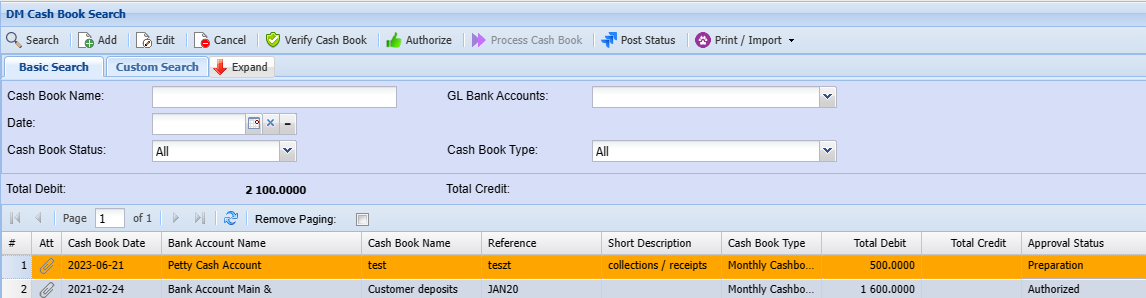
Adding a SearchCash button.Book
To create a cash book you first need to capture details below regarding a cash book
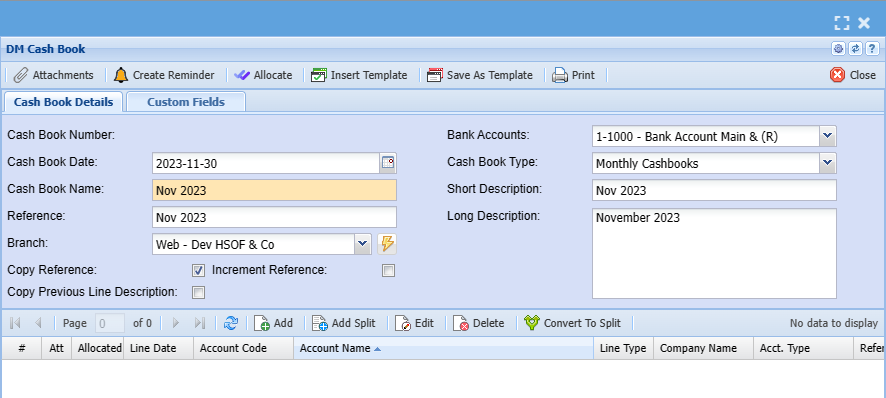
| Cashbook |
|
| Cash Book Name | This will be the |
| Cashbook Type | This will be either Daily Cashbook or Weekly or Monthly. |
| Reference | This will be the reference for this cashbook. |
| Short Description | The Given Short Description for the Cashbook. |
| Long Description | The Long Description for the Cashbook. |
| Increment Reference | It Increases the number by one example if the user Reference is CB 1 and the tick is added on the ‘increment reference’, when you add a new line, it will add one to the number. |
| Copy Reference | It Copies the reference. |
Add Cashbook Items
To .png)
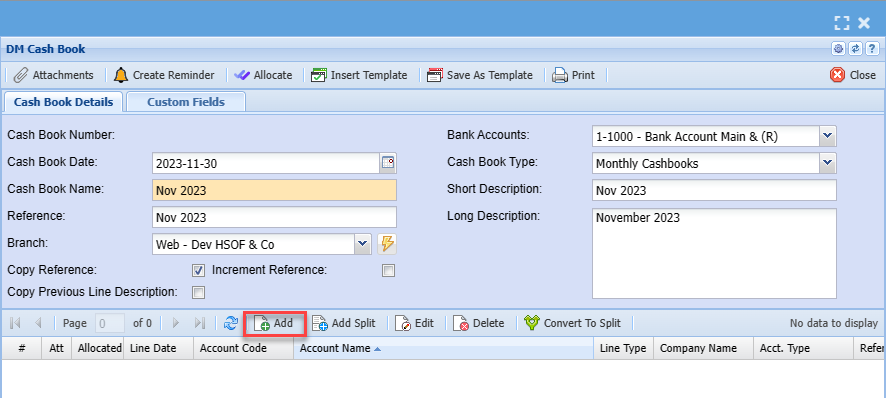
After clicking on the middle add you will see the screen below:
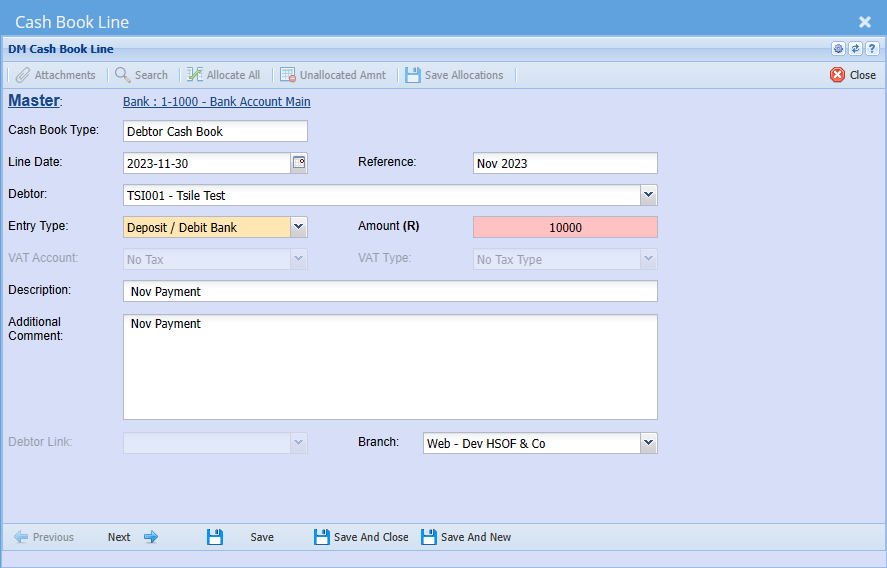
| Line Date | |
| Reference | |
| Debtor/ Customer | |
| Entry Type | |
| Amount | |
| VAT/ GST Account | |
| VAT/ GST Type | |
| Description | |
| Additional Comment | |
Standard Tab has three buttons
Functionality has been added whereby all debtors’ cashbook transactions status can be
viewed while still in the Debtors Cashbook.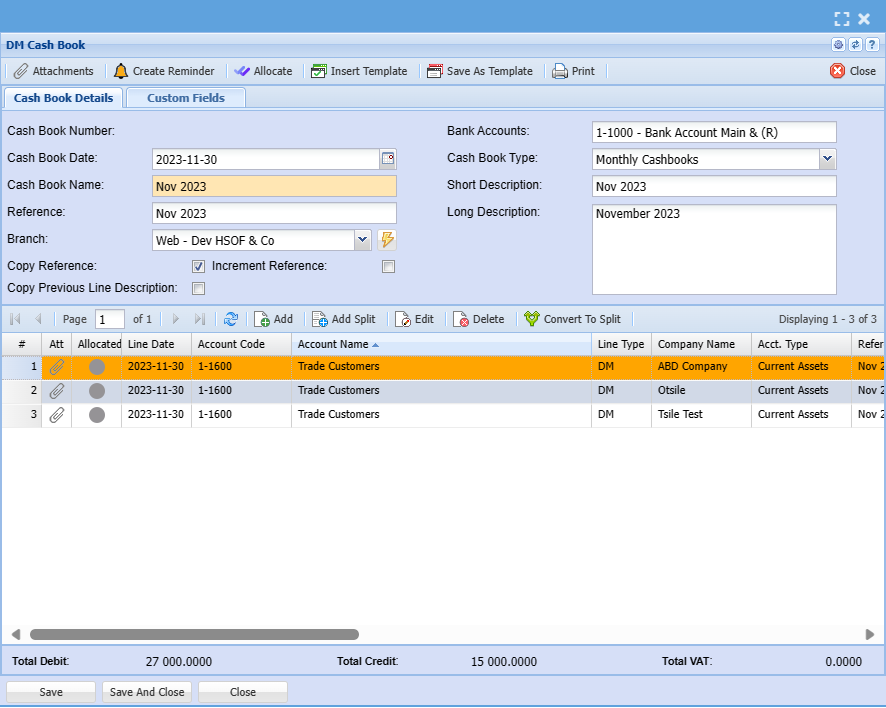
This allows the user a single view of all Debtors Cashbook transactions and in what phase
of the process they are sitting.
When a cash book posting has successfully finished, a reference number together with a
message stating that the posting was successful will be displayed. You must note the
reference number.
If the posting was unsuccessful you must note the error message and Post Status to correct
the cash book transaction and reprocess the cash book transaction.