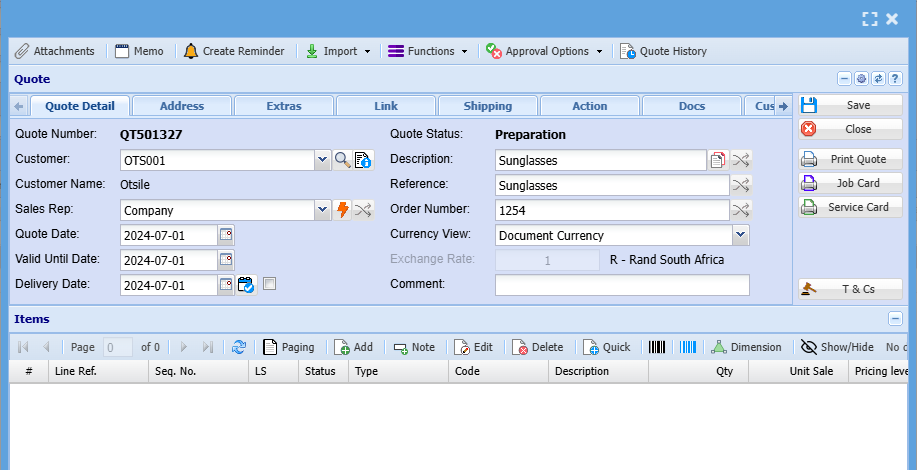
Add Quotation
Quote Detail
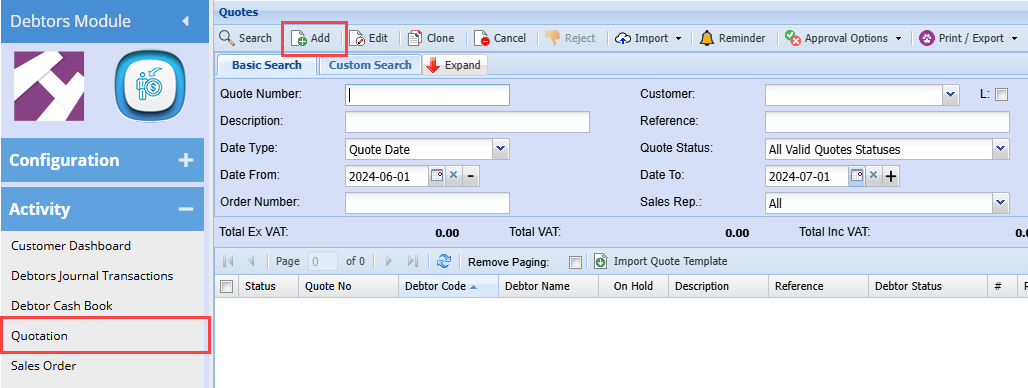
Debtors Module> Activity> Quotation
The quotes screen will open
To search for existing quotations click select your search criteria and click search
Search criteria can be quote status and select a relevant date range
To create a new quotation, Click the Add button as shown below
This will display the New Quote screen
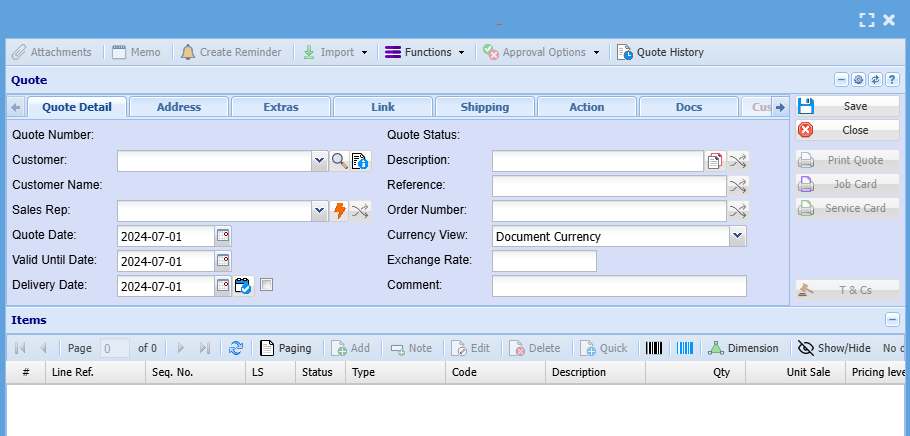
Add information below so that the greyed-out buttons can appear:
- Select the customer you are creating a quotation for, on the drop-down selection. If you know the client you can add their name or quote and it will show on the drop-down
- Select the sales rep on the drop-down selection if applicable
- Update dates if necessary
- Add description and reference
- Add order number if applicable
Then once you are done with adding all relevant information click save and all the greyed-out buttons will be opened