
Book In Search
Webatar > Activity> Bookin
.png)
Allows the user to search, book in, edit, create quote and book out
CRM Module> Activity> Bookin
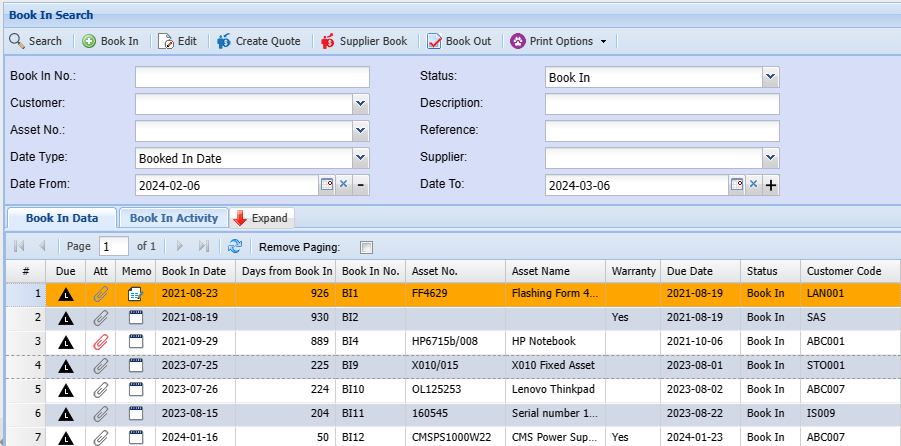
| Book |
Enter a Book In which you wish to search |
| Select the customer relating to the book |
|
| Asset |
Enter the Asset Number to narrow down search |
| Data Type | |
| Date |
Enter |
| Search |
|
| Description | |
| Enter a reference specific to the booking to narrow down search results. | |
| Supplier | Select the supplier on the drop down selection |
| Date To | Add the date you want to search to |