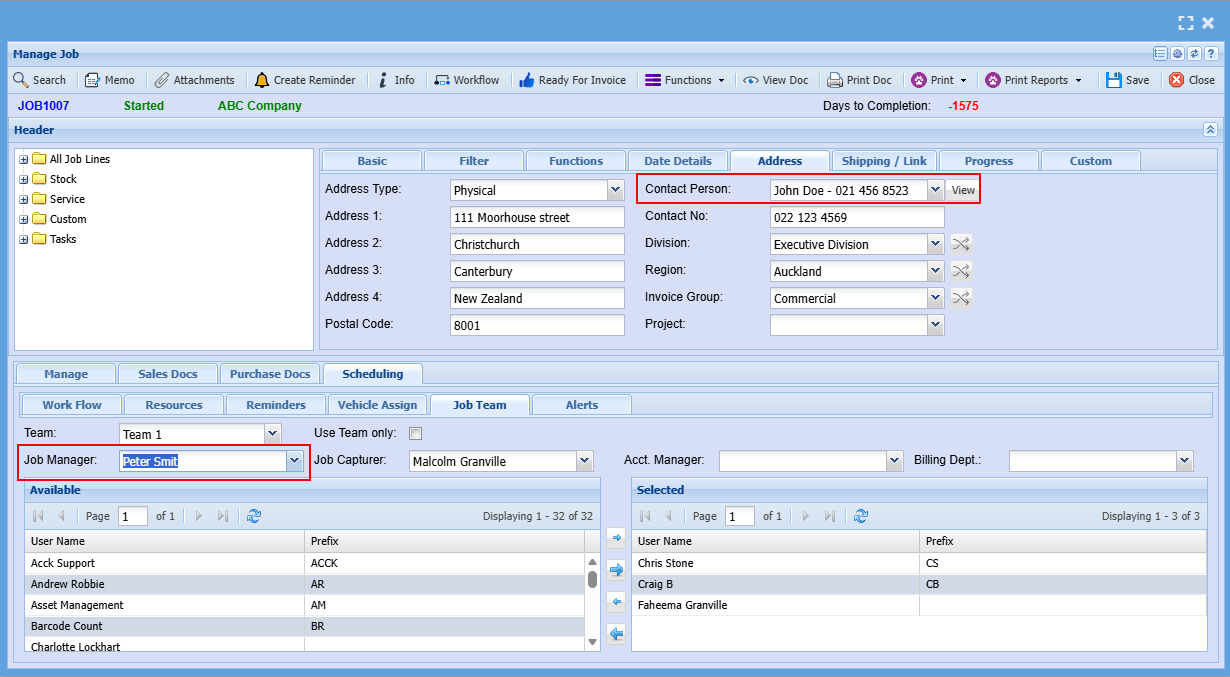
Email send on receive stock
This will only work with Stock Receive lines that are linked to a Job.
Any item that is flagged for sending an email to a customer based on the job number
Setup of items flagged for Receive stock emailing
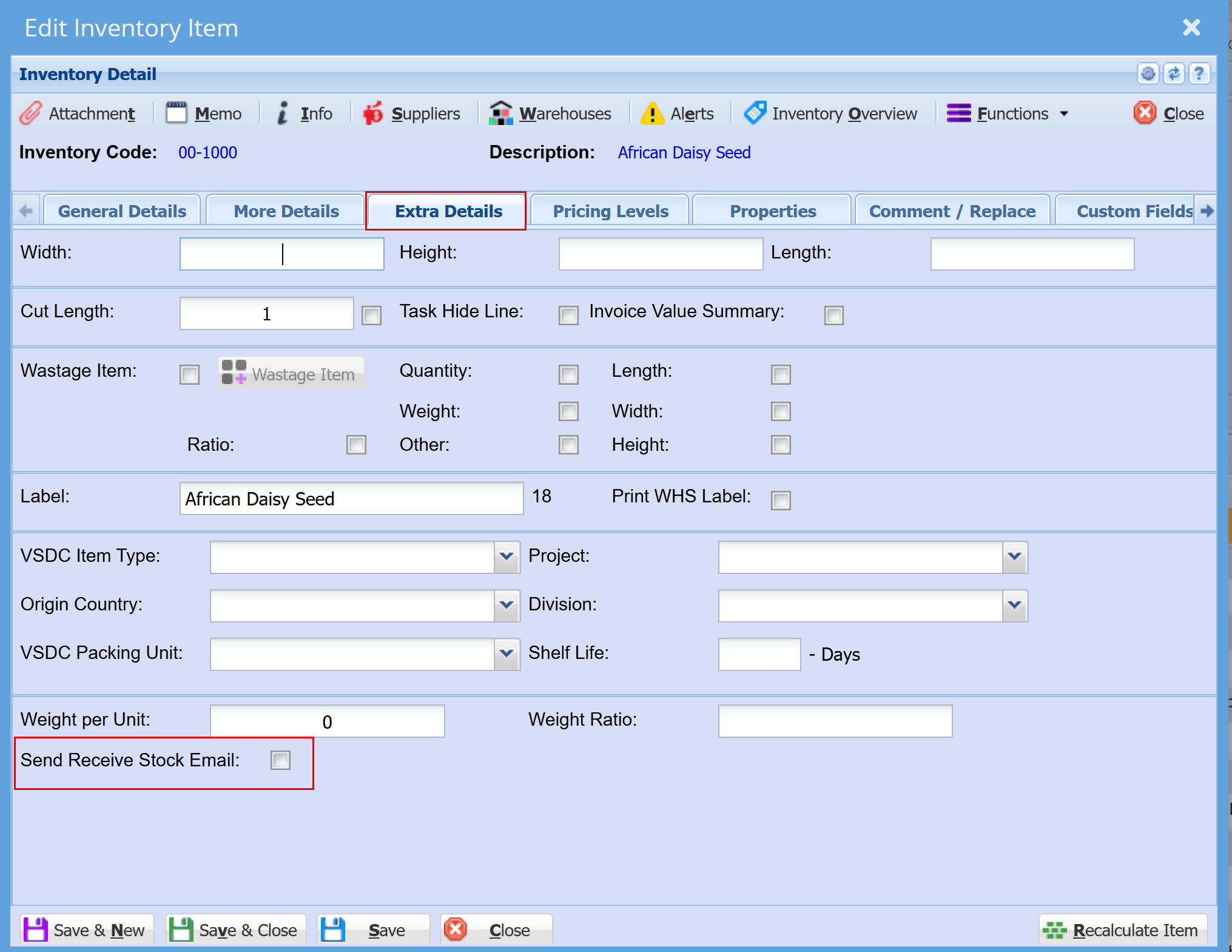
Inventory Module >Configuration > Extra Details
Enable the stock item to allow an email to be sent to the customer of the job line.
- Double click on the item to open and under the Extra Details tab, tick the "Send Receive Stock Email" box
- Click "Save"
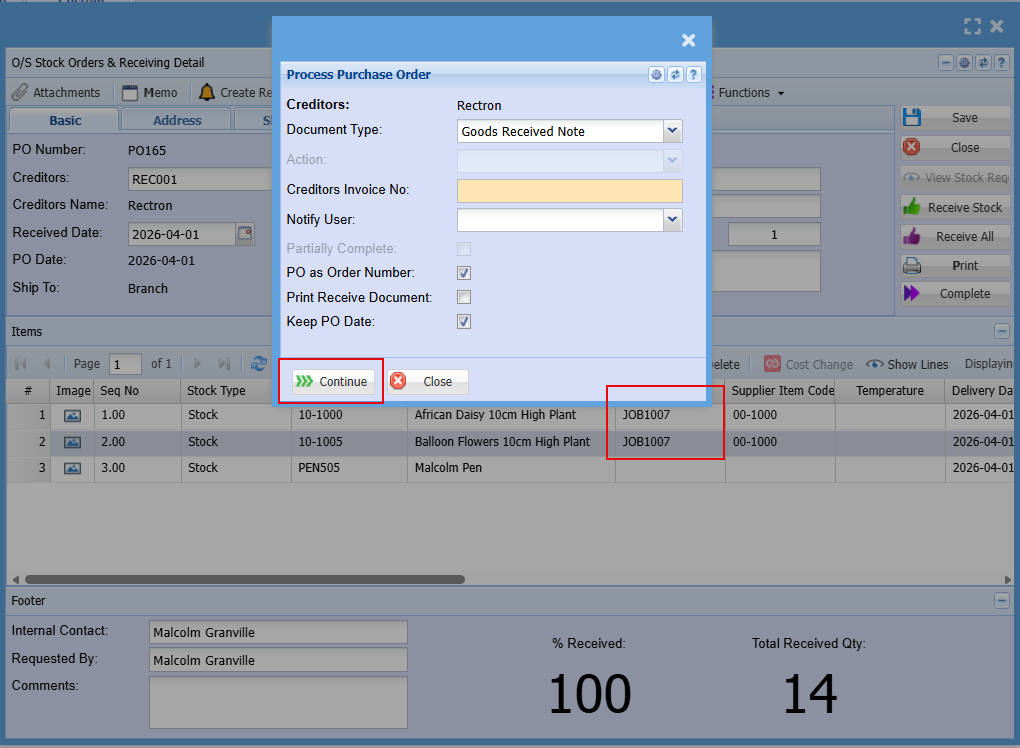
On complete of receive stock, an email will be sent to the customer notifying them that stock has been received.
Only the items with job numbers will be sent.
The customer will receive one email with information on the items received that were flagged for Receive stock email.
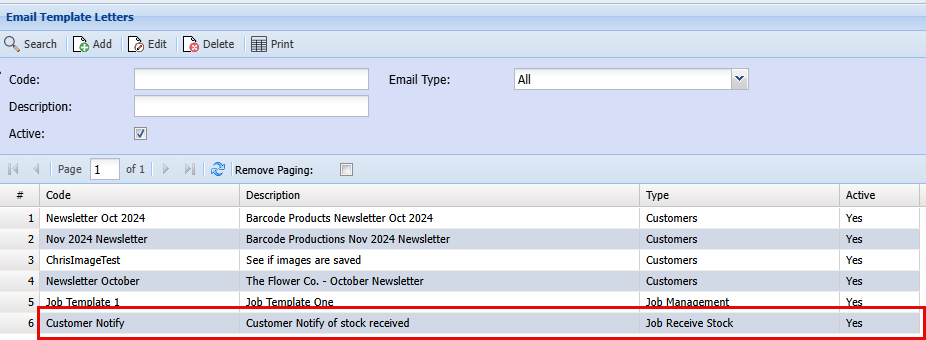
Email template
The email template is found in CRM, Configuration setup called Email templates
The type if Receive stock job email
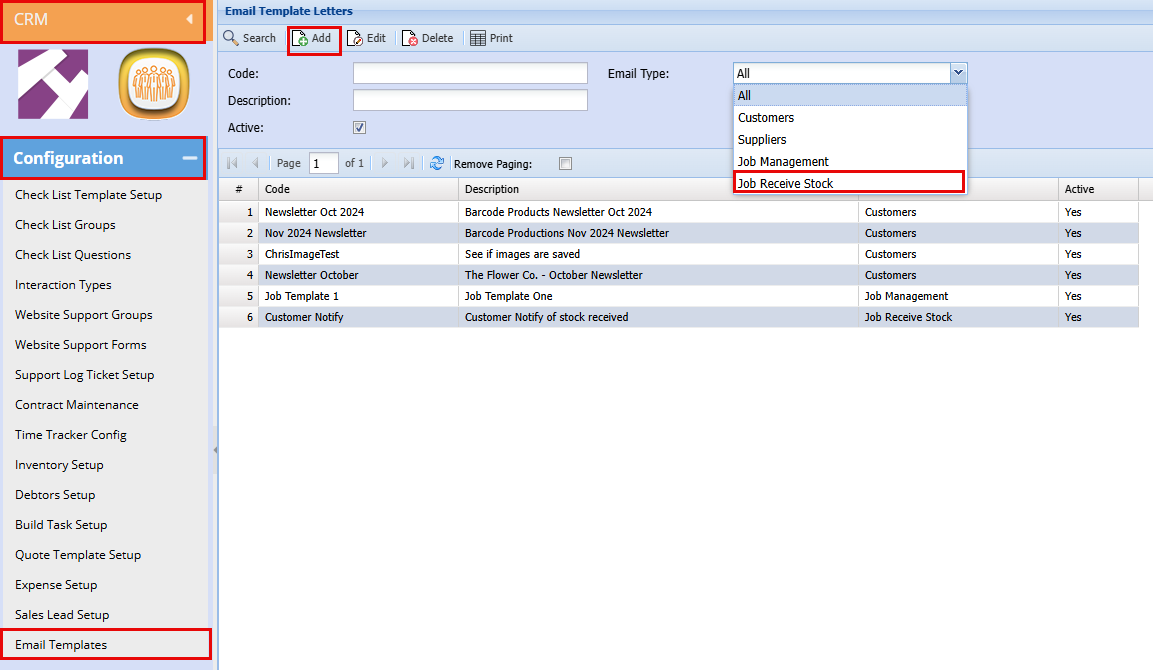
New type for Receive Stock Job line email
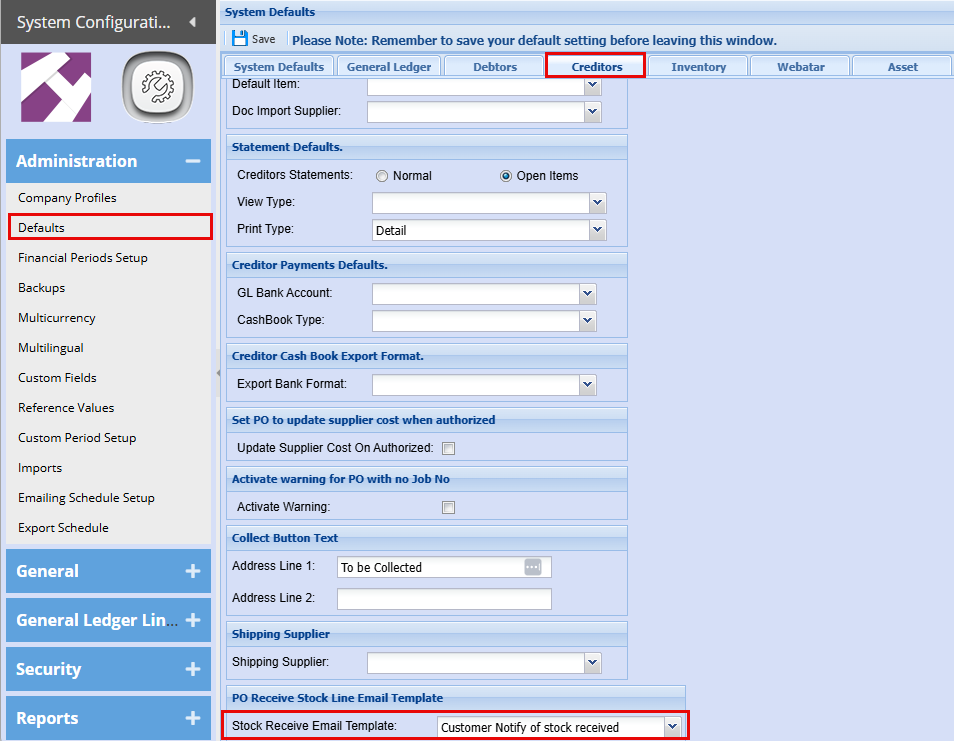
Setup default email template for system
This dropdown will only look at types: Receive Stock Job Line
Email will go to two people
- Default contact person of Job
- Job Manager