Creditors interest transaction run
Run the Creditors interest transaction journal
This will run an interest run for all creditors that are activated with creditors interest tick on.
One can run a pre-interest run to work out which journals you want to process.
Found in the Creditors Module > Activity
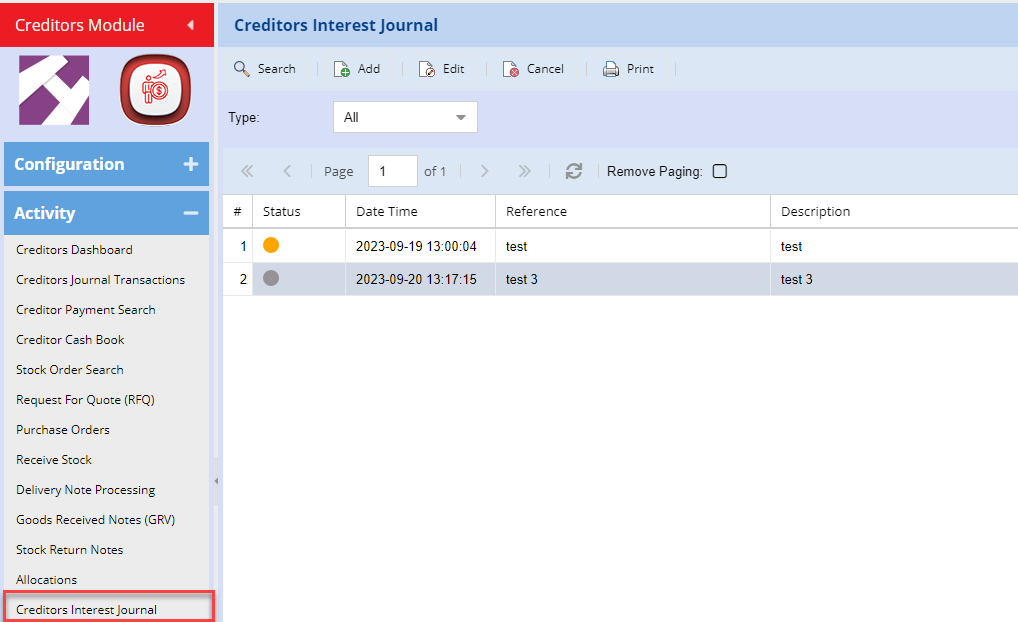
Add Creditors interest journal
Click on Add to prepare the creditors interest journal
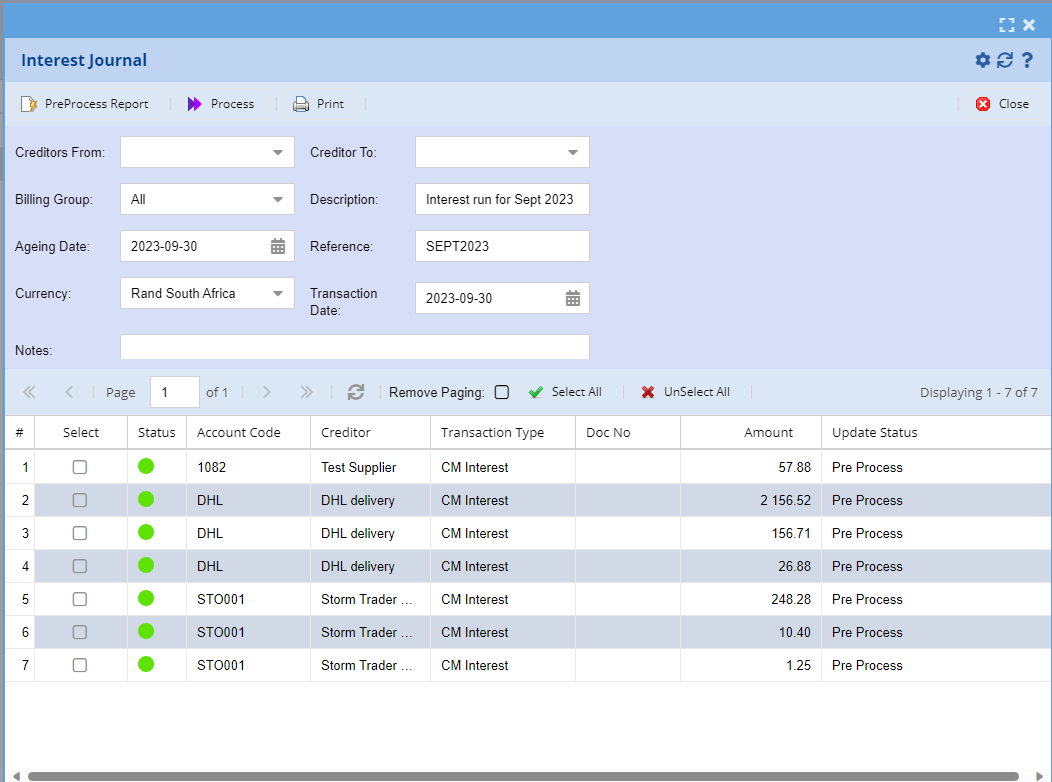
| Buttons | Details |
| PreProcess Report | Run a report in the grid to see what journals will be processed |
| Process | Process the selected interest journals |
| Print the report on PreProcessed or processed journals | |
| Select All | Select all the journals to be processed in the grid |
| UnSelect All | De-Select all the journals not be processed in the grid |
| Interest Journal | Details |
| Creditors From and To |
Filter by Creditors from and to Blank, means all |
| Billing Group | Filter by Billing group of aging |
| Description | Enter a description here to appear on all journal descriptions |
| Ageing Date |
This date is used to work out the ageing values to be posted Important date for transaction calculations |
| Reference | Enter a reference to appear on all journals |
| Currency | Filter by currency |
| Transaction Date | The date that the creditors journals will be posted on |
| Notes | Add notes for all journals |
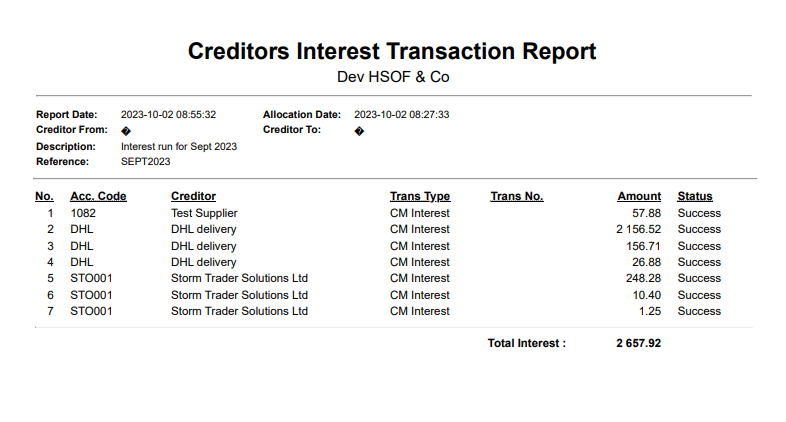
Creditors Interest Print
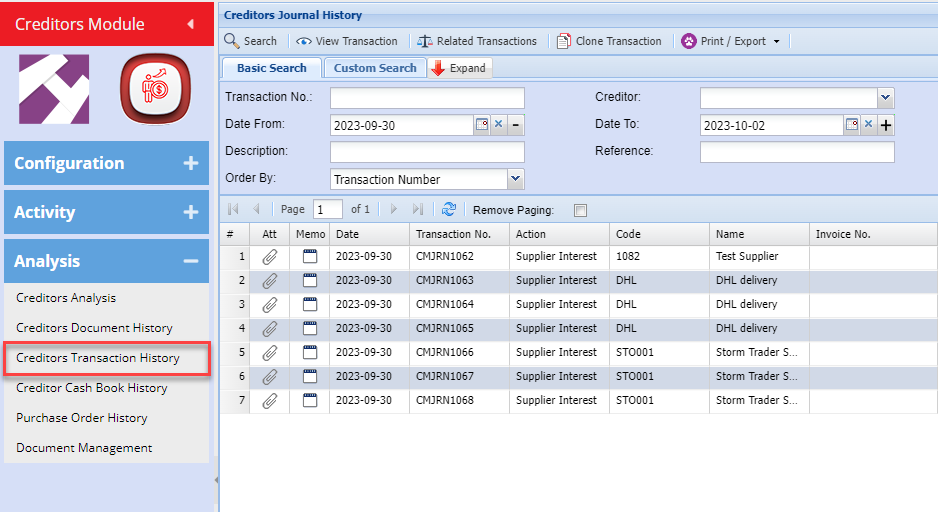
Creditors Interest History search
Search for processed creditors Interest journals