
Adding New Creditor Payment
Click on Creditors Module>Activity>Creditor Payment Search
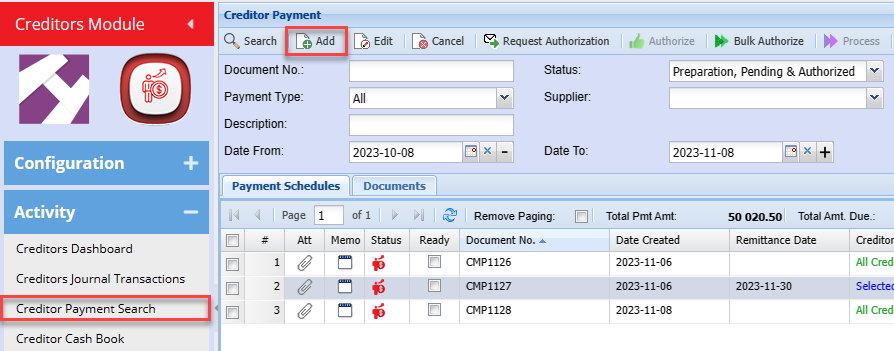

| Authorize | |
| Process | |
| Attachment | |
| Memo Note | |
| View Document | |
| Creditor History | |
| Add New Documents | |
| View Attachments |
Printing Options Dropdown
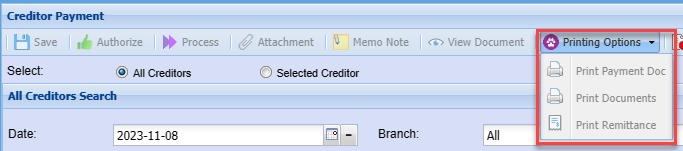
| Print Payment Doc | |
| Print Documents | |
| Print Remittance |
All Creditors
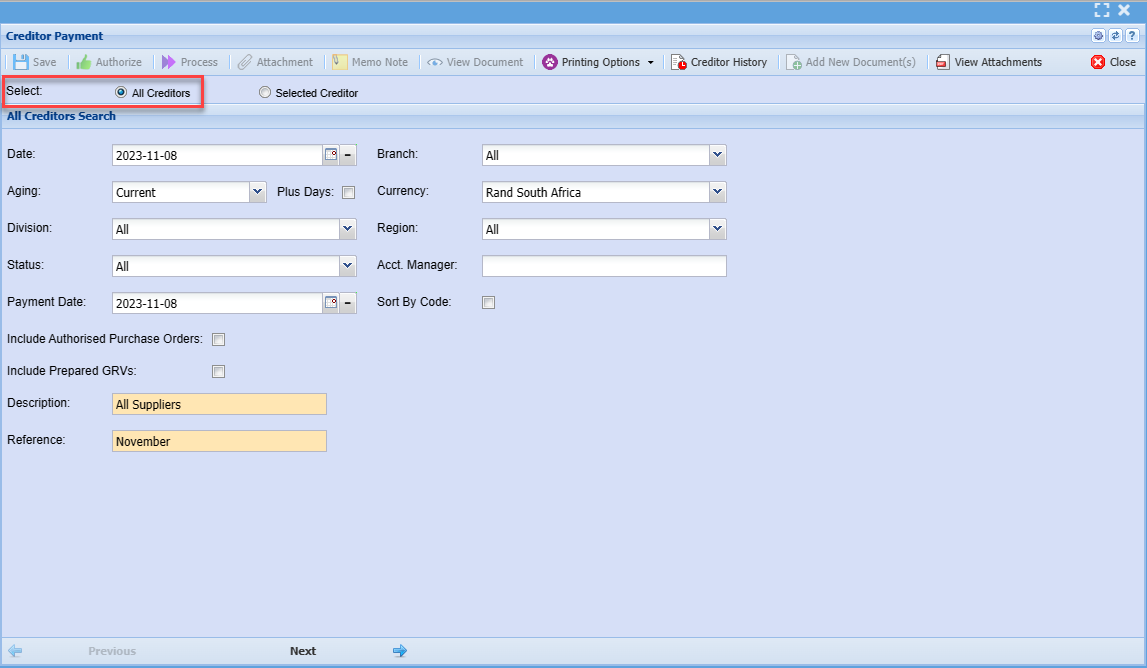
| Date | |
| Branch | |
| Aging | |
| Plus Days | |
| Currency | |
| Division | |
| Region | |
| Status | |
| Acct. Manager | |
| Payment Date | |
| Sort By Code | |
| Include Authorised Purchase Orders | |
| Include Prepared GRVs | |
| Description | |
| Reference |
Selected Creditor
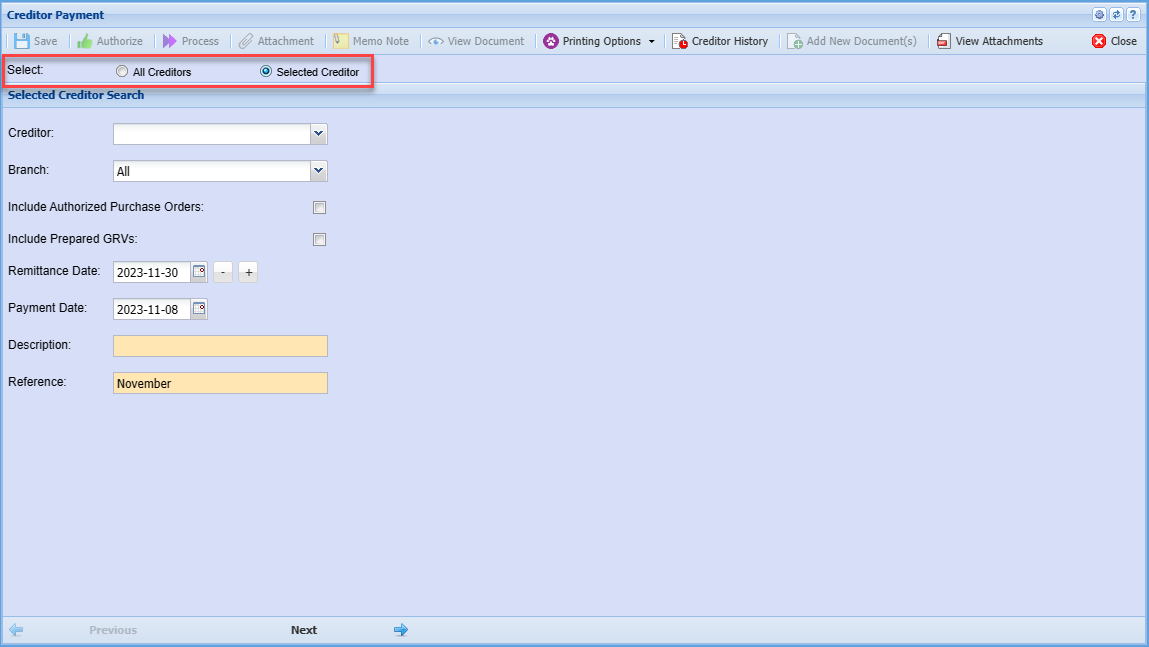
| Creditor | |
| Branch | |
| Include Authorized Purchase Orders Tick | |
| Include Prepared GRVs Tick | |
| Remittance Date | |
| Payment Date | |
| Description | |
| Reference |
Click Next
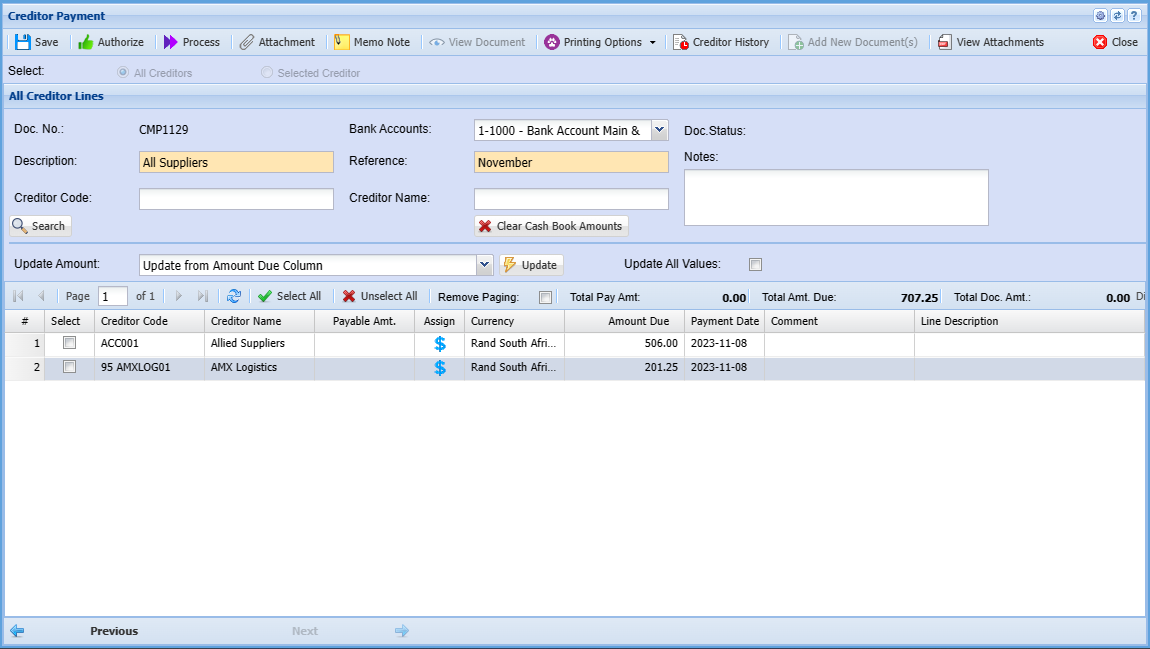
| Doc. No. |
|
| Description | |
| Creditor Code | |
| Bank Accounts | |
| Reference | |
| Creditor Name | |
| Doc. Status | |
| Notes | |
| Clear Cash Book Amounts | |
| Update | |
| Update All Values |